CRM KitsChurches: worship planning, songs and teams
Every service planned, timed and staffed.
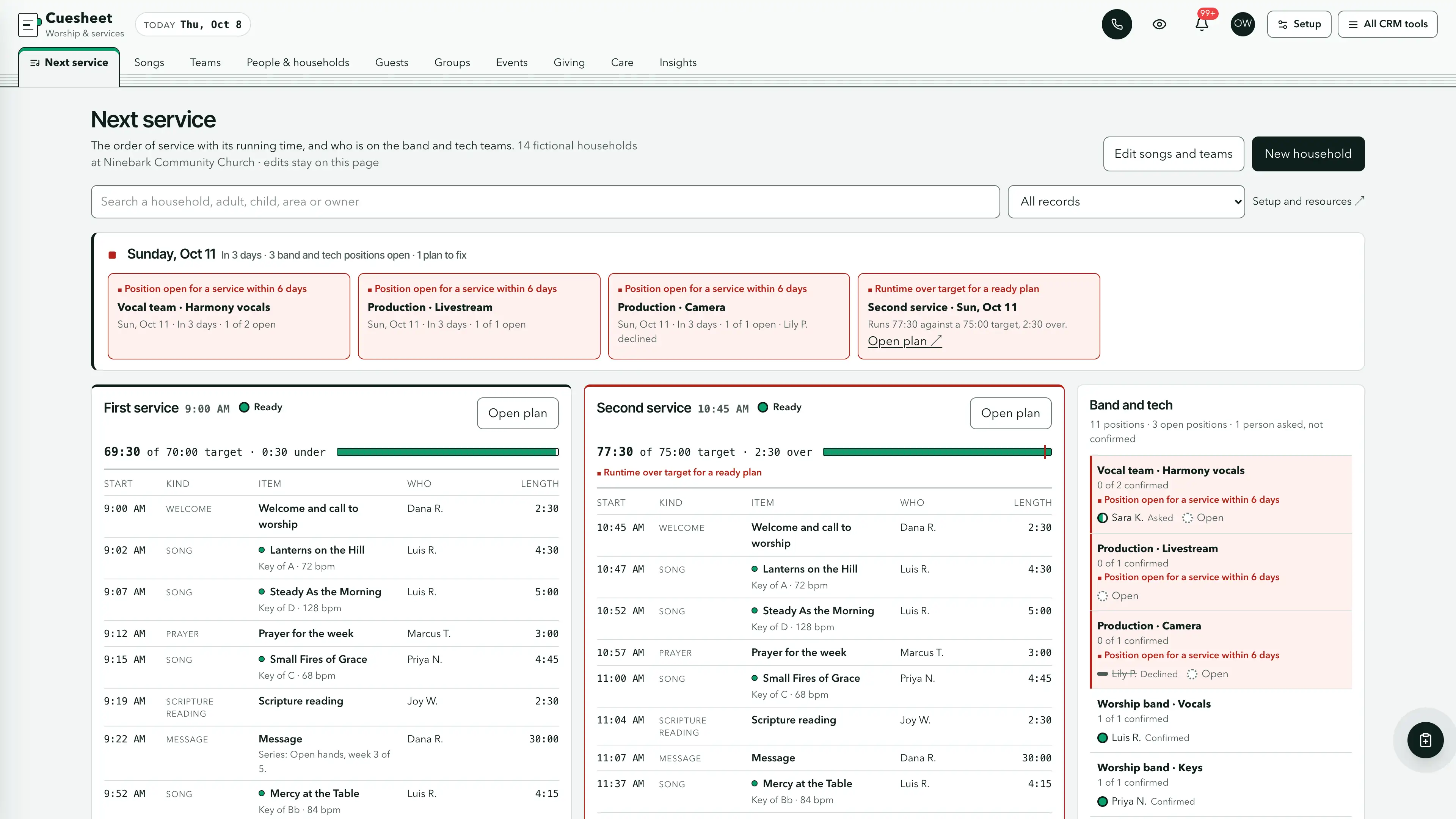
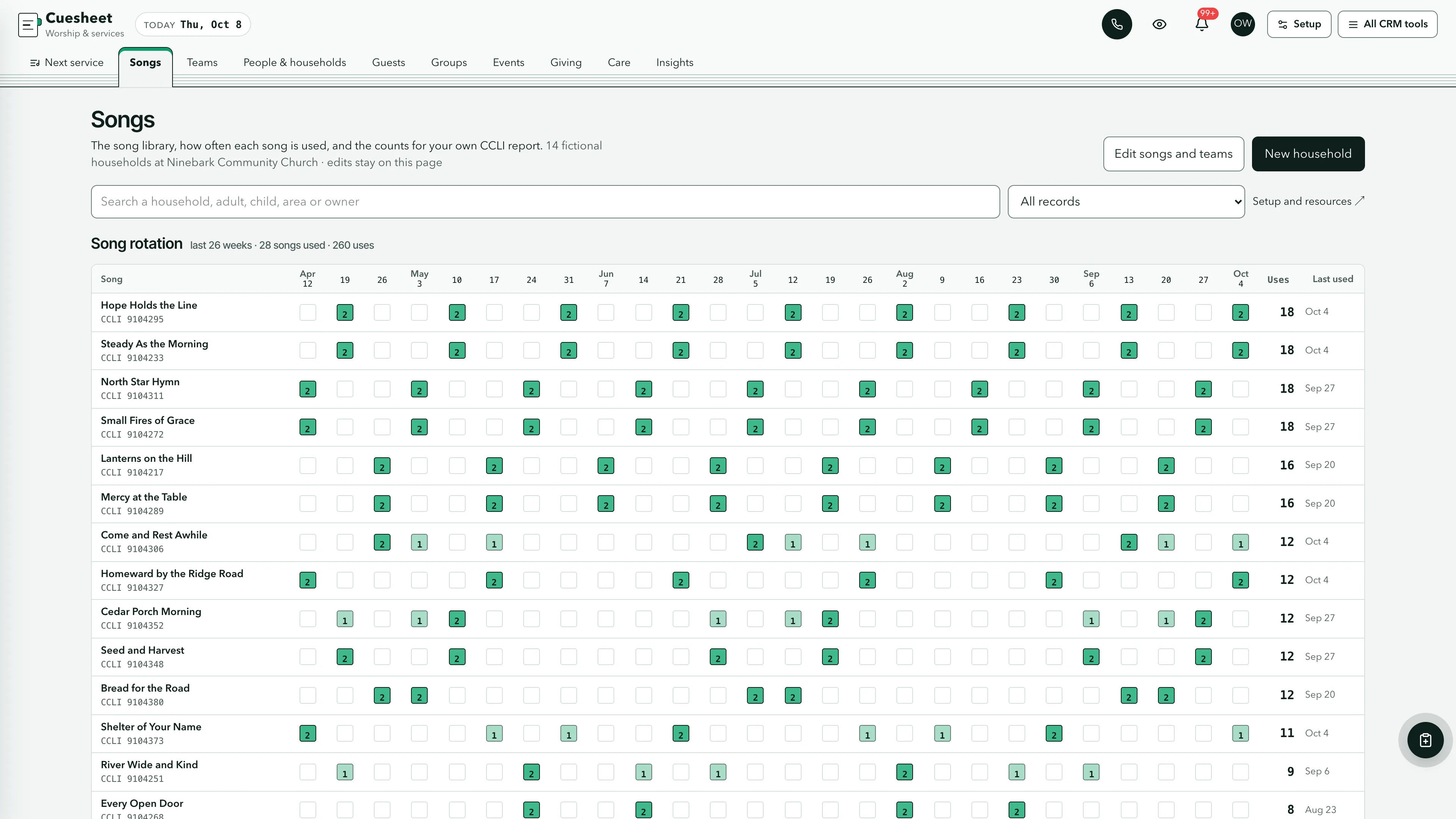
A workspace for the church office that plans its services. The next service day's order of service for each service runs item by item with start times, who leads each part and how long it runs against the time the service has, beside the band and tech positions for that day with the open ones first. A song rotation shows how often each song is used, with the counts your church needs for its own CCLI report. Songs are titles, keys and tempos only, never lyrics or charts, and children are recorded only as a first name and an age band.
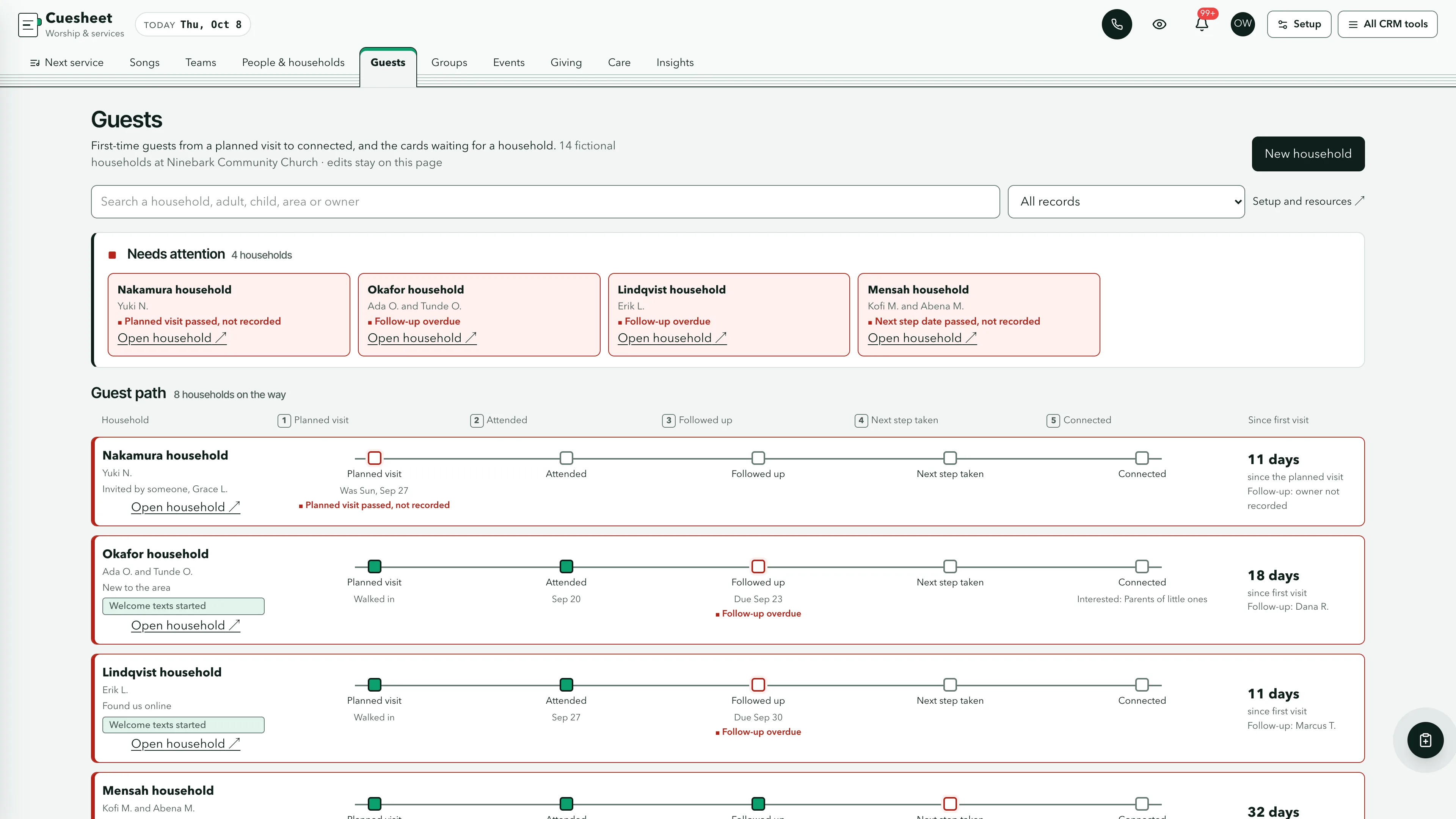
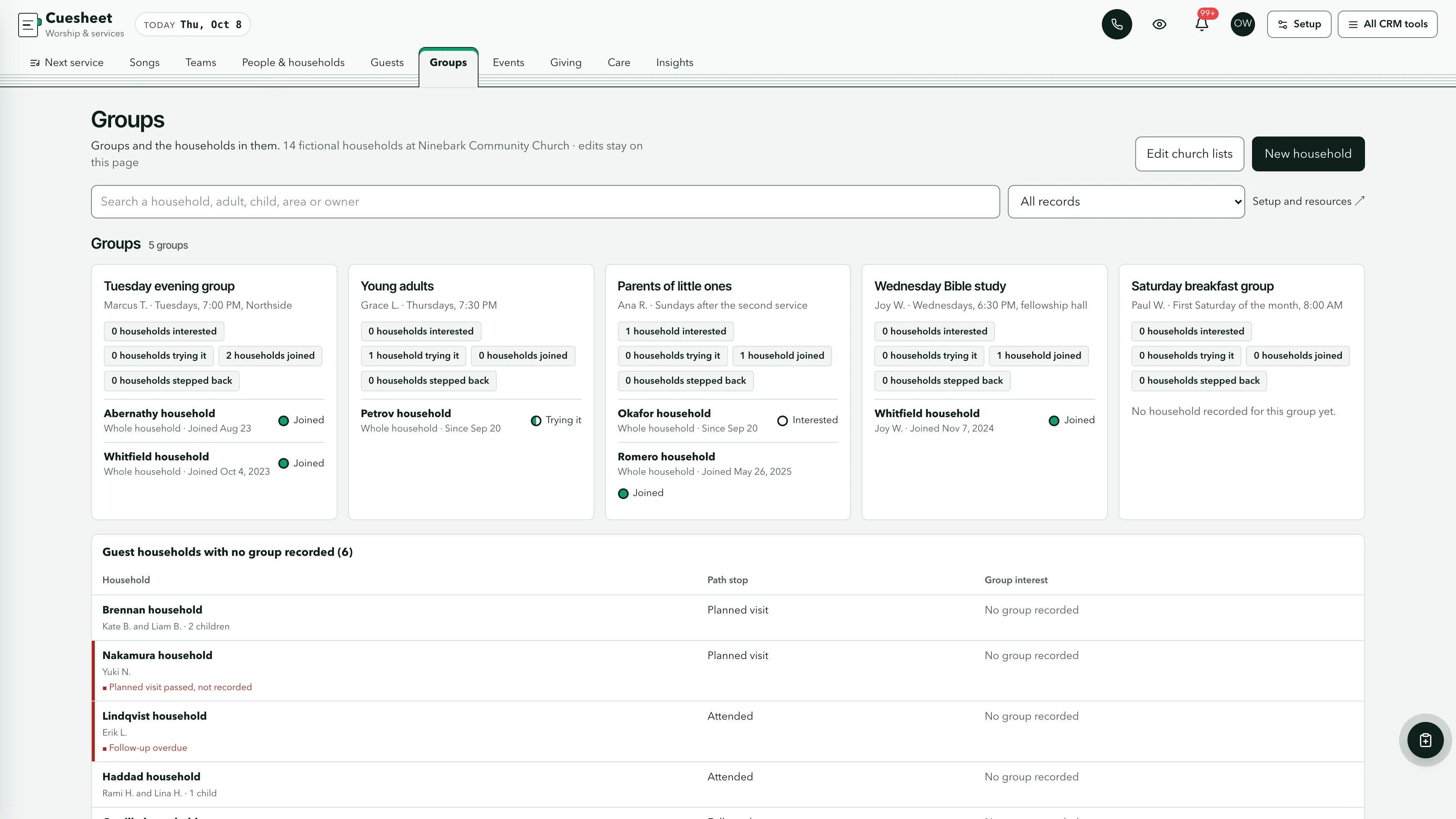
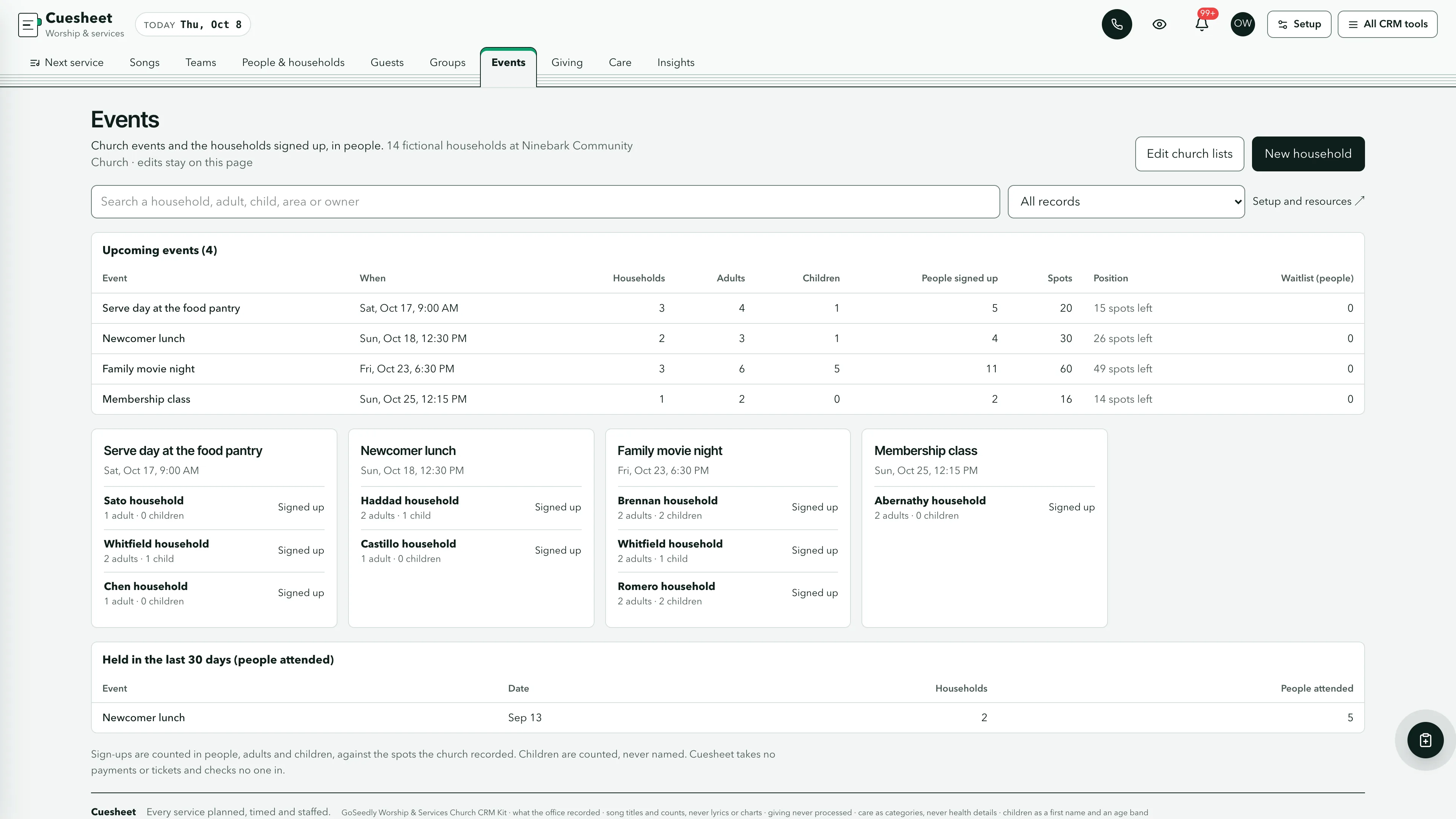
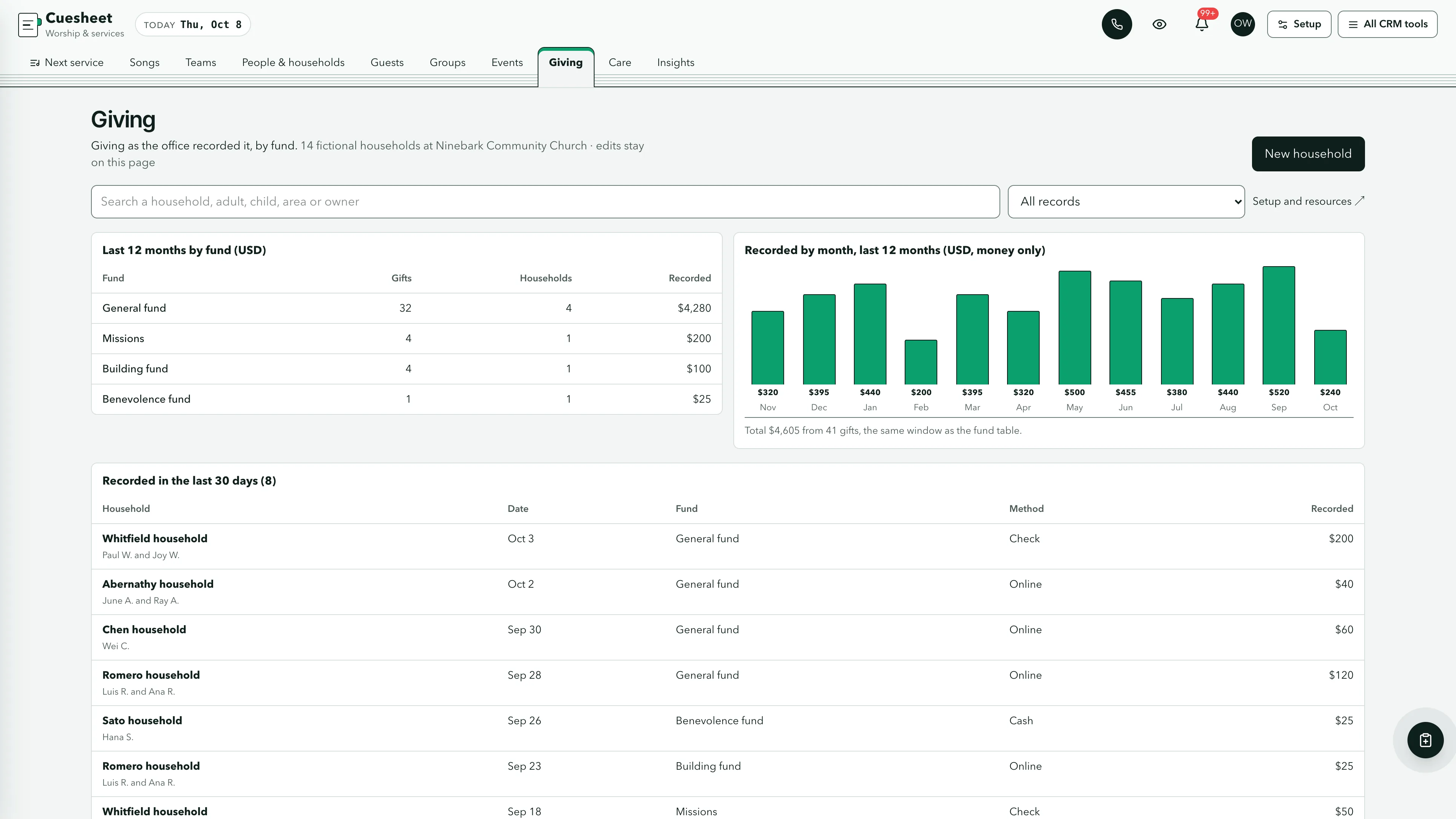
Run the next service from one sheet.
For each service on the next service day, the running order with each item's start time from the service time, its kind, the song from your library with its key and tempo or the item's label, who leads it and its length, then the runtime against the target with the target marked. Beside it, the band and tech positions for that day with confirmed, asked and declined people by name and the open positions first. Above it, open positions for services in the next six days, ready plans that run over their target and drafts three days out, and below it the next eight weeks of plans by status.
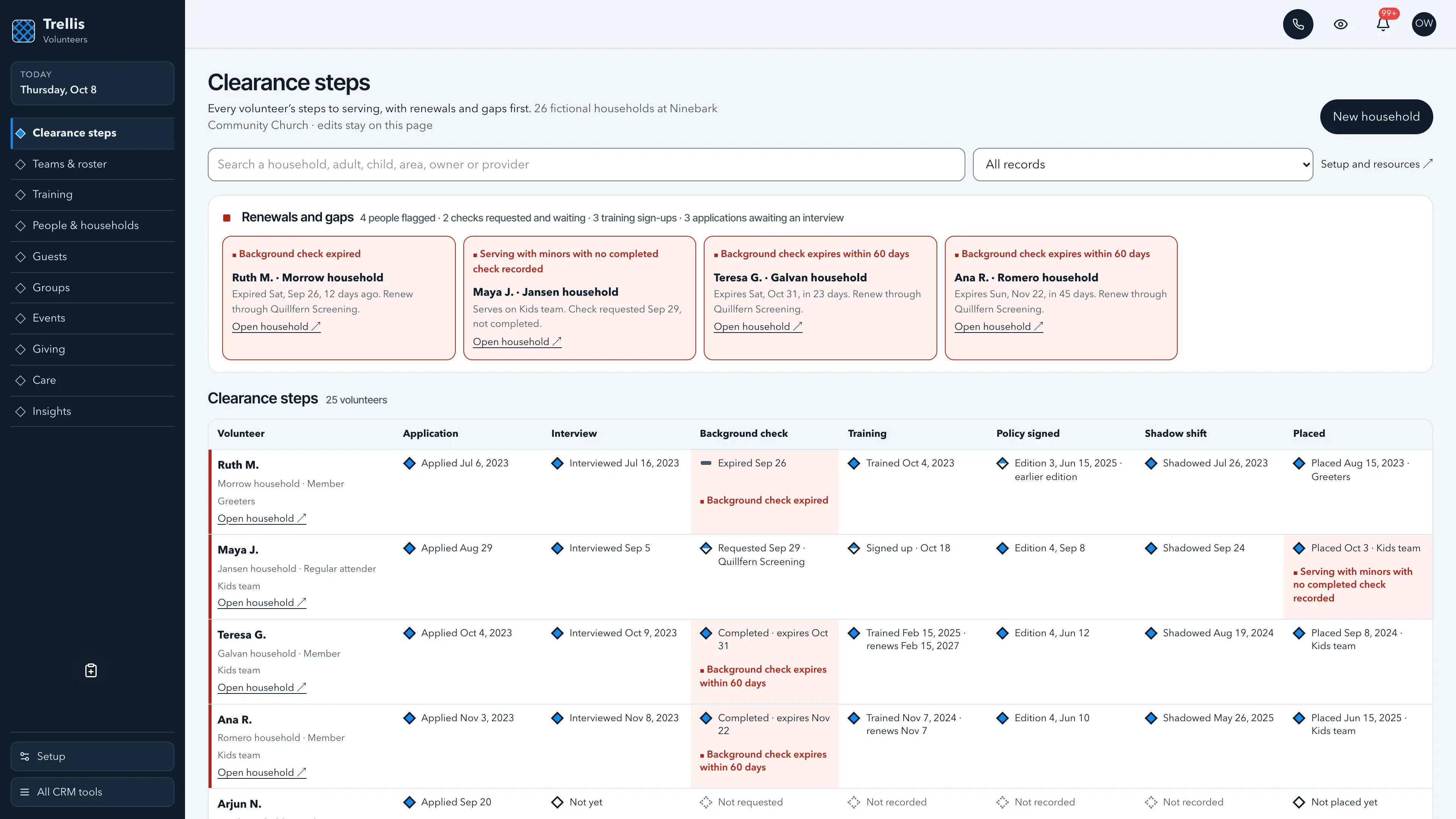
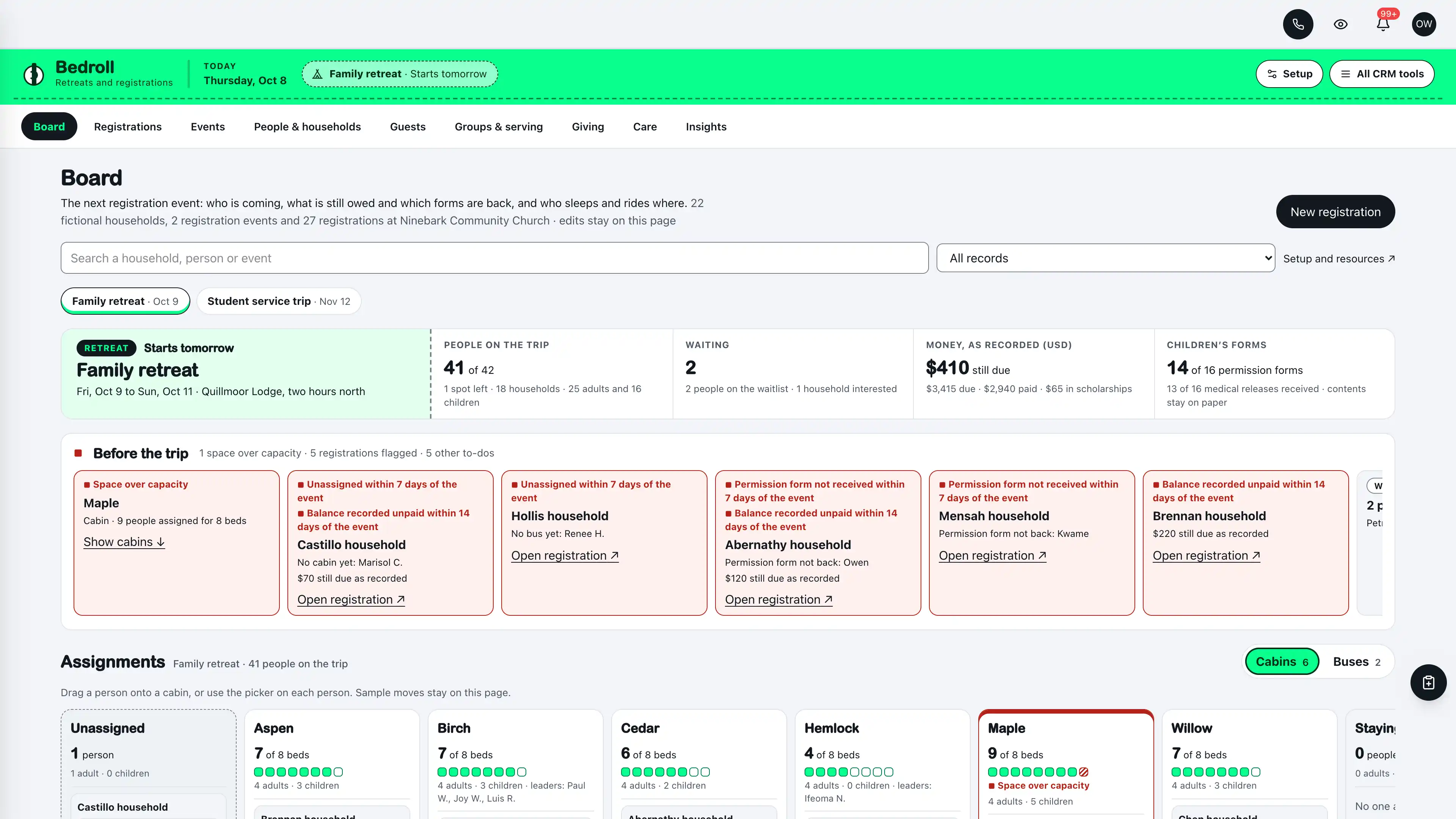
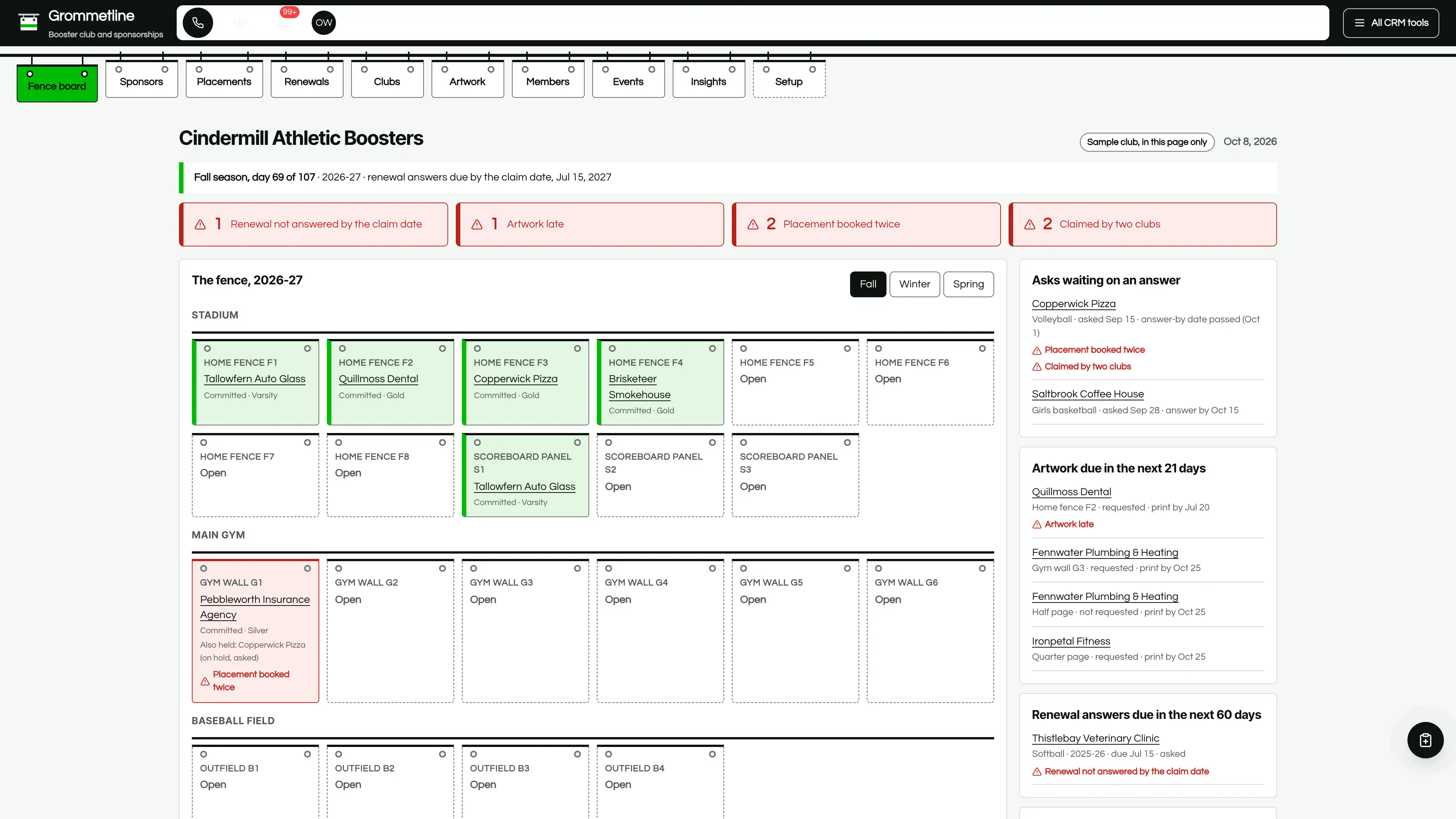
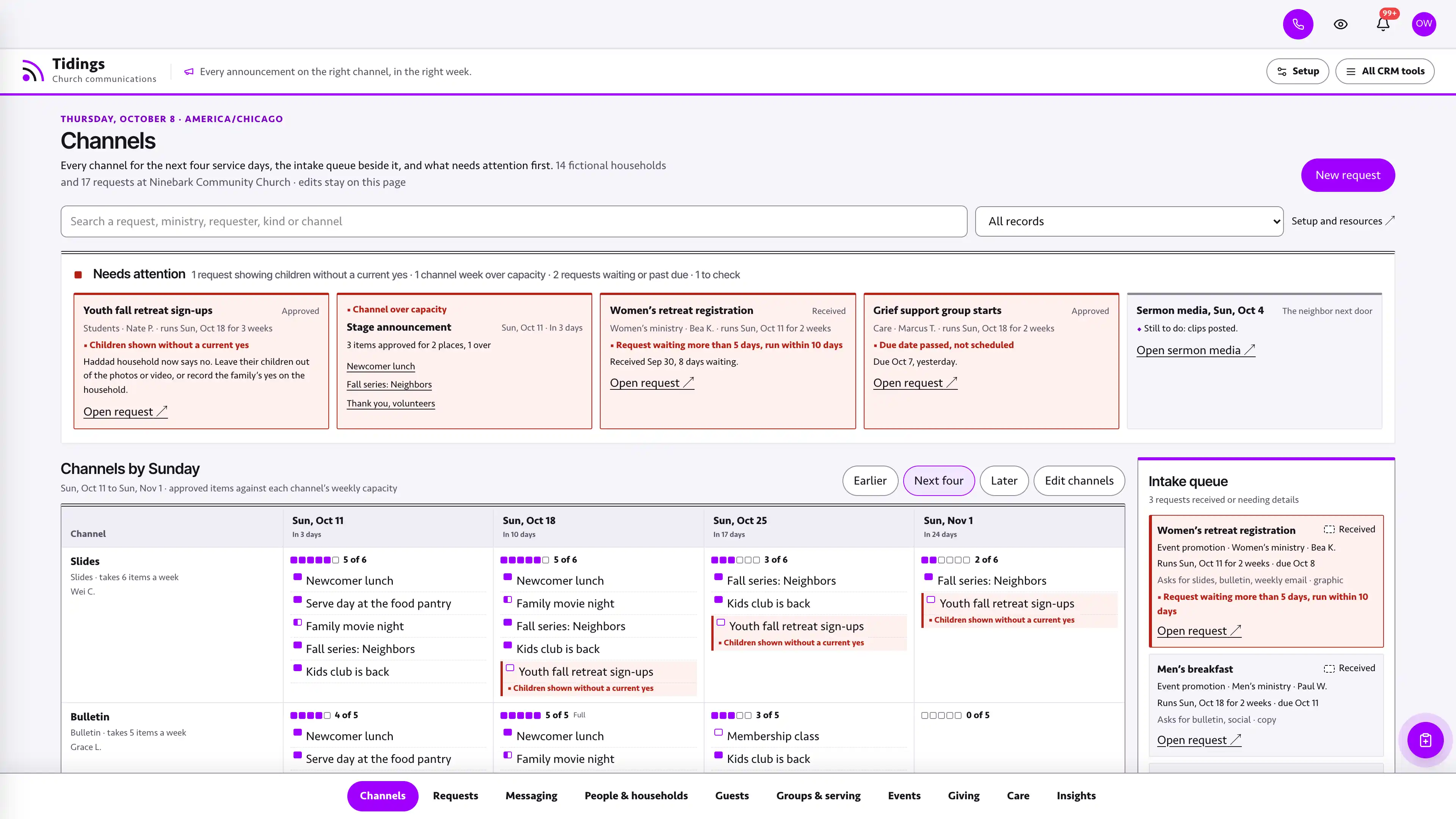
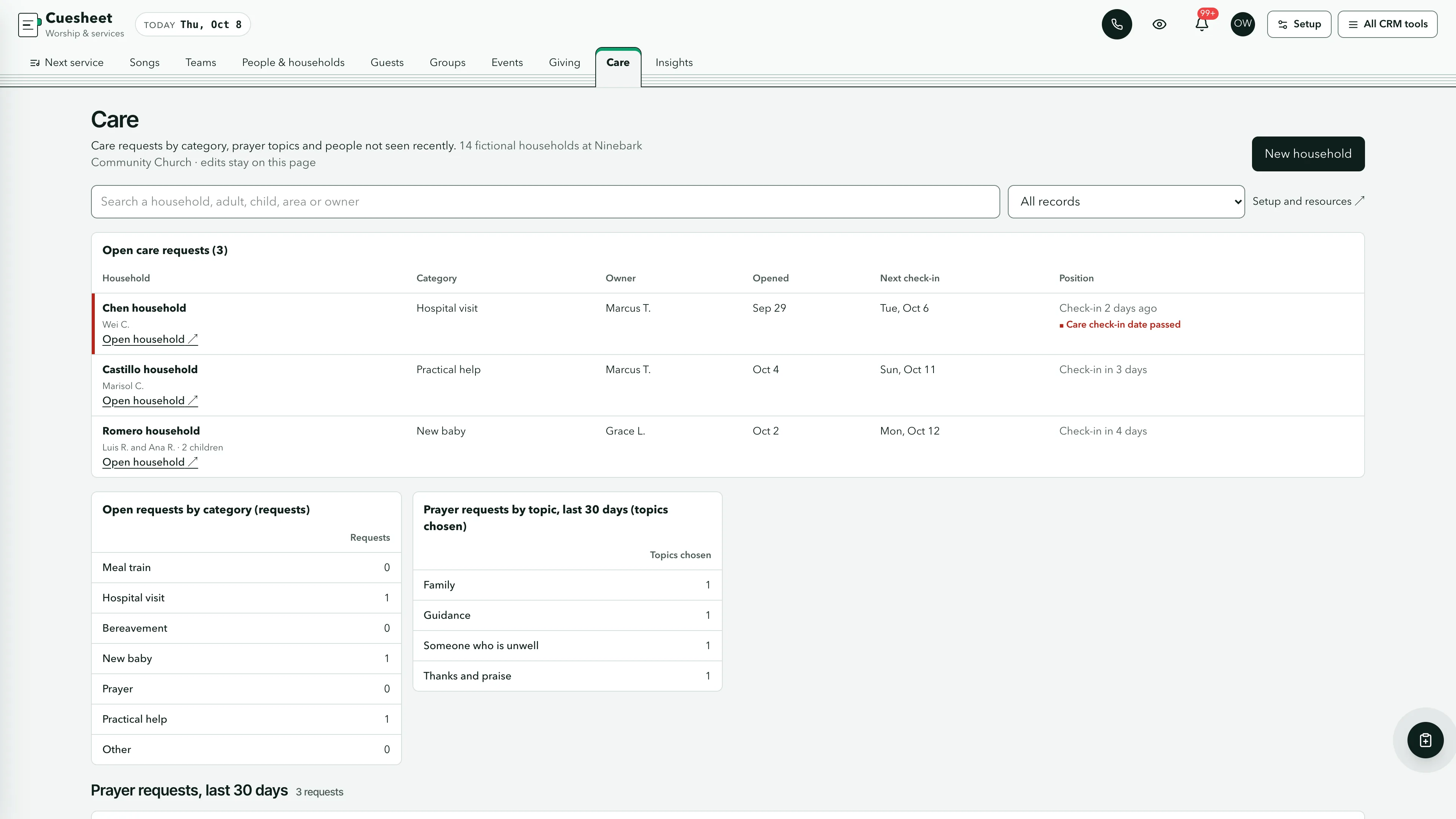
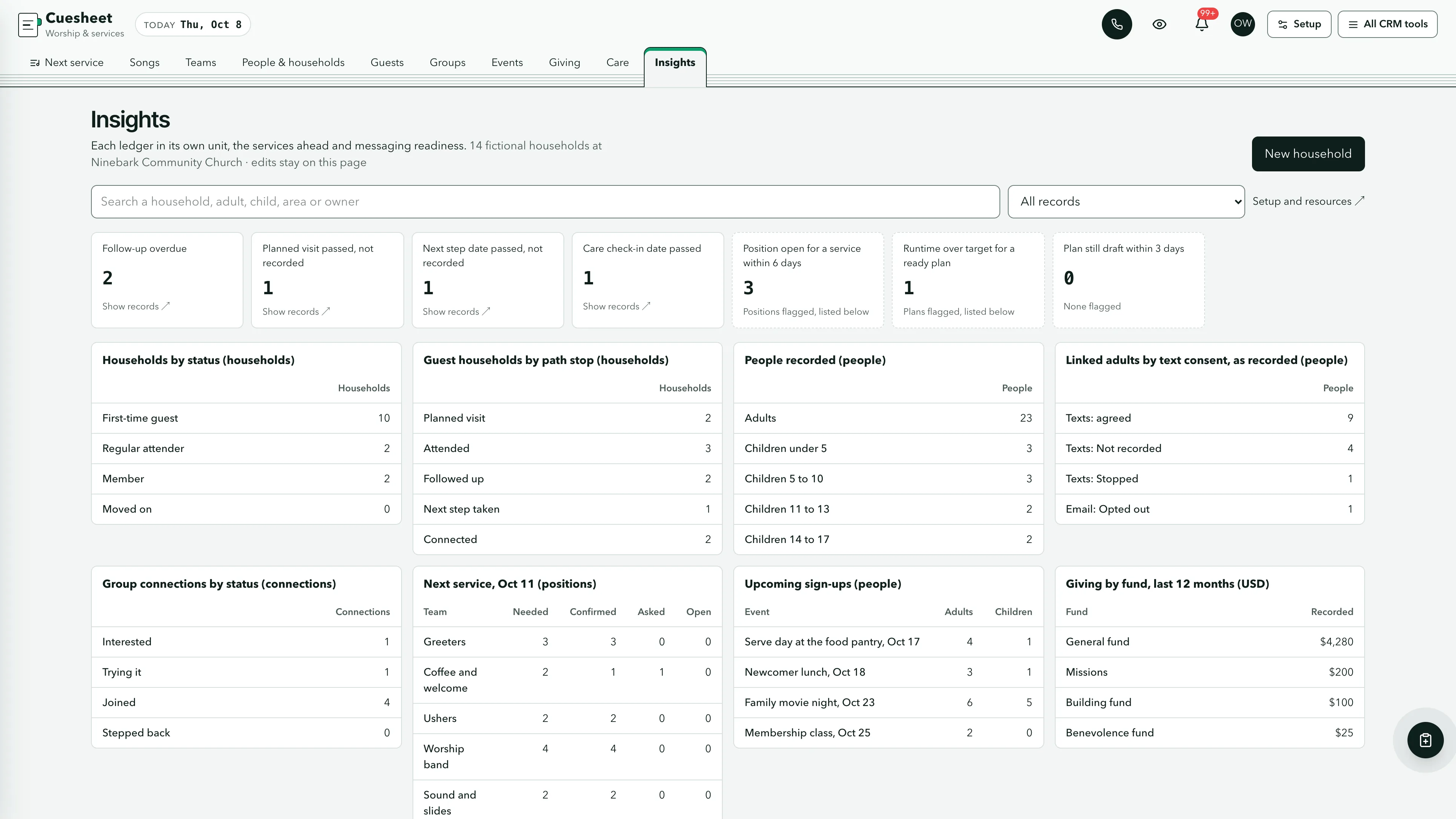
Actual interface captures with fictional sample data. Open a screenshot to see it full size.
What’s in the kit
Screens
- Next service operating view with run sheets, runtime against target and band and tech positions
- Next eight weeks of plans by status
- Song library, 26-week rotation heat map and counts for your own CCLI report
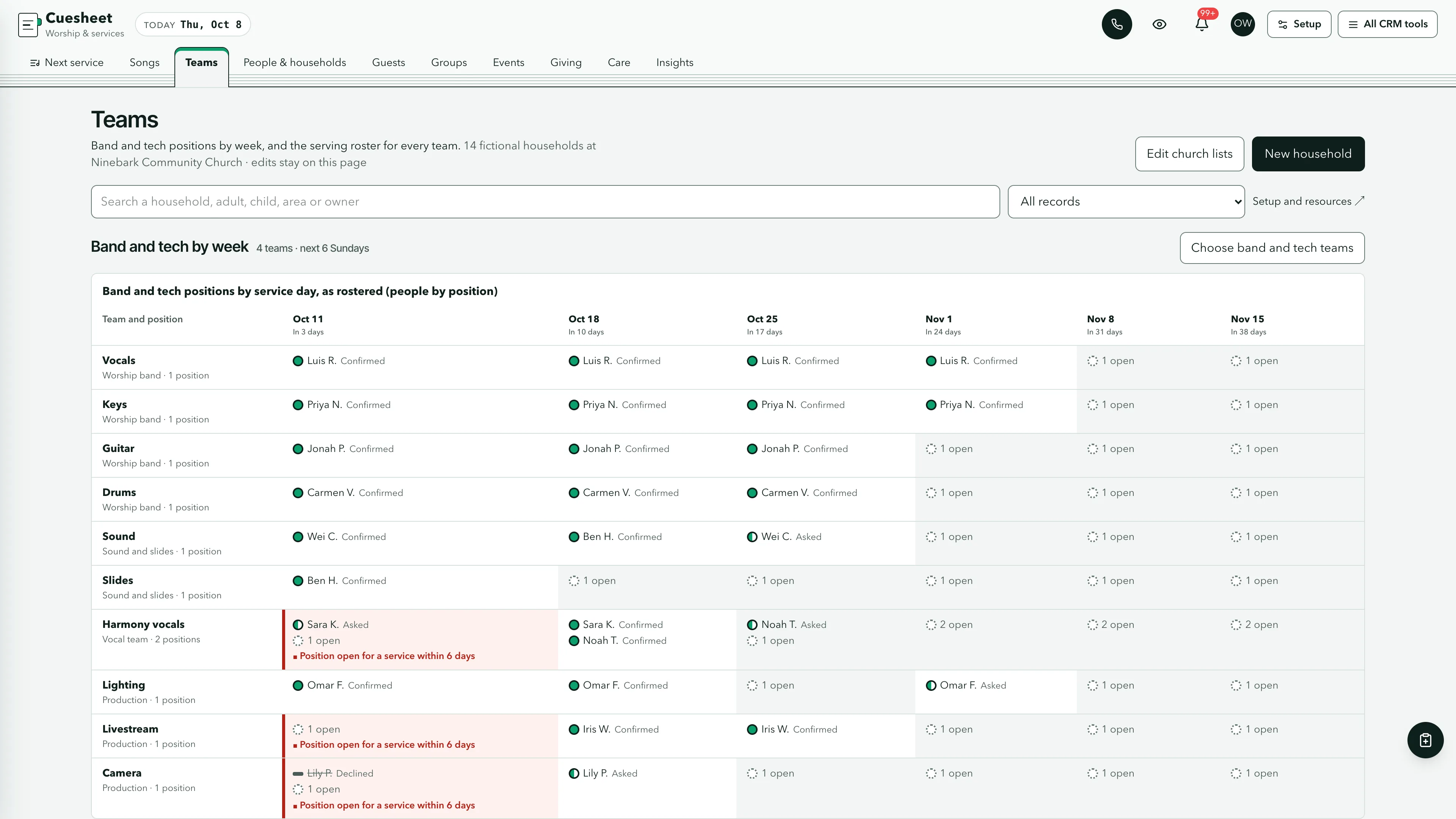
- Band and tech by week and the serving roster
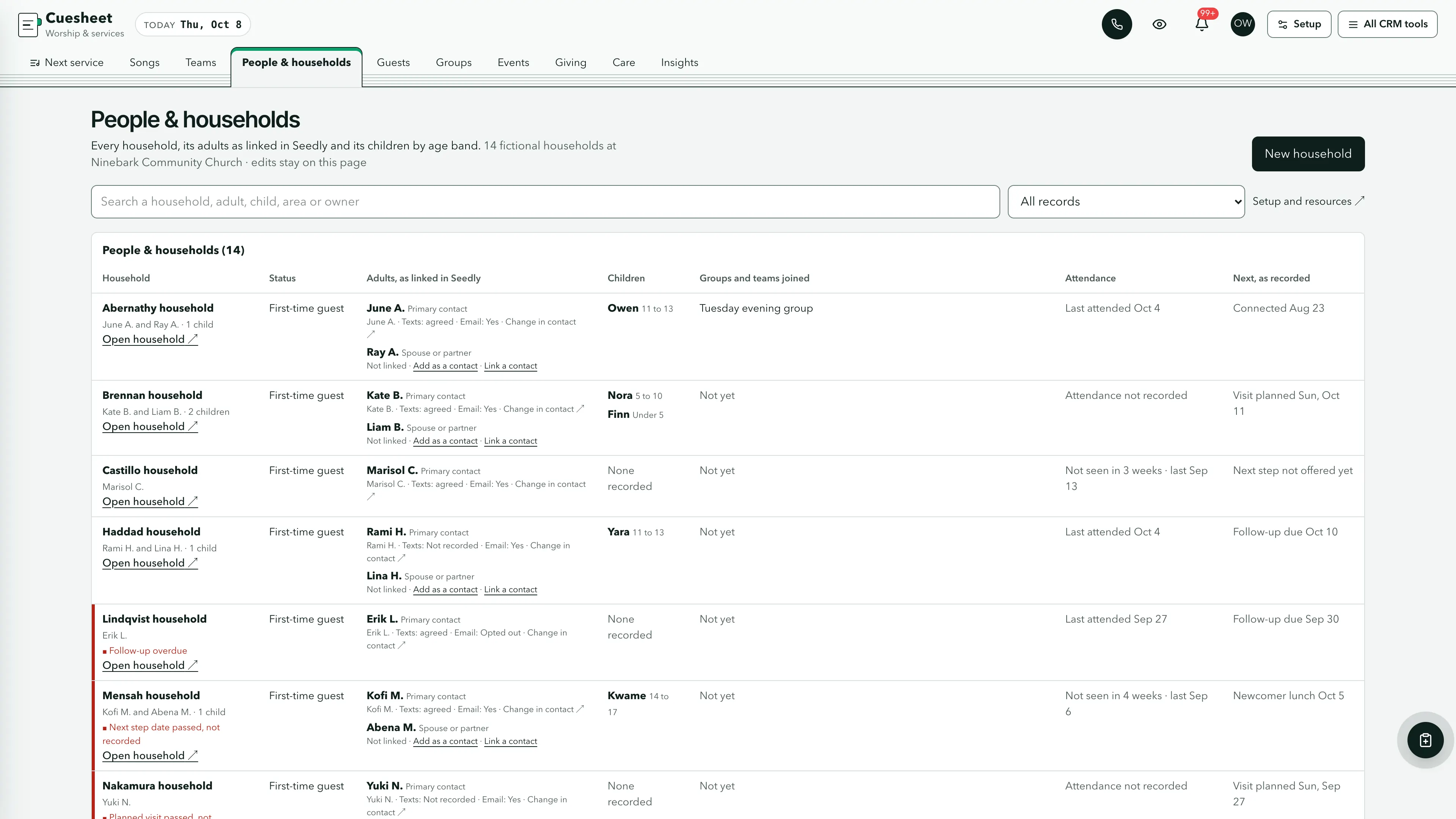
- People & households operating view
- Guest path with a card inbox that makes or links a household from a card
- Groups, events, giving as recorded, care and insights views
- Three message drafts in send mode with every send step off, plus twelve task drafts
- Six closed-choice native form drafts and five editable document templates
- Shared church tags, segments, a list, custom values, snippets, a connection card QR code and a pastor calendar
five pipelines
- Guest follow-up · 8 stages
- Serving teams · 7 stages
- Group leaders · 7 stages
- Care requests · 7 stages
- Worship and tech team · 7 stages
Optional. Install the ones that match your work, or connect drafts to a pipeline you already use.
15 workflow drafts
- Planned visit welcome
- First visit follow-up
- Next step invitation
- Next step check
- Group leader introduction
- Thirty-day check-in
- Serving team first conversation
- Serving roster confirmation
- Care request owner
- Audition follow-up
- Rehearsal reminder
- First Sunday on the team
- Guest welcome from the connection card (texts and emails, every send step off)
- Guest welcome after a recorded first visit (texts and emails, every send step off)
- Re-engagement (a text, a call, an email and a task, every send step off)
Inactive until you review and publish them. Message steps ship switched off.
Forms and documents
- Plan your visit
- Connection card
- Prayer request
- Serving team interest
- Event sign-up
- Worship and tech team interest
- Membership covenant
- Volunteer policy
- Order of service sheet
- Band and tech schedule
- Song usage worksheet
Editable native forms and document templates. Forms collect information for staff review.
Sample workspace
Explore Ninebark Community Church, a fictional church with two Sunday services: plans for the coming Sunday, both ready, with the second running 2:30 over its target, drafts for the Sunday after, 24 services marked done, 40 fictional songs with 26 weeks of usage, band and tech teams with three positions open this Sunday, and 14 households with 23 adults and 10 children recorded as a first name and an age band, first-time guests, groups, a two-service roster, events, care requests, 41 recorded gifts and usher headcounts. Sample edits stay in memory and reset on navigation or reload.
No sample customers are added to your CRM.
Setup and source
- Guided setup and compatibility report
- Private rollback receipt
- AI-agent guide for customized installations
- Original editable source, configuration, and tests
How setup works
Full installation guideCheck your Seedly
Extract the kit and run the guided setup. It checks your installation and flags customized files before it changes anything.
Connect the helper
Deploy the included helper from your backend source, then build your web app and choose any starter pipelines and drafts.
Make it yours
Set business name, descriptor, default pipeline name and message mode. Then sign in and check the workflows and permissions your team uses.
Technical details and compatibility
Seedly CRM 5.8.4 · extension API 1. Node.js 20 or newer. The installer checks supported integration-file versions and does not deploy your web app or backend. The included original backend helpers are required for connected household creation and edits, the church lists, the service plans and song library, linked contacts and setup. They preserve native account permissions, unrelated custom fields and row history, keep households, people, positions, songs, uses, minutes and money apart, count song usage from the plans marked done and fold usage more than 13 months old into six-month counts, refuse children's ages and names lists, allergy and custody notes, health details, chord charts in titles, labels and notes, access codes, logins, card and bank numbers and Social Security numbers as a guard against accidental entry rather than a guarantee, refuse dates still ahead for things that already happened, and check revisions before saving. Households are read page by page, so the workspace never stops at the 1,000 opportunities Seedly's board read returns, and the card inbox looks each card's contact up on its own. To update from the earlier release, remove it with its setup.mjs and install the new one in the Seedly working tree, with no deploy or build between the two, then deploy the backend, then build and deploy the web app; a page from the earlier release keeps working on the newer helpers between the two deploys, and the README says what to do if the removal refuses because an installed file was edited. Pipelines, drafts, forms and documents are optional.
Each service plan holds its service, day, target length, status and running order: every item's kind, the song from your library or a label, who leads it, its length, the key for a song and a short note. The song library holds titles, writers as text, CCLI song numbers, keys and tempos, and usage is counted on the server from the plans marked done, one use per song per service. Usage needs no clearing: a service's usage more than 13 months old whose plan has been cleared is folded into counts per song per six-month period, keeping each song's last use, so the plans record stays small year after year. The plans record holds twenty weekly services planned three weeks ahead, or twelve planned eight weeks ahead, with room to spare, and setup shows how full it is. One contact-linked household record holds the household's status, the guest path, an office note, its adults linked to Seedly contacts, its children as a first name and an age band only, the groups and serving teams it joined, recorded attendance, event sign-ups, gifts as recorded by fund, care requests as category labels and a checklist. The church's services, funds, teams and positions, groups, events, roster and usher headcounts live in the account's own church lists. The shared church lists fit one to three weekly services; a church with four or more should keep its roster and headcounts elsewhere for now.
Cuesheet records what the office recorded. Songs are titles, writers, CCLI song numbers, keys and tempos: no field holds lyrics, charts, recordings or links, item notes stop at 200 characters, and a chord chart typed into a song title, an item label or a note is refused, whether as four chord symbols in a row or as chords in square brackets the way chord-sheet services export them. Name boxes and public form name answers do not run that chord rule. Usage is a count for your church's own CCLI report; Cuesheet reports nothing and makes no licensing claim. Saving a household keeps the church tags on its linked contacts and moves the guest follow-up opportunity forward a stage, never back. The three message drafts hold real texts and emails with every send step switched off, every text behind a check that the contact agreed to texts and every email behind one that they did not opt out, sending only from 10:00 to 19:30 church time; you add them only after ticking that you record consent, you can add them before your A2P campaign is approved, and nothing sends until your office reads each step and turns it on. Cuesheet has no child check-in and refuses children's exact ages, birthdays, names lists (including lists after youth words such as "Youth band: Leo, Ava and Sam"), allergy and custody notes. Care requests are category labels and health details are refused. Giving is only what the office typed in: Cuesheet never processes, imports or receipts gifts and makes no tax claim. Today, the day a card or prayer request arrived, the events offered on the event sign-up form and the day song usage is folded follow the church time zone. Counts and totals read every household while the search box narrows only the lists, and red marks only a named alert. Access codes, Wi-Fi, livestream and portal logins, card, bank and routing numbers and Social Security numbers are refused in recorded text, while worship song titles, keys, tempos and CCLI song numbers are kept. That is a guard against accidental entry, not a guarantee, and the shapes it cannot tell from ordinary text are listed in the README. The public form drafts hold only names, email, phone and fixed choices, with children counted and never named. Install one church kit per Seedly installation. A matching Seedly church website template is available separately.
Five optional pipeline templates and 15 inactive workflow drafts. Fictional in-memory plans, songs and 14 households.
Calling, messaging, signing, payments, and external integrations depend on your Seedly installation, account permissions, plan, and configured providers. Screenshots use sample data and reference imagery. Hosting, installation, and ongoing maintenance are your responsibility.
Get the Worship & Services Church CRM Kit
Checking access…

DevLaunch All Access
Every kit and every template.
- All 220 CRM kits for Seedly CRM
- All 190 website templates for Seedly Sites
- Every class, course, and product we release, added as it ships
- Private calls with Aaron
Already a member? Open your downloads.
Questions
How do I receive the kit?
Purchase securely through Whop. Your original source ZIP and installation documentation are delivered manually to the email used at checkout. This is a one-time purchase of this kit; Seedly software, hosting, and installation services are separate.
Does this include Seedly CRM?
You obtain and configure Seedly separately. The kit adds original frontend screens, a shared theme, starter definitions, and integration instructions. It does not include Seedly’s codebase, license, hosting, or a separate CRM database.
Is this one connected workspace?
Cuesheet keeps its light masthead with the ten views as tabs beside the native CRM tools in the same signed-in account. Contacts, Calendar, Estimates, Documents, and other full modules retain the functionality supplied by your own Seedly installation. Existing authored content and provider screens retain their own layouts.
Can I use it with existing customizations?
Yes, with a compatibility review. The installer checks the supported integration files. Changed integration files need a reviewed merge; the included AI-agent guide explains how to preserve custom extensions, permissions, providers, and routes.
Do I have to import all the starter content?
No. Choose individual pipelines and workflow drafts, use a compatible existing pipeline, or install none. Workflows remain inactive until reviewed and published. The task drafts use native triggers, internal tasks, optional notes and timed waits. The three message drafts hold text and email steps that ship switched off. Each step sends only after your office turns it on, and texts go only to people with recorded consent. A wait does not verify task completion or recheck the current stage.
Can I remove the examples and starter content?
Sample records stay in memory and never create customers in your CRM. Leave sample mode to return to your account. Starter setup lets you review removal of unused kit additions; server checks retain edited or published workflows and pipelines with live work or references. Removing the frontend does not delete account records.
Can different subaccounts use different kits?
The current design and branding apply to the whole web installation. Subaccounts still separate data and access. Use a separate web installation for another full-interface kit; running different kit designs by subaccount in one installation requires additional customization.
More hospitality, events & creative kits
Browse all 220 kits