CRM KitsChurches: communications requests, channels and sermon media
Every announcement on the right channel, in the right week.
A workspace for the church office that fields requests from every ministry: slides, the bulletin, the weekly email, social, the app or website and stage announcements. Every channel is a row and the next four service days are columns, each cell counting the approved items against what the channel takes, with the intake queue beside it and the weekly sermon media below. Tidings records what the office decided and never publishes, posts or sends anything by itself.
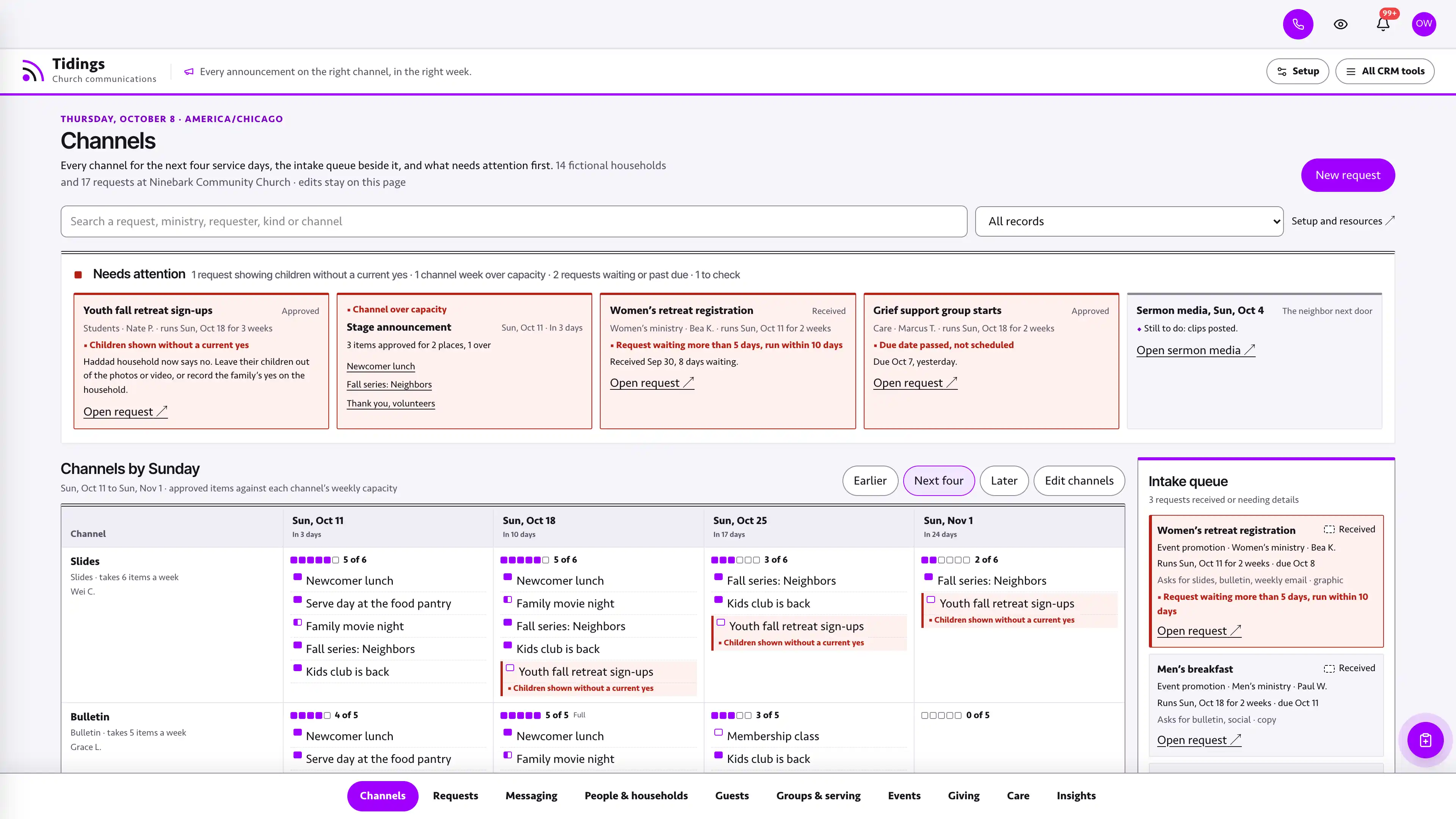
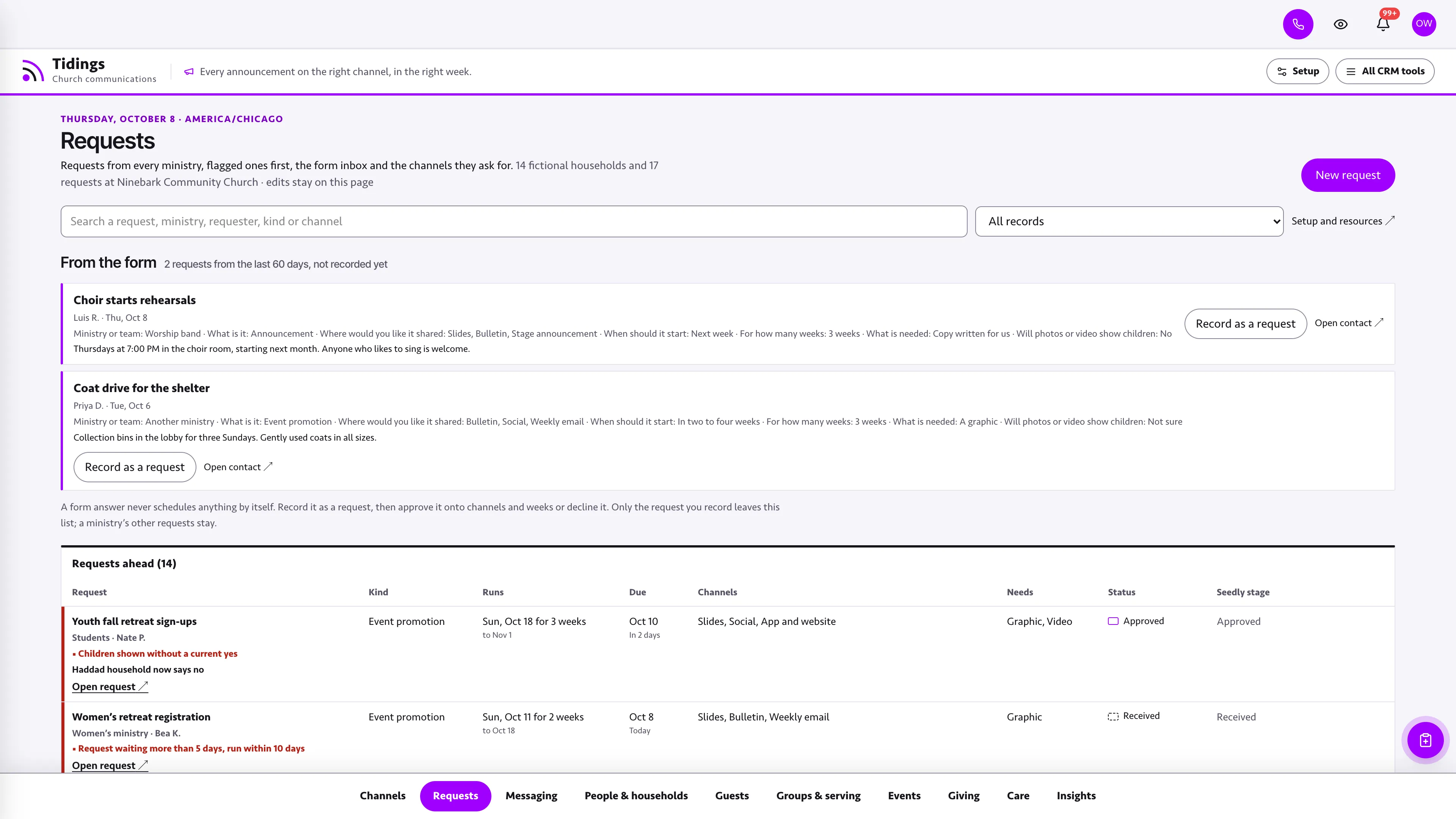
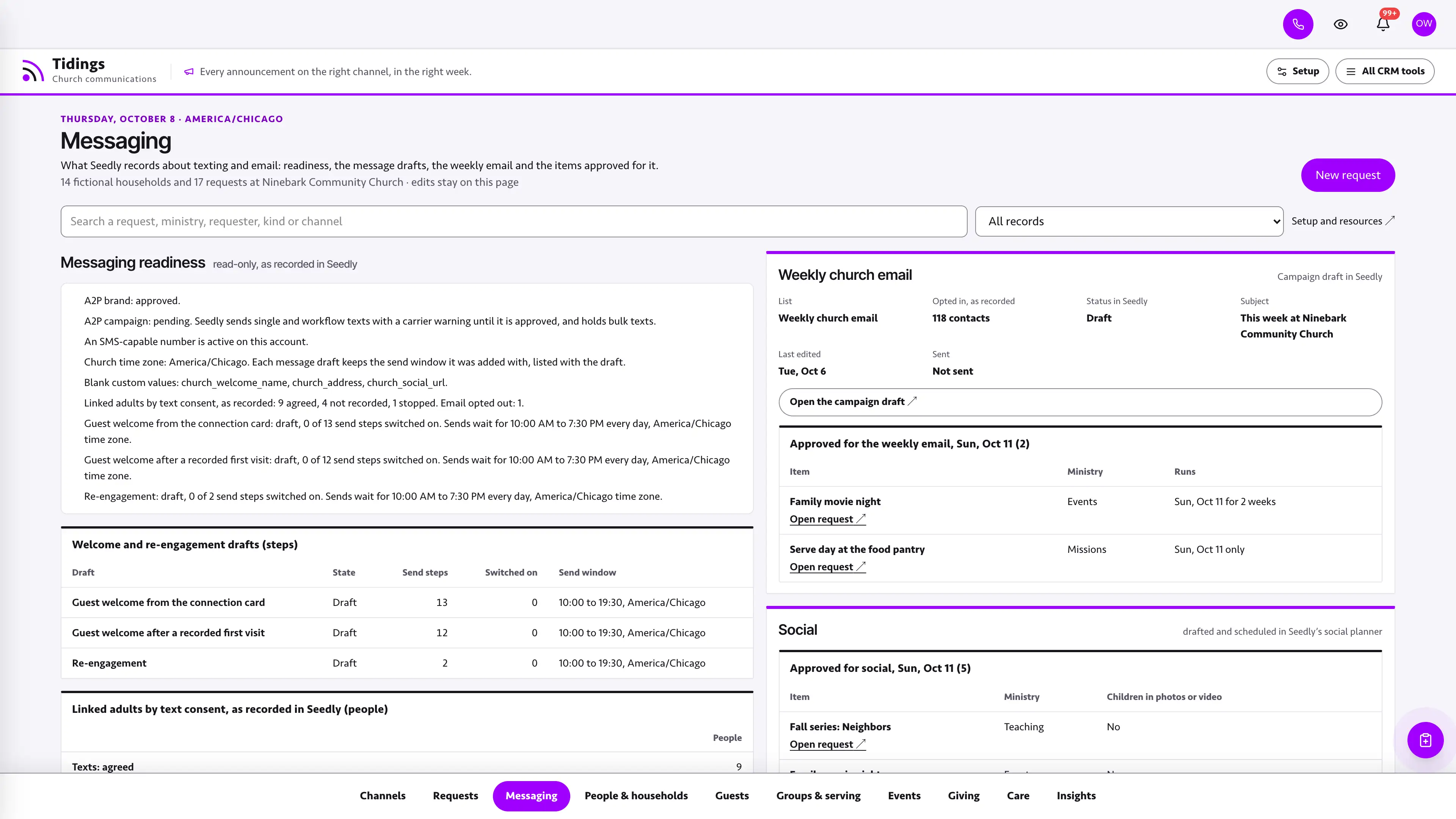
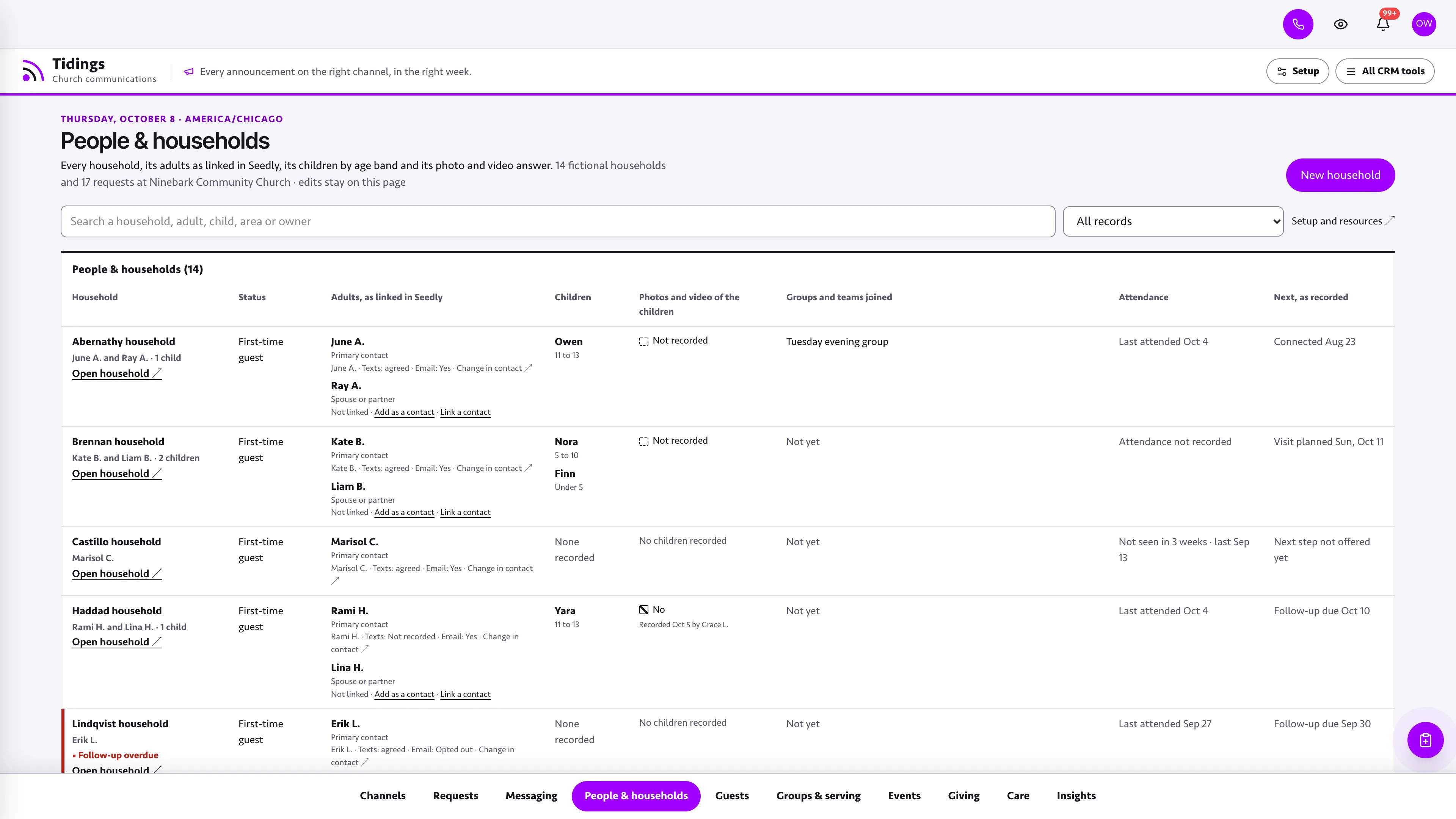
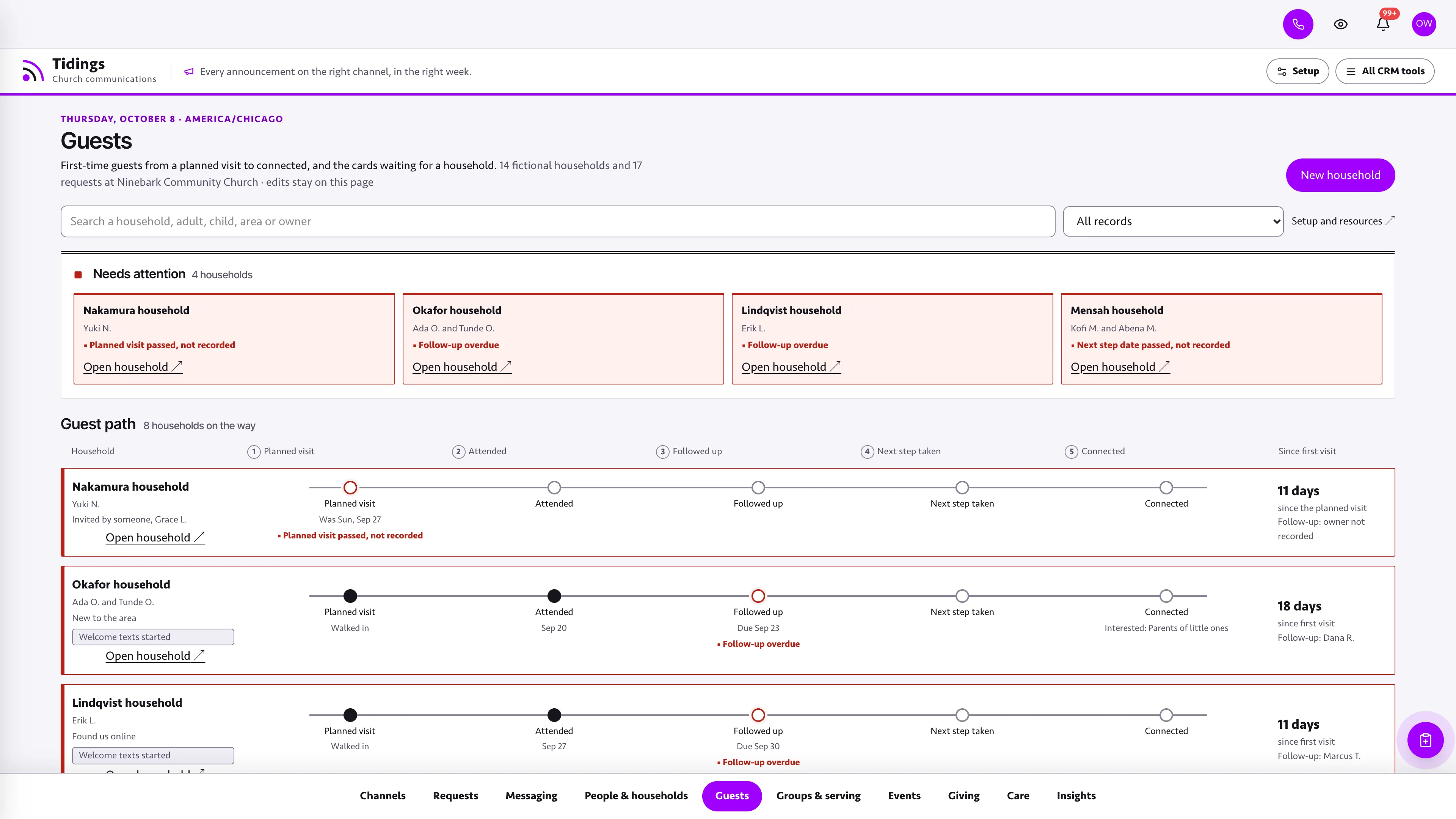
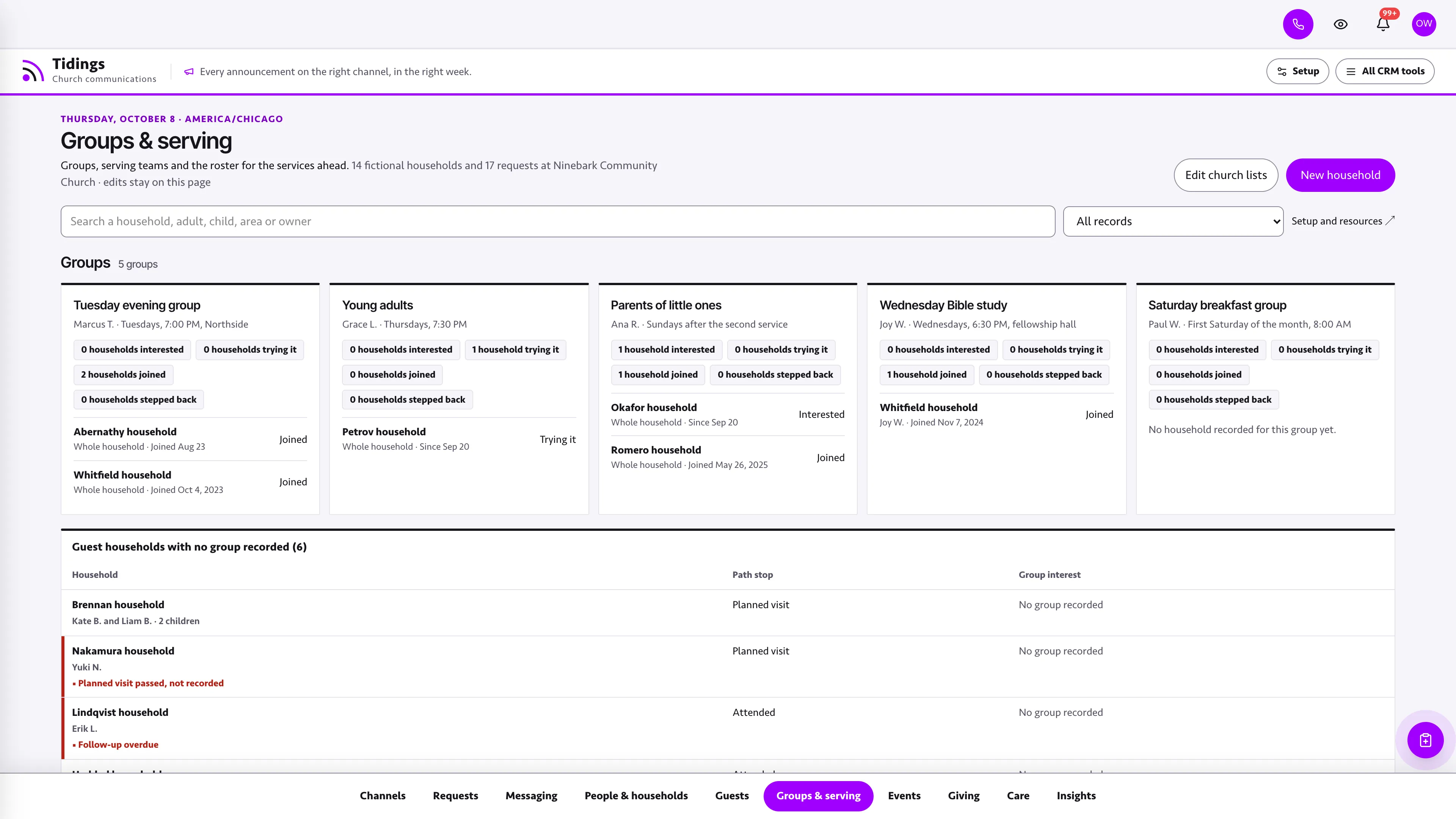
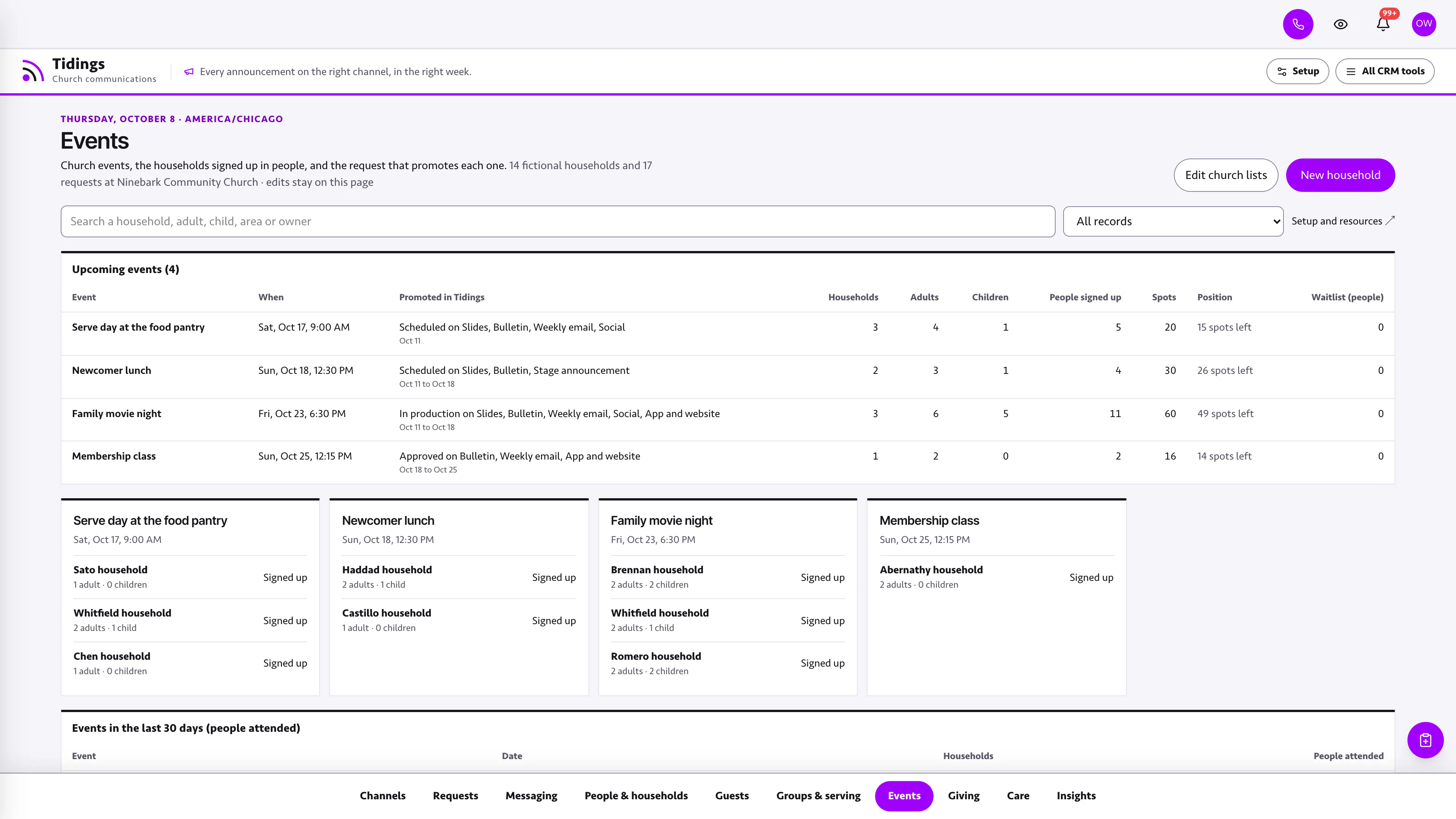
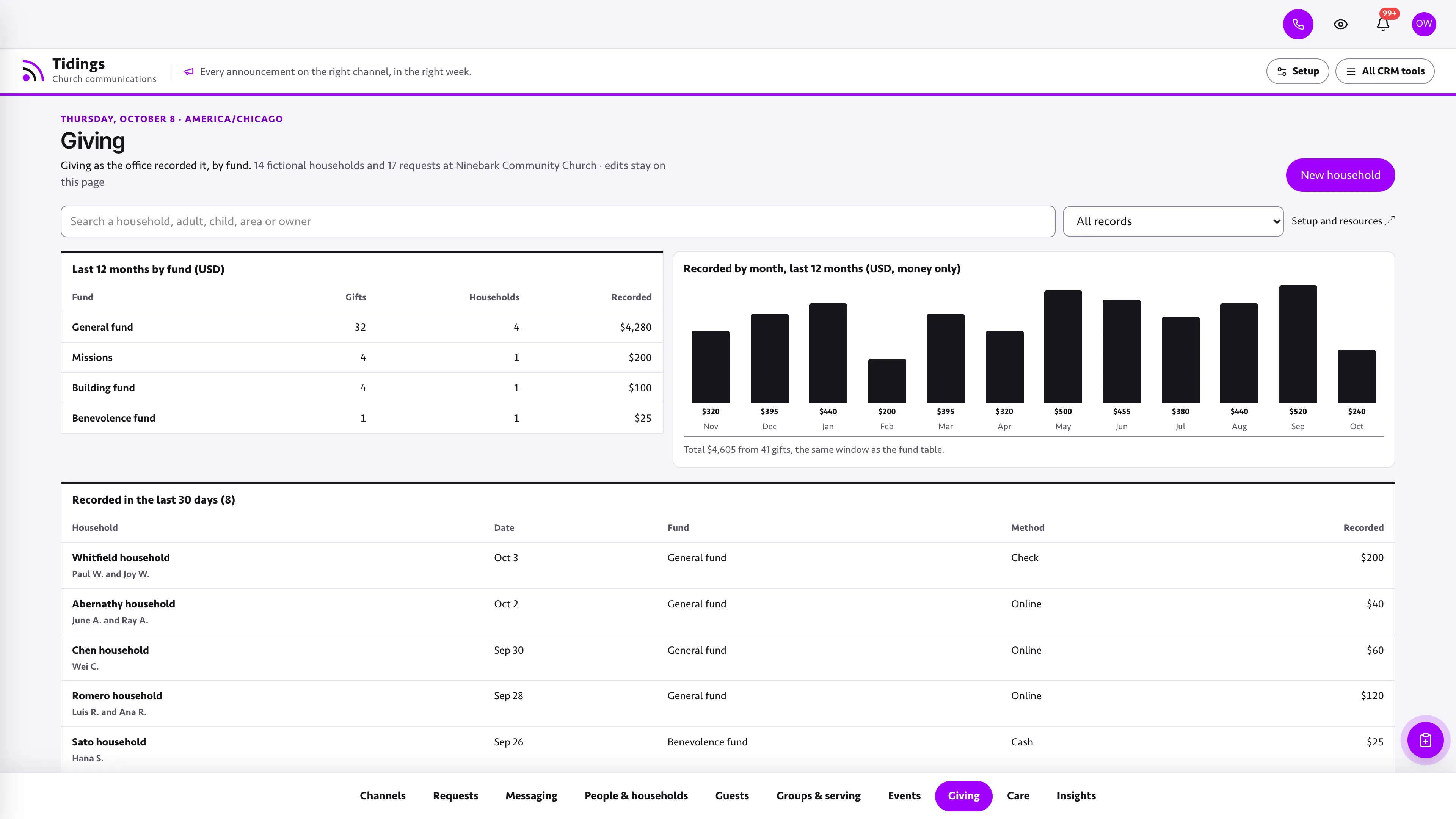
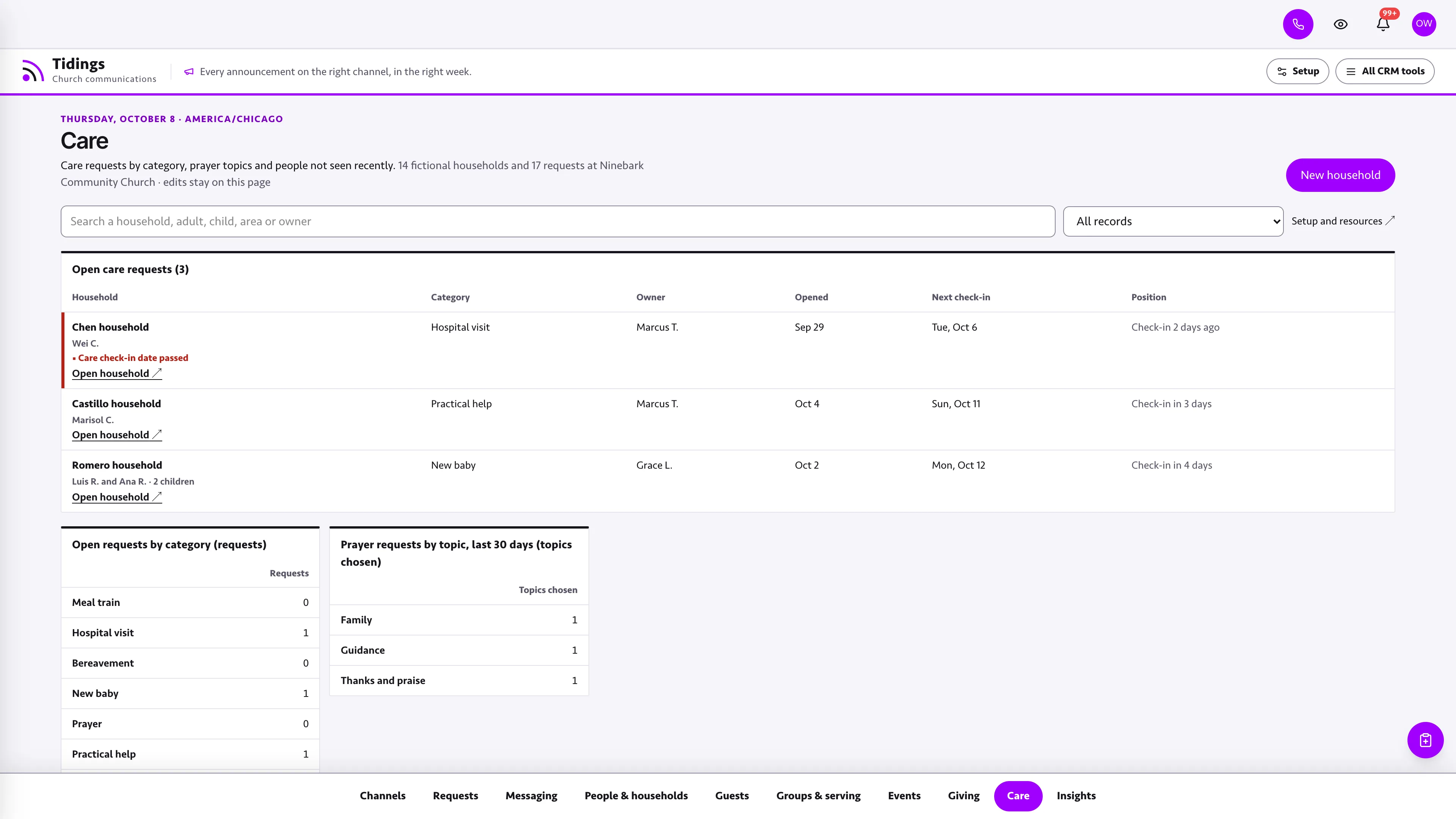
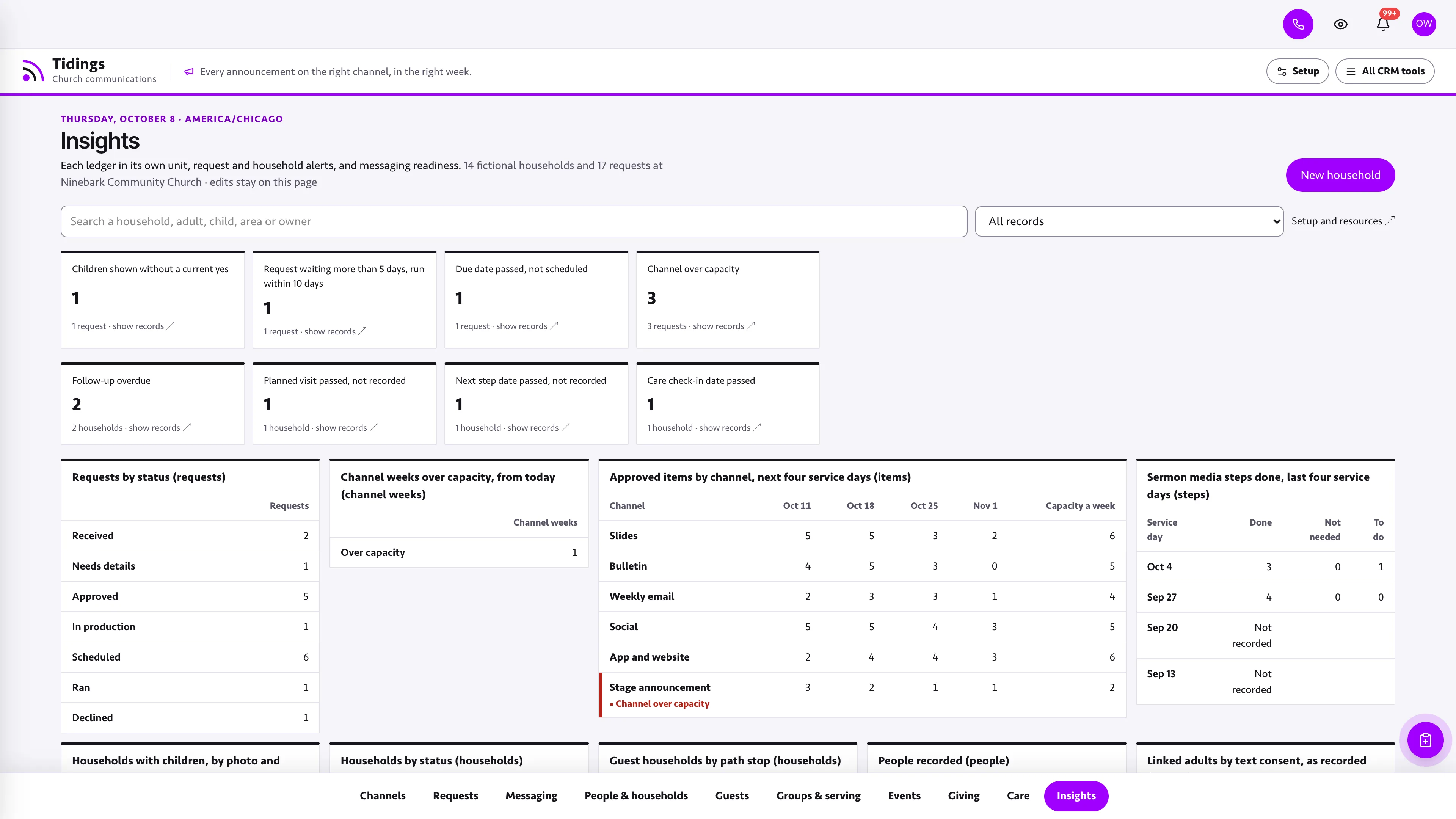
See every channel by service day.
Channels as rows and the next four service days as columns. Each cell lists the items approved to run that day, marked approved, in production or scheduled by their own shape and word, against a row of slots for what the channel takes, and a channel over capacity turns red with its flag, as does an item showing children without a current yes from their family. The weekly sermon media sits below with recorded, posted, clips cut and clips posted. Needs attention leads with requests showing children without a current yes, then channel weeks over capacity, requests waiting more than five days that run within ten and due dates passed without being scheduled, then sermon media still to finish, and the intake queue beside the board lists new and incomplete requests first.
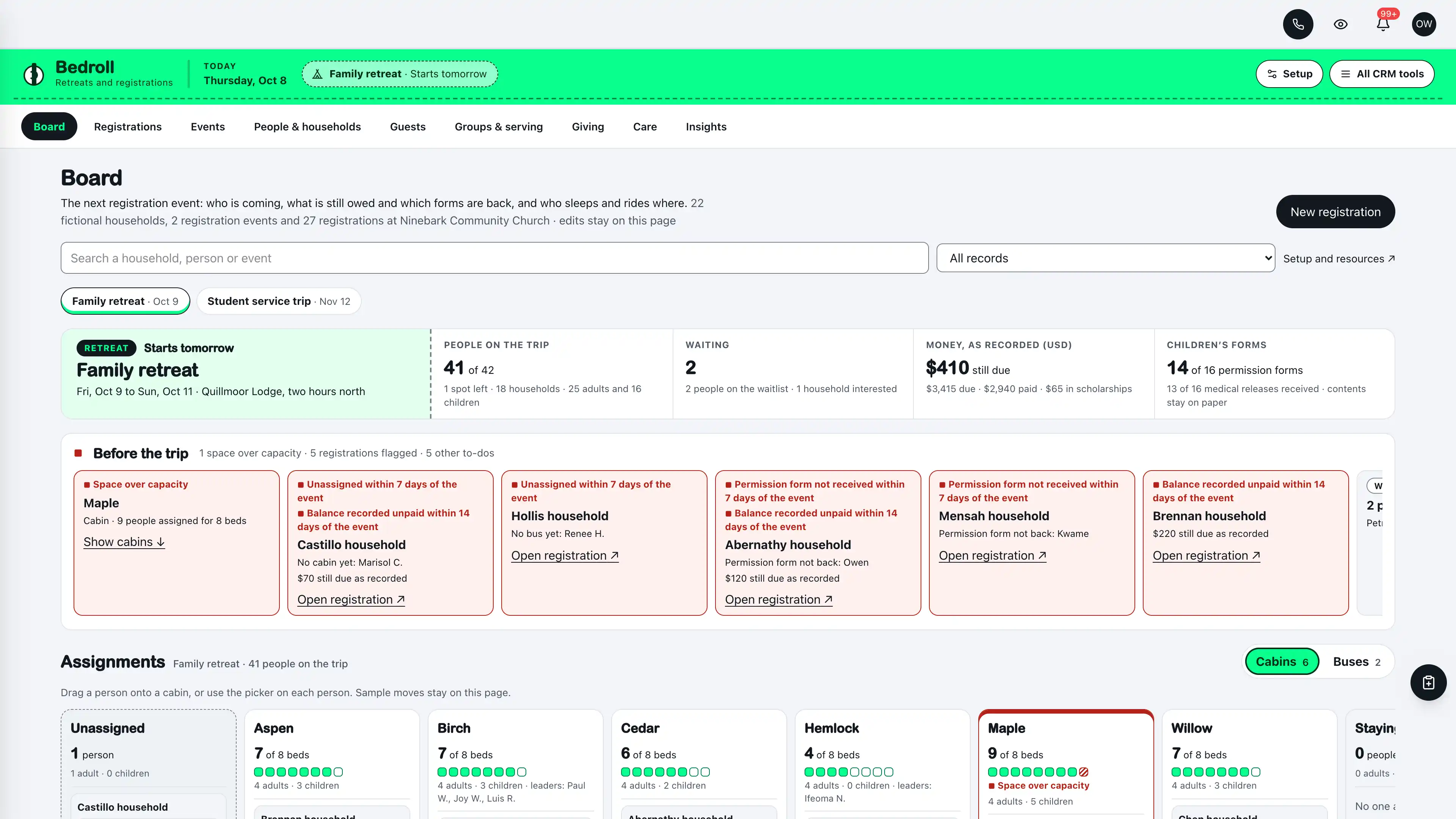
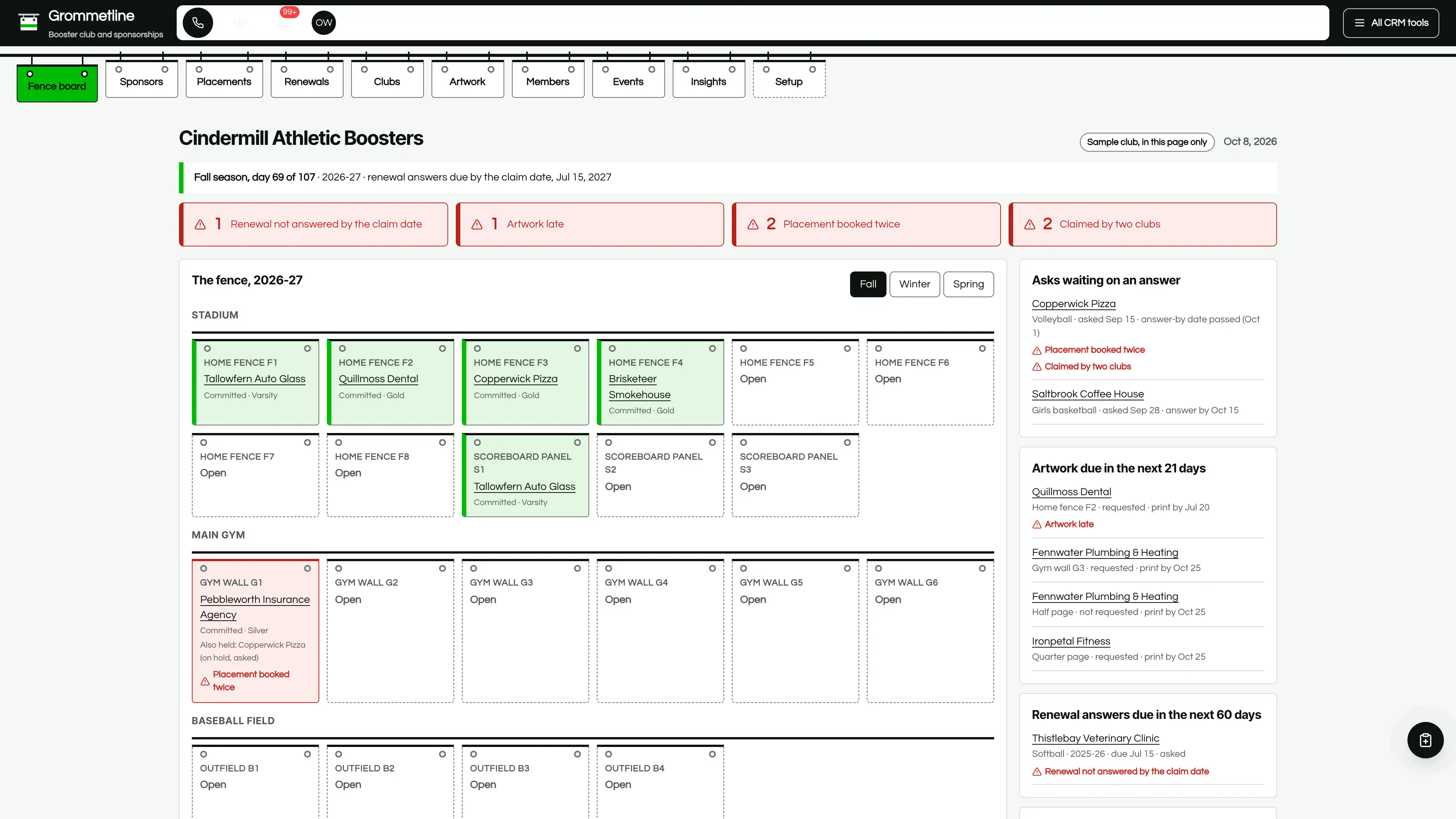
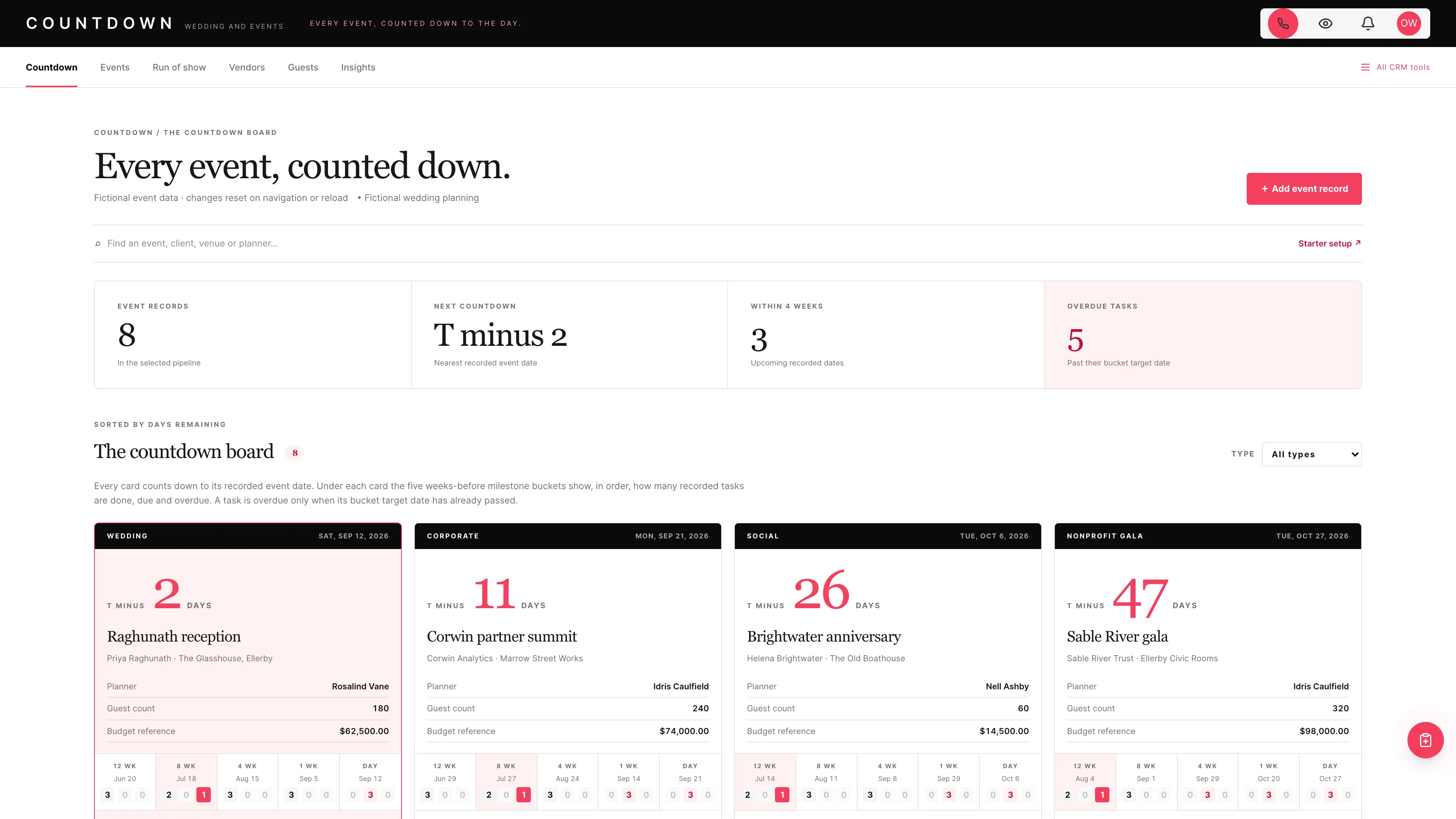
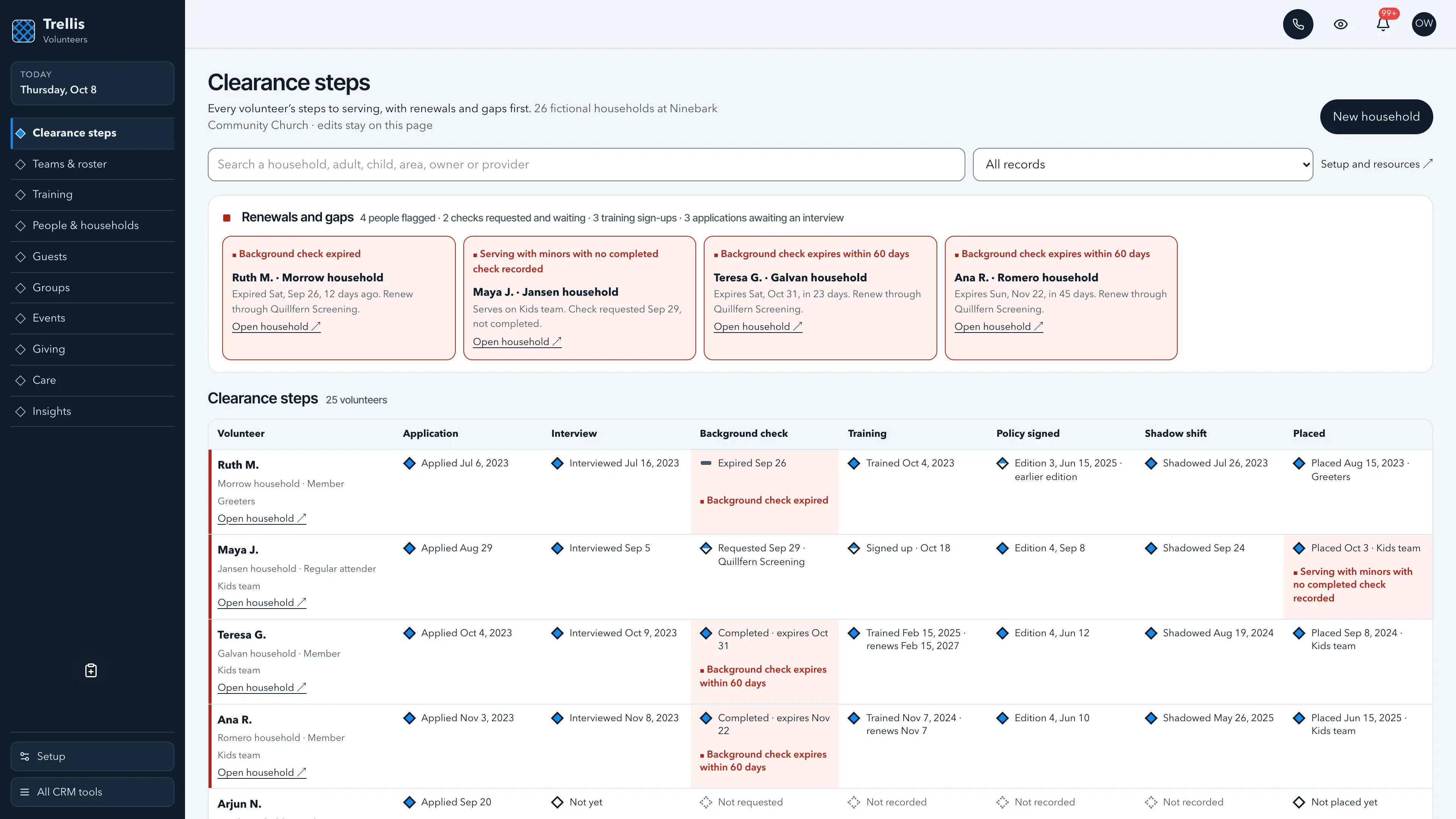
Actual interface captures with fictional sample data. Open a screenshot to see it full size.
What’s in the kit
Screens
- Channels operating view with the next four service days, capacity and the Needs attention strip
- Requests with a form inbox, waiting days and a board-behind cue
- Messaging with the weekly email and social items and the campaign draft
- Weekly sermon media with recorded, posted and clips steps
- People & households operating view with photo and video answers
- Guest path with a card inbox
- Groups and serving roster operating view
- Events, giving as recorded, care and insights views
- Three message drafts in send mode with every send step off, plus twelve task drafts
- Six closed-choice native form drafts, five editable document templates and a Weekly church email campaign draft
- Shared church tags, segments, a list, custom values, snippets, a connection card QR code and a pastor calendar
five pipelines
- Guest follow-up · 8 stages
- Serving teams · 7 stages
- Group leaders · 7 stages
- Care requests · 7 stages
- Communication requests · 7 stages
Optional. Install the ones that match your work, or connect drafts to a pipeline you already use.
15 workflow drafts
- Planned visit welcome
- First visit follow-up
- Next step invitation
- Next step check
- Group leader introduction
- Thirty-day check-in
- Serving team first conversation
- Serving roster confirmation
- Care request owner
- New request
- Details follow-up
- Production check
- Guest welcome from the connection card (texts and emails, every send step off)
- Guest welcome after a recorded first visit (texts and emails, every send step off)
- Re-engagement (a text, a call, an email and a task, every send step off)
Inactive until you review and publish them. Message steps ship switched off.
Forms and documents
- Plan your visit
- Connection card
- Prayer request
- Serving team interest
- Event sign-up
- Communication request
- Membership covenant
- Volunteer policy
- Bulletin layout sheet
- Stage announcement script
- Social post brief
Editable native forms and document templates. Forms collect information for staff review.
Sample workspace
Explore Ninebark Community Church, a fictional church with six channels and 17 requests from its ministries: a fall sermon series, a newcomer lunch, a kids club, a youth retreat, a grief support group and more, with a stage announcement over capacity on Sunday, a women's retreat request waiting eight days, a due date passed without being scheduled, a request whose board is a stage behind and a youth retreat slideshow flagged red because a family in it now says no, plus six weeks of sermon media with clips still to post, two form submissions waiting to be recorded, and 14 households with children recorded as a first name and an age band, first-time guests, groups, a two-service roster, events, care requests and 41 recorded gifts. Sample edits stay in memory and reset on navigation or reload.
No sample customers are added to your CRM.
Setup and source
- Guided setup and compatibility report
- Private rollback receipt
- AI-agent guide for customized installations
- Original editable source, configuration, and tests
How setup works
Full installation guideCheck your Seedly
Extract the kit and run the guided setup. It checks your installation and flags customized files before it changes anything.
Connect the helper
Deploy the included helper from your backend source, then build your web app and choose any starter pipelines and drafts.
Make it yours
Set business name, descriptor, default pipeline name and message mode. Then sign in and check the workflows and permissions your team uses.
Technical details and compatibility
Seedly CRM 5.8.4 · extension API 1. Node.js 20 or newer. The installer checks supported integration-file versions and does not deploy your web app or backend. The included original backend helpers are required for connected requests, the channels record, the form inbox, households, the church lists, linked contacts and setup. The shared church lists fit one to three weekly services; a church with four or more should keep its roster and headcounts elsewhere for now. They preserve native account permissions, unrelated custom fields and row history, keep requests, channels, households, people and money apart, refuse image and video file names, links to shared photo albums, folders, file transfers and video pages, stream keys, door and alarm codes, children's ages and names lists, allergy and custody notes, health details, logins, card and bank numbers and Social Security numbers as a guard against accidental entry rather than a guarantee, refuse photos or video of children from a household without a recorded yes while the request still runs, refuse dates still ahead for things that already happened, and check revisions before saving. Deploy them from the authoritative backend source before you build and deploy the web app. To update, remove the earlier release and install this one in the Seedly working tree with no deploy or build between the two, then deploy the backend, then build and deploy the web app: every helper an earlier release's page calls keeps its arguments and answers, so the page in use keeps working until the new one ships. Pipelines, drafts, forms, documents and the campaign draft are optional.
Each request is an opportunity in Communication requests, linked to the requester's contact, holding the title, kind, ministry and requester, the first service day it runs and for how many weeks, the materials due date, the channels asked for and the channels approved, whether it needs a graphic, video or copy, the event it promotes, whether its photos or video show children and from which households, or that the ministry is not sure yet, the status and the dates it came in and was decided, and the form submission it was recorded from. Channels and the weekly sermon media live in their own account record. Households keep the shared church record: adults linked to Seedly contacts, children as a first name and an age band only, a photo and video answer for the children as yes or no with the date the office recorded it and who recorded it, groups and teams, attendance, sign-ups, gifts as recorded by fund and care requests as category labels.
Tidings records what the office decided. It creates each request's opportunity at the stage that matches its status and never moves it afterward; the office drags it in Seedly. A stage draft runs only when a request is dragged into its stage on the Seedly board, not when Tidings records a request at a later stage, and the Requests view marks a board that is behind. A request counts against a channel only once the office approves that channel. While any of its run dates is today or ahead, a request using photos or video of children is refused, and flagged red as Children shown without a current yes, unless every household named has a yes recorded; a ministry's "Not sure" stays not sure until the office answers. Tidings reads every open request and every open household with its own queries, past Seedly's 1,000-opportunity board limit; the card inbox, prayer topics, the form inbox and the consent counts read within Convex's per-query limit on any size of pipeline and say how far they got, even when someone sends very large form answers; and today, the sample's day and every card, prayer and form request day follow the church time zone. Names lists after a child or youth word ("Kids pictured: Leo, Ava and Sam", "Youth: Leo, Ava, Sam") are refused in every field, and so is a names list after a photo or video word with a child word after it ("Photos of Leo, Ava and Sam from kids camp"), while ordinary list-shaped requests such as "Video of baptisms, Easter and VBS" pass. It never publishes, posts or sends anything and never creates a social post. Tidings has no field for an image, video, file or link. The guard refuses image and video file names, inline images and links to shared photo albums, folders, file transfers and video pages; a link to any other page passes. It claims no rights, licensing or consent beyond the answer the office recorded and makes no reach or engagement claim. The Weekly church email campaign draft stays a draft until the office sends it from Seedly: read and edit it first, and when it is sent, Seedly skips anyone who opted out of email or of the list and adds its own unsubscribe link. The three message drafts hold real texts and emails with every send step off, each text behind recorded text consent and each email behind not opted out, every text ending "Reply STOP to opt out.", each draft holding the send window it was added with in the church time zone, and a paused consent check ends the run. A matching Seedly church website template is available separately.
Five optional pipeline templates and 15 inactive workflow drafts. 17 fictional in-memory requests.
Calling, messaging, signing, payments, and external integrations depend on your Seedly installation, account permissions, plan, and configured providers. Screenshots use sample data and reference imagery. Hosting, installation, and ongoing maintenance are your responsibility.
Get the Communications Church CRM Kit
Checking access…

DevLaunch All Access
Every kit and every template.
- All 220 CRM kits for Seedly CRM
- All 190 website templates for Seedly Sites
- Every class, course, and product we release, added as it ships
- Private calls with Aaron
Already a member? Open your downloads.
Questions
How do I receive the kit?
Purchase securely through Whop. Your original source ZIP and installation documentation are delivered manually to the email used at checkout. This is a one-time purchase of this kit; Seedly software, hosting, and installation services are separate.
Does this include Seedly CRM?
You obtain and configure Seedly separately. The kit adds original frontend screens, a shared theme, starter definitions, and integration instructions. It does not include Seedly’s codebase, license, hosting, or a separate CRM database.
Is this one connected workspace?
Tidings keeps its slim white ticker with an ultraviolet rule and its dock of ten views along the bottom, beside the native CRM tools in the same signed-in account. Contacts, Calendar, Estimates, Documents, and other full modules retain the functionality supplied by your own Seedly installation. Existing authored content and provider screens retain their own layouts.
Can I use it with existing customizations?
Yes, with a compatibility review. The installer checks the supported integration files. Changed integration files need a reviewed merge; the included AI-agent guide explains how to preserve custom extensions, permissions, providers, and routes.
Do I have to import all the starter content?
No. Choose individual pipelines and workflow drafts, use a compatible existing pipeline, or install none. Workflows remain inactive until reviewed and published. The task drafts use native triggers, internal tasks, optional notes and timed waits. The three message drafts hold text and email steps that ship switched off. Each step sends only after your office turns it on, and texts go only to people with recorded consent. A wait does not verify task completion or recheck the current stage.
Can I remove the examples and starter content?
Sample records stay in memory and never create customers in your CRM. Leave sample mode to return to your account. Starter setup lets you review removal of unused kit additions; server checks retain edited or published workflows and pipelines with live work or references. Removing the frontend does not delete account records.
Can different subaccounts use different kits?
The current design and branding apply to the whole web installation. Subaccounts still separate data and access. Use a separate web installation for another full-interface kit; running different kit designs by subaccount in one installation requires additional customization.
More hospitality, events & creative kits
Browse all 220 kits