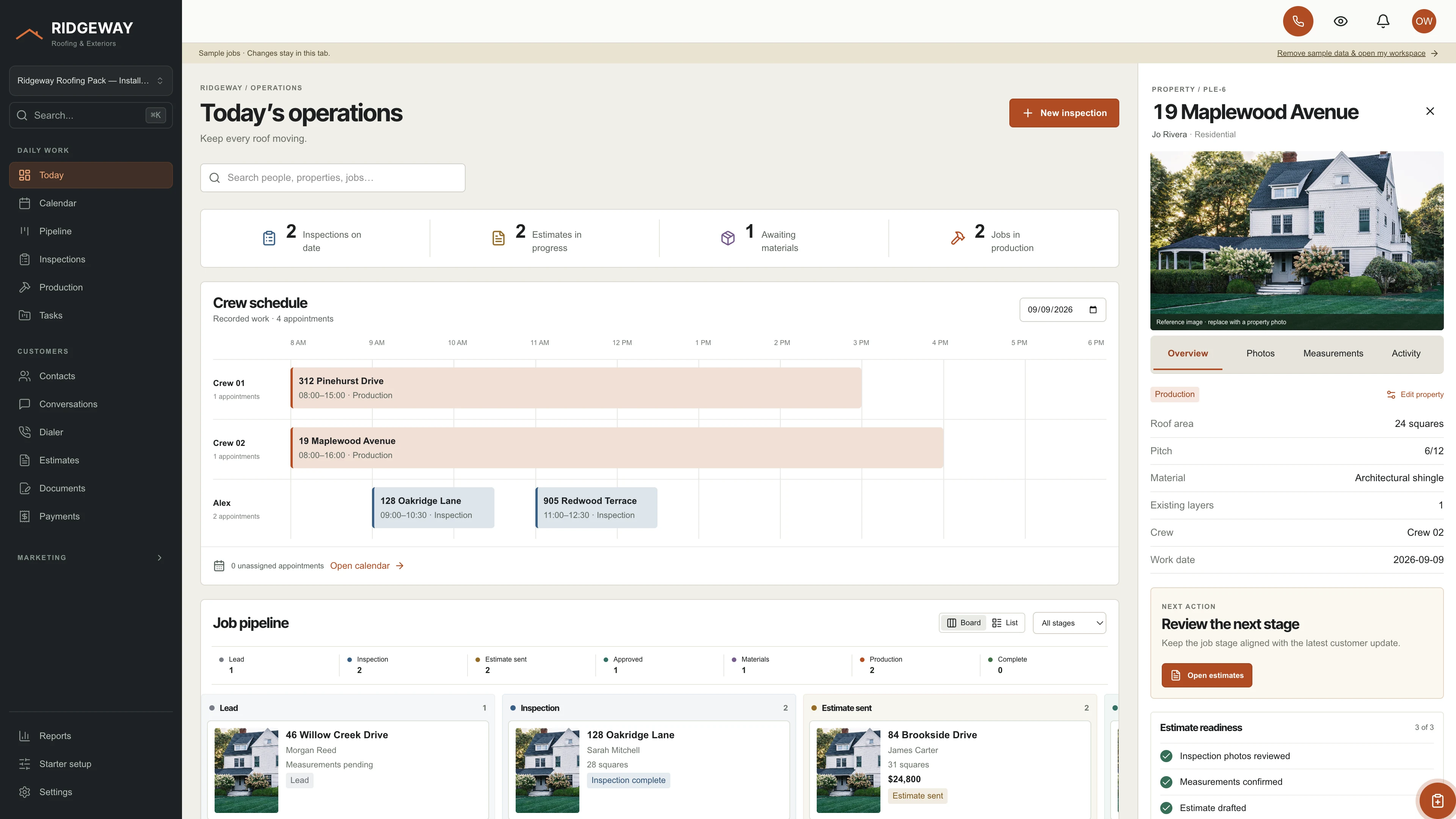
 01 / Daily operations
 A clear view of the day.
Bring the job pipeline, recorded crew schedule, and the next property action into one operations view.
GOSEEDLY ROOFING KIT
Give your Seedly CRM a workspace made for roofing. Start with a better daily view, choose the building blocks you need, and make the code yours.
YOUR ROOFING WORKSPACE
01 — DAILY OPERATIONSActual interface captures with sample data. Open any screenshot to view it in 4K.
FROM FIRST LEAD TO FINAL CLEANUP
One sidebar, one account, and the full customer journey in reach.
01 / Daily operations Bring the job pipeline, recorded crew schedule, and the next property action into one operations view.
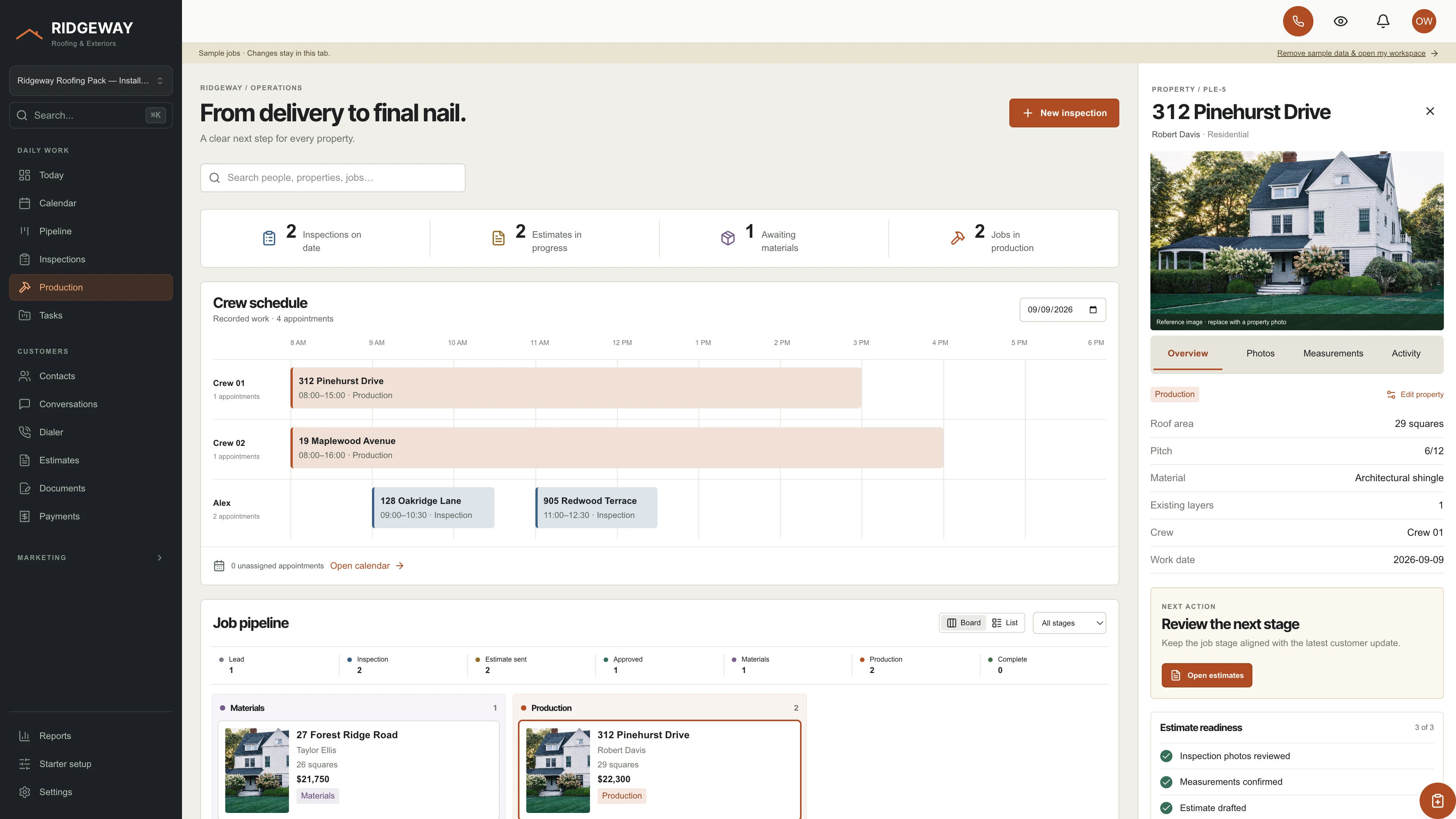 02 / Production
 Work through inspections and production with property details, measurements, readiness checks, and job stage updates.
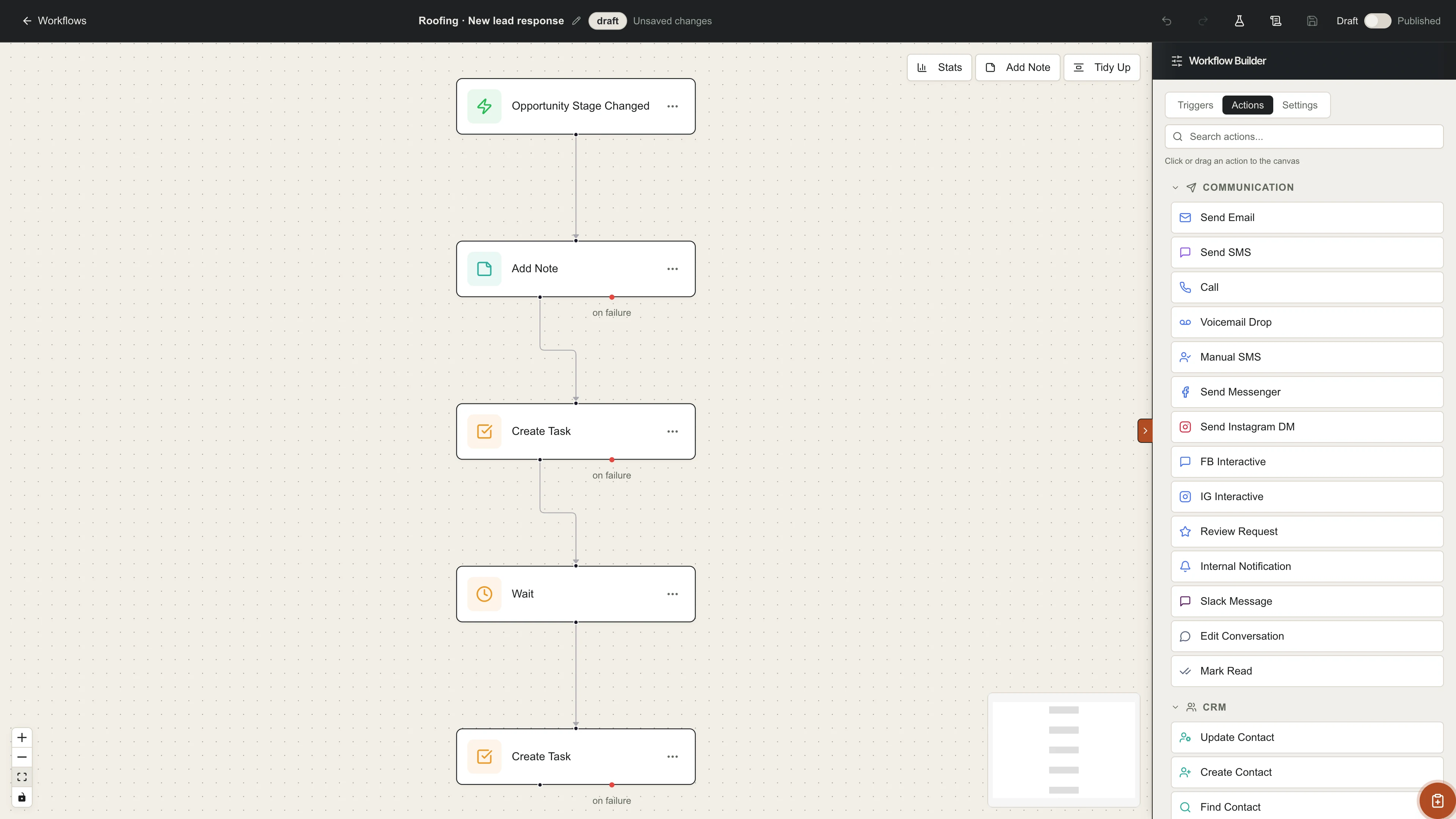 03 / Workflow drafts
 Open each starter draft in the full workflow editor. Adjust the trigger and internal task, then publish it when it fits your process.
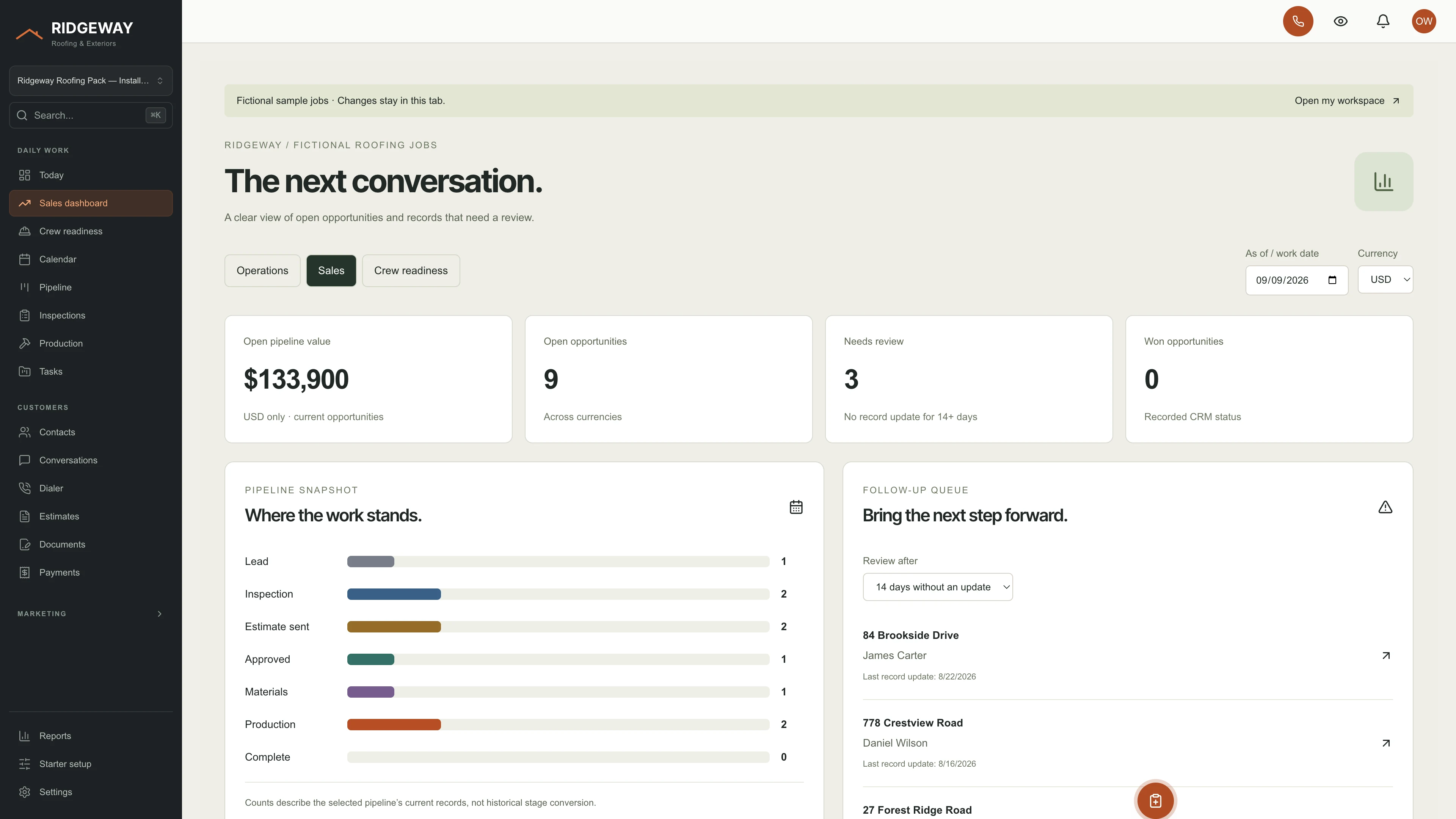 04 / Sales dashboard
 See current open pipeline value by currency, opportunity counts, and a review queue based on the last record update.
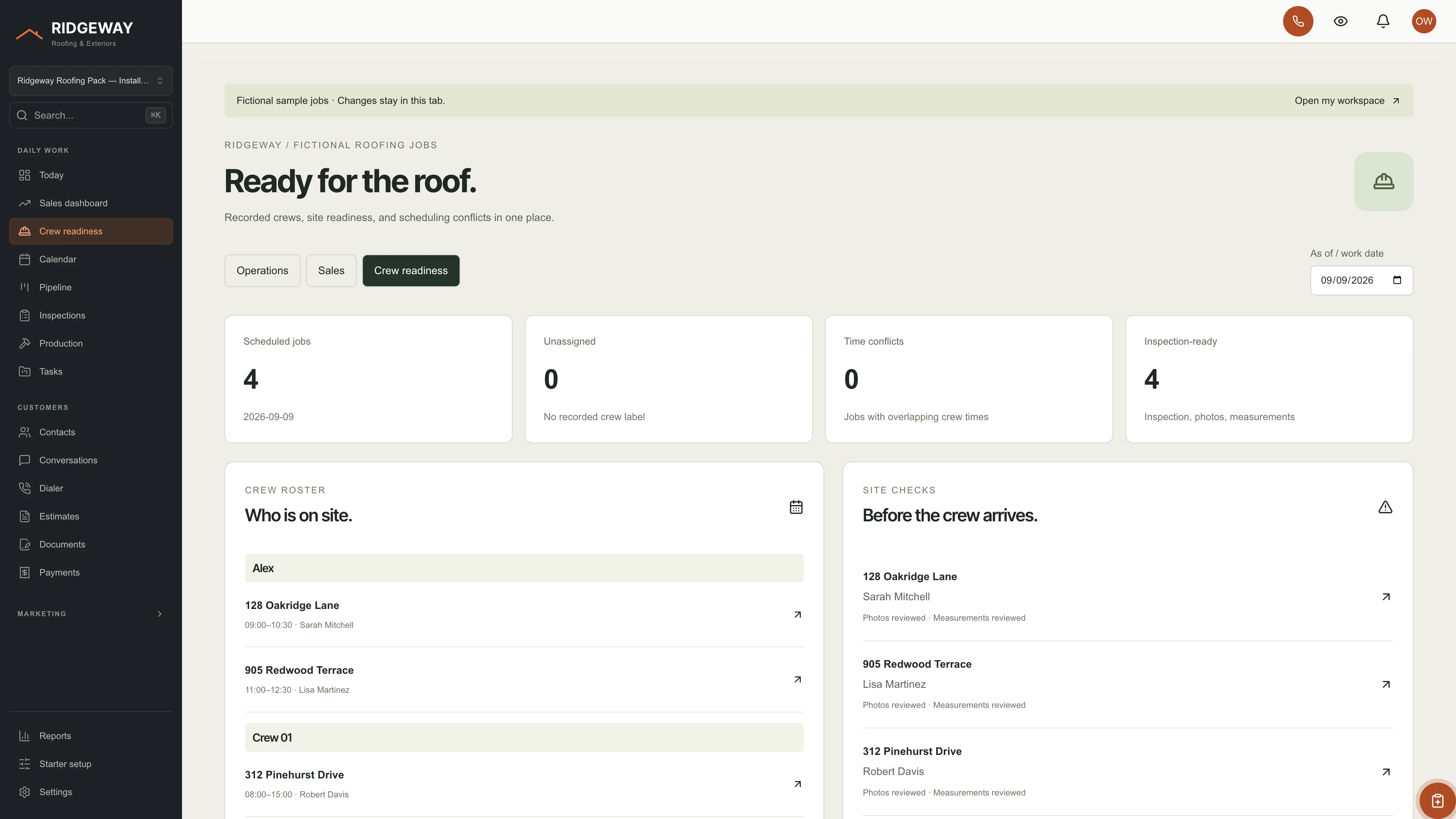 05 / Crew readiness
 Review recorded work dates, unassigned crew labels, overlapping times, and inspection readiness. Open the corresponding property to take the next step.
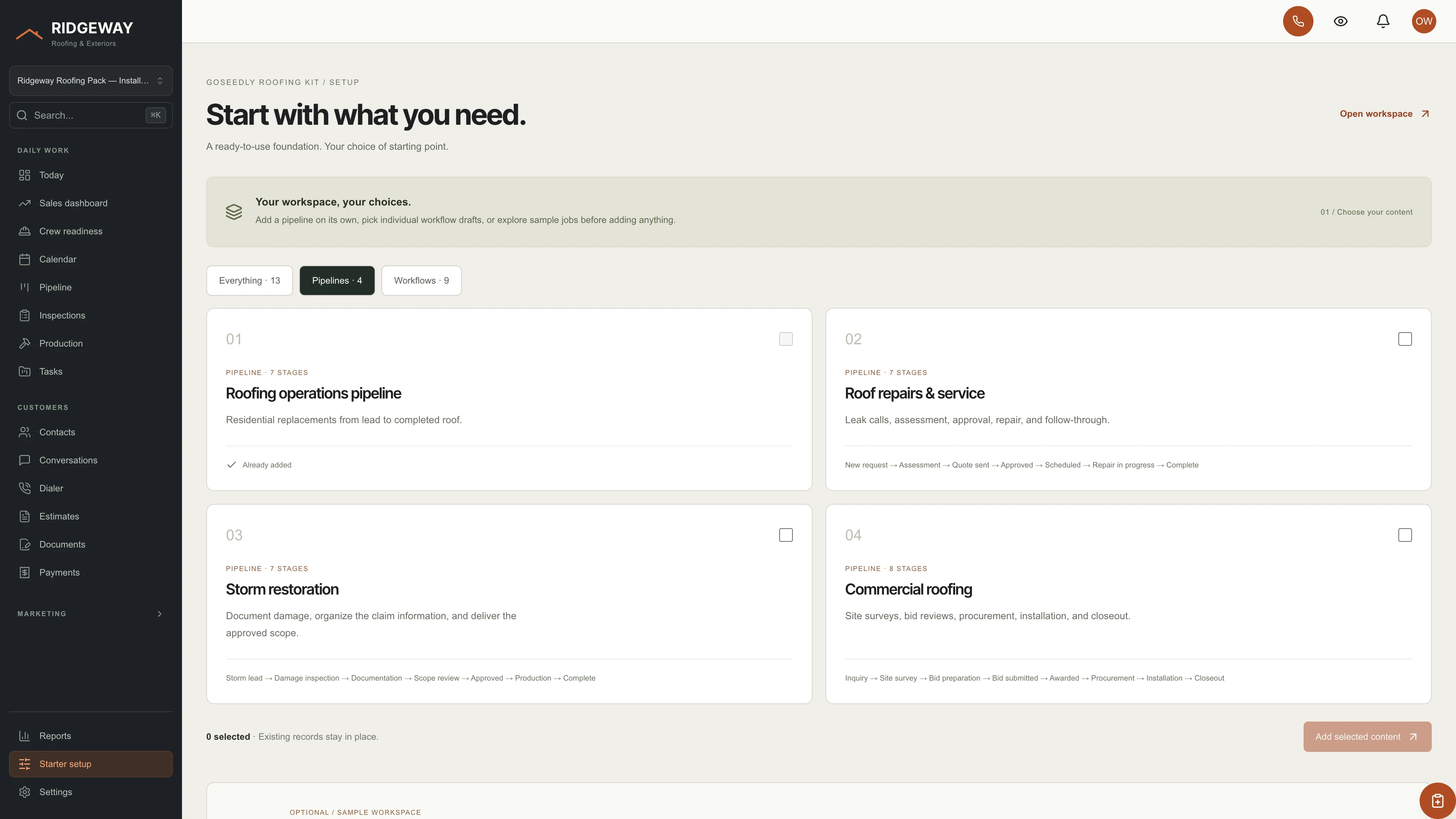 06 / Starter setup
 Choose a pipeline and individual internal-task workflow drafts. Explore fictional jobs separately, without adding sample customers to your CRM.
A FOUNDATION, AT YOUR PACE
Start empty, add business structure, or explore the sample view. You do not need to import a whole demo account.
Separate starting points for replacements, service calls, storm work, and commercial projects.
Pick each draft separately. Six examples combine task, timed wait, and optional internal note nodes. Review the sequence, then publish it when it fits your process.
Nine fictional roofing projects let you explore the interface. Example edits stay in memory, separate from your CRM records.
Unused kit-created pipeline and workflow records can be removed from Starter setup. Changes and live work are checked before removal.
THE KIT, UNPACKED
You or your developer install, customize, and run it with your own Seedly CRM.
FROM DOWNLOAD TO YOUR WORKSPACE
Run the guided setup or give your agent the included prompt. The checker identifies supported files and existing customizations.
Build the web app. Enable the optional starter module on your existing backend, then choose the pipeline and drafts you need.
Set company details and crew labels, replace reference imagery, and test the flow with your account and permissions.
Seedly CRM 5.8.4 · extension API 1. Node.js 20 or newer. The automatic installer requires the supported integration-file versions. Existing customizations may need a manual merge. Optional starter content uses an original backend helper and existing Seedly functions; the installer does not deploy your backend.
Sample captures show the kit running against a development backend. Calling, sending, signing, payments, and external integrations depend on your host, permissions, and configured providers. Crew labels and job dates are recorded metadata, not automatic staff assignments or calendar events. Hosting, installation, and ongoing maintenance are your responsibility.
DEVLAUNCH ALL ACCESS
DevLaunch All Access includes every GoSeedly CRM kit, all 195 available today, along with every class, course, and product we release, and private calls with Aaron.
Every published kit as original editable source, with optional pipelines, workflow drafts, and guided installers. Browse the kits
The full DevLaunch library and software collection, plus each eligible release during your access year, added to your portal as it ships.
Bring the idea, the offer, or the bottleneck, and leave with a plan you can follow.
Want more than one kit? All Access covers the whole CRM kit library and the rest of what we make. See everything it includes on the All Access page.
See DevLaunch All AccessAlready a member? Open your downloads.
For your own compatible Seedly CRM. Seedly software, hosting and installation services are separate. Each full-interface kit uses its own web installation.
BEFORE YOU MAKE IT YOURS
Purchase securely through Whop. We manually deliver the Roofing Kit source ZIP and installation documentation to the email used at checkout. This is a one-time purchase of the Roofing Kit; Seedly software, hosting, and installation services are separate.
You obtain and configure Seedly separately. This kit adds original frontend files, starter definitions, and integration instructions to your compatible installation. It does not include Seedly’s codebase, license, hosting, or a separate CRM database.
The setup checker identifies conflicts. Compatible integration files can be installed automatically; customized files need a reviewed merge. The included agent guide explains how to preserve existing extensions, providers, permissions, routes, and custom pages.
No. Choose the pipeline on its own or select individual workflow drafts. Drafts remain inactive until you review and publish them in Seedly. They create internal tasks and, in some examples, internal notes when enabled. Six examples include timed waits. These waits do not verify that the earlier task is complete or that the job remains in its previous stage. The included drafts contain no customer messaging steps.
Yes. Review and remove unused kit additions individually. The server rechecks the selected records and retains edited or published workflows and pipelines with jobs or workflow references. Sample jobs live in a separate in-memory view and disappear when you leave it.
The current interface and branding apply to the entire web installation. Subaccounts still separate data and access. Applying different CRM kits to different subaccounts inside one installation requires additional customization.
The roofing operations screens, theme, grouping, starter definitions, and installer are original kit code. Full CRM modules retain the components from your own Seedly installation within the shared interface. Existing authored layouts and third-party provider screens retain their own content.
Make the rest of your CRM yours, too.
Explore GoSeedlyCustomer experiences / Trustpilot
Selected excerpts from reviews of DevLaunch training, software, and services. Individual customer experiences across DevLaunch.
We use essential storage to keep the site working. With your permission, we also use analytics and the Whop Pixel to understand visits and advertising results. Optional analytics stay off until you choose.
Read our Cookie Policy and Privacy Policy.