Receive the request
Use a Seedly form or the customer’s existing Support portal.
GOSEEDLY / SUPPORT DESK
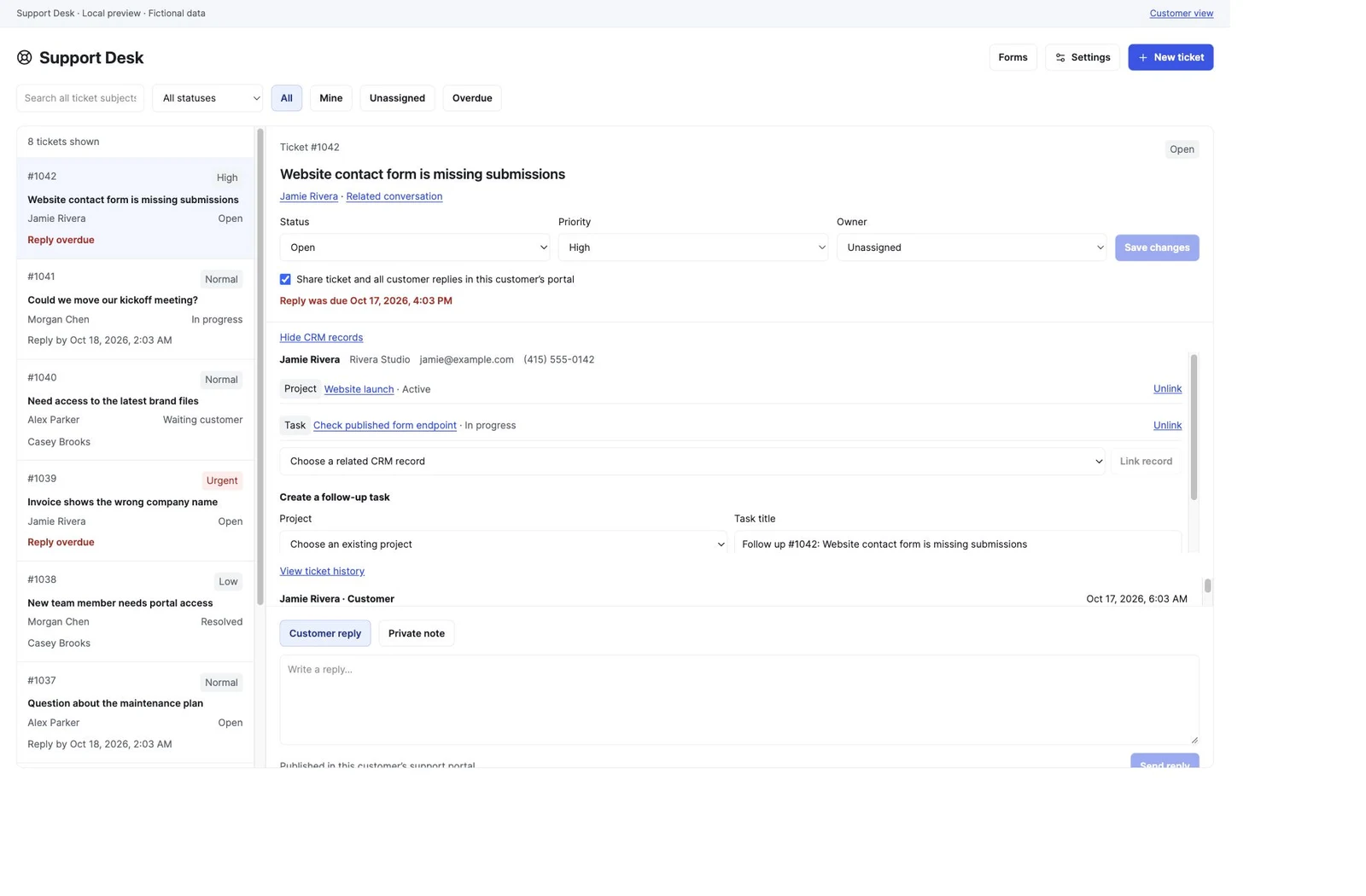
Turn client questions into assigned tickets. Keep the conversation, customer context and next task together inside Seedly.
One-time source purchase · Seedly CRM 5.9.6 · Included in All Access
FROM REQUEST TO RESOLUTION
Keep the work moving through the CRM your team already uses.
Use a Seedly form or the customer’s existing Support portal.
Set responsibility and priority, then keep public replies and private notes in one ticket.
Link the relevant CRM records, create the next task and trigger your native workflows.
NATIVE FORM INTAKE
Choose your Seedly form, map its subject and request fields, and connect the workflow. Clients use the normal form link or website embed.
The ticket keeps the full original request, matches the native CRM contact and avoids duplicates from retries. You choose priority and portal sharing.
Read the form setup guide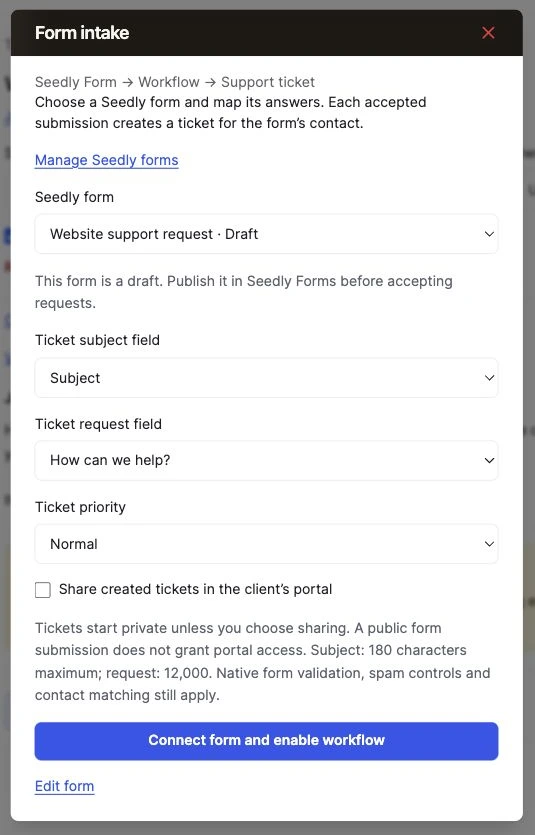
A PLACE TO FOLLOW UP
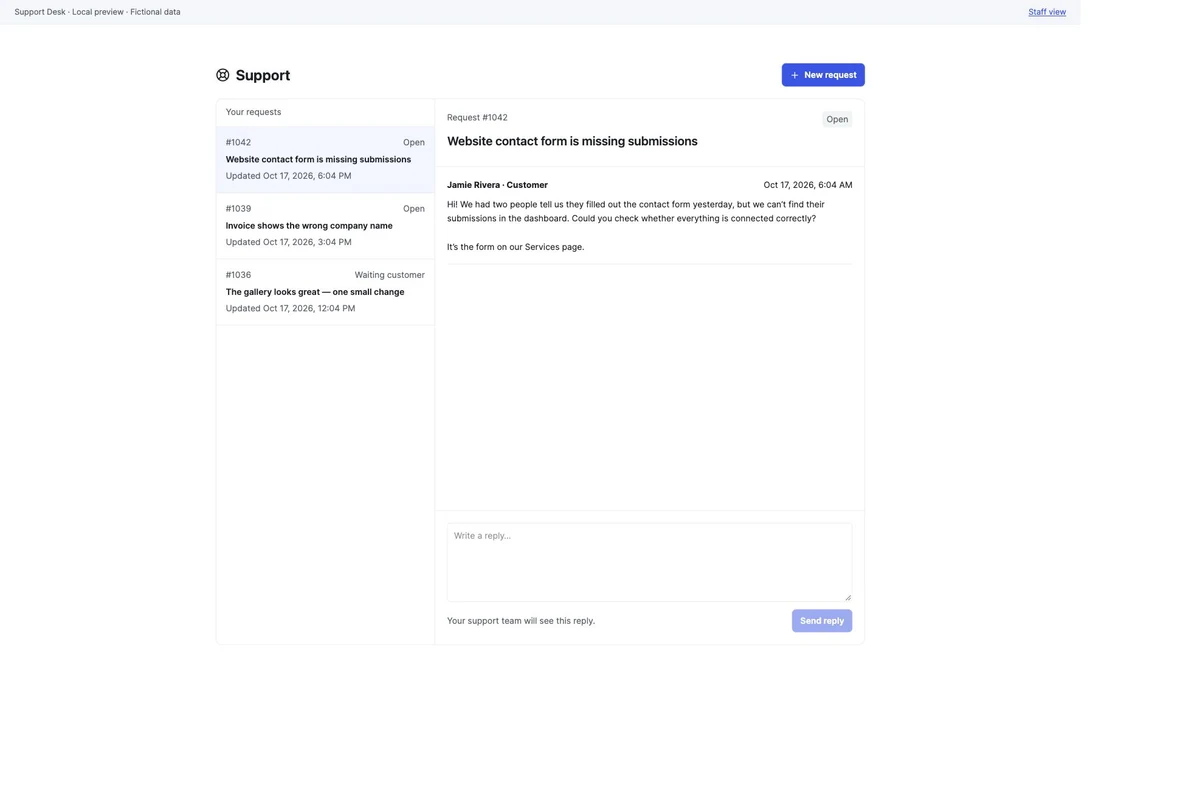
Clients can see their shared tickets, submit requests and continue the conversation through their own portal link. Staff control what is shared and keep internal discussion private.
Support Desk uses native token revocation, permissions and account boundaries. The separate Client Portal module can add its own client access controls and navigation.
Assign an owner, set priority, filter Mine or Overdue, and search ticket subjects or numbers across the account.
Open tickets from native contacts or inbox conversations. Link permitted projects, tasks, deals, invoices and appointments.
Keep private team notes separate from customer replies. Choose which tickets appear in the client’s portal.
Create a native follow-up task from the ticket, with its project, customer, priority, due date and a link back to the request.
Use five Support Desk triggers and three workflow actions to create tickets, update responsibility or status, and add private notes.
Choose a default owner, set elapsed response targets and use native notification preferences for assignments, replies and overdue alerts.
YOUR CRM. YOUR SUPPORT WORKSPACE.
$97 USD · one time
Already have All Access? Open your download.
A FEW DETAILS
Original editable frontend and Convex backend module source, guided install/remove/recovery tools, host tests, an integrity manifest and installation documentation. Download it from your DevLaunch portal after verified payment.
They can submit your native Seedly form using its normal public link or embed, or open Support in their existing client portal. The Forms setup maps subject and request fields and publishes a form-specific native workflow. The form itself is published and managed in Seedly Forms.
No. Support Desk works with Seedly’s native client portal. If you also use the Client Portal module, Client Delivery 0.6.0-alpha.2 or later adds the combined access-policy and navigation connection. It remains a separate module.
This package targets Seedly CRM 5.9.6 with extension API 1. You need your own separately licensed host, Node.js 22+, installed host dependencies and source/Convex/hosting access. Follow the included guide for installing into your own test host before releasing it.
Customer ticket conversations use the client portal. Inbox integration opens the ticket workspace alongside a native conversation. Email/SMS ticket intake and delivery, attachments, and business-hours calendars are outside this version. Staff owner alerts use your configured native Seedly notification channels.
No. It is a one-time source-code purchase. Your Seedly license, hosting, provider usage, installation services and contracted support are separate. Active DevLaunch All Access members can download the module from the same portal library.
We use essential storage to keep the site working. With your permission, we also use analytics and the Whop Pixel to understand visits and advertising results. Optional analytics stay off until you choose.
Read our Cookie Policy and Privacy Policy.