Prepare your installation
Use your own compatible Seedly Sites installation and a new tenant. Follow the included Node.js importer instructions.
TORQUE / AUTO REPAIR
A shop-floor website for independent auto repair, with two new hero structures: an angled repair order that ticks itself off beside the headline, and three open garage bays with live status.
One-time purchase · Seedly Sites required and sold separately
torque / native Seedly Sites template
ACTUAL CAPTURE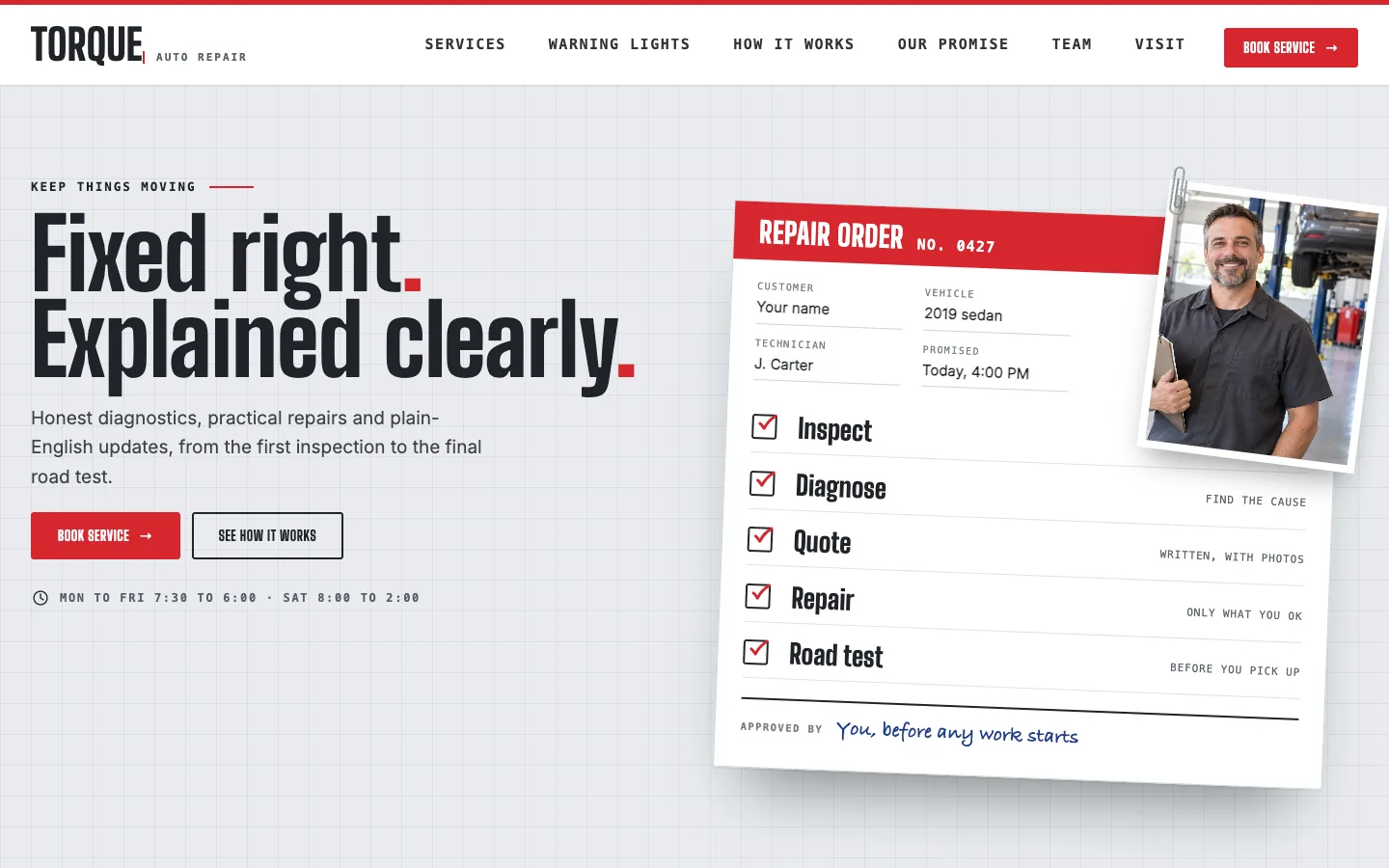
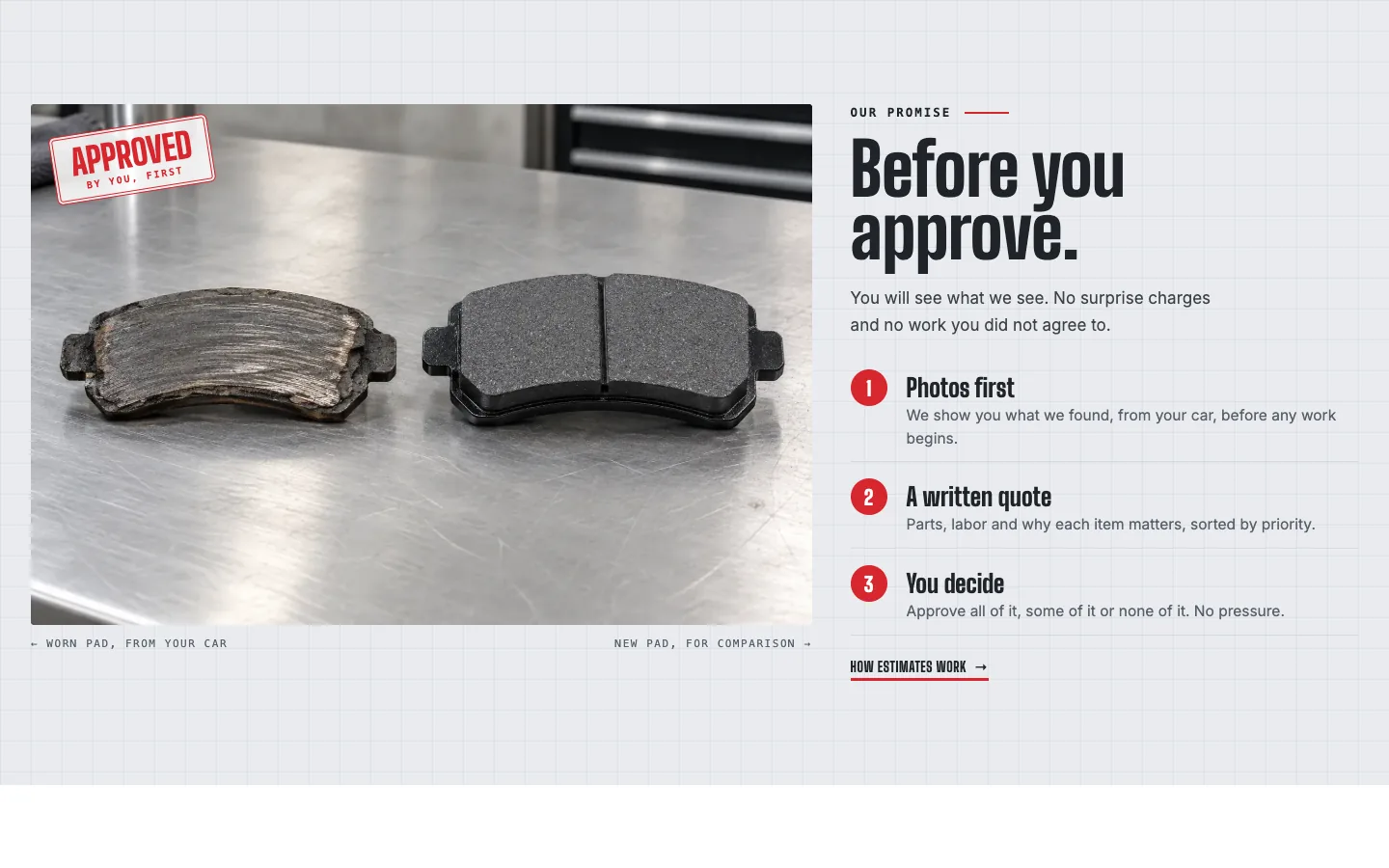
Actual Seedly Sites screenshot. Fictional demo business and AI-generated imagery.
A DISTINCT DESIGN DIRECTION
Toolbox red, steel and charcoal, condensed industrial type with monospace form labels, a What's that light? warning-light switcher, a price-board service list, a before-you-approve promise and a claim-ticket call to action.
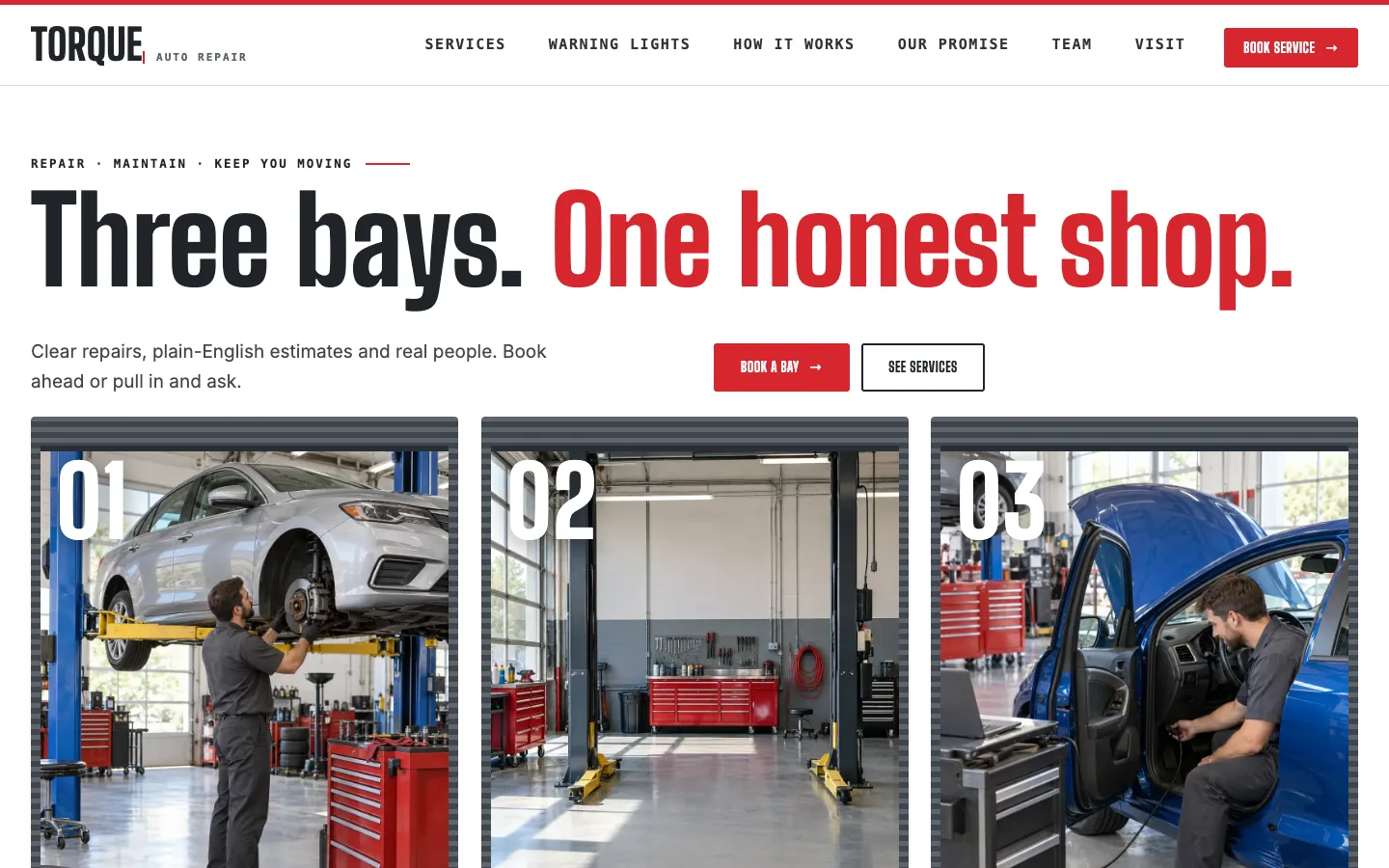
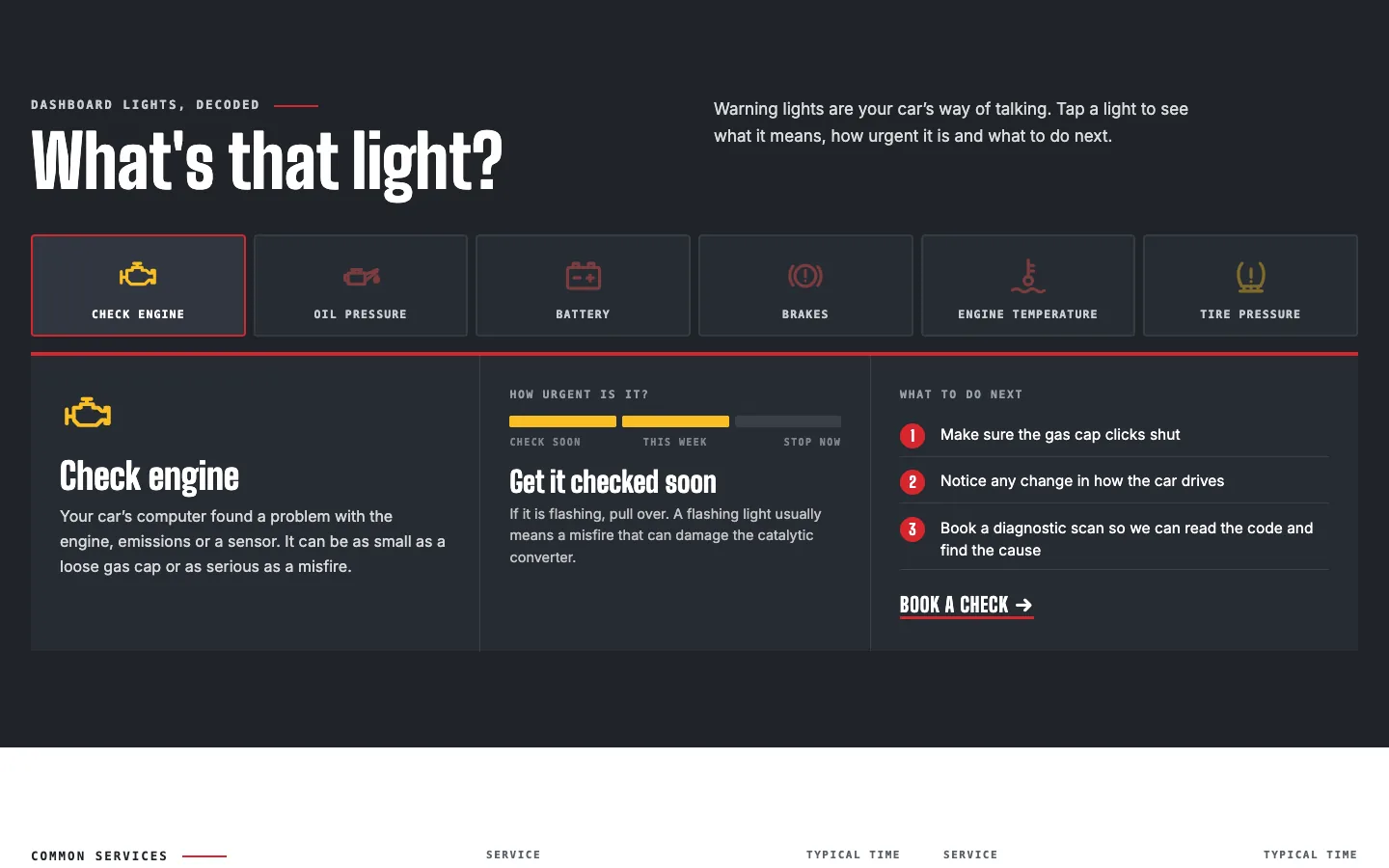
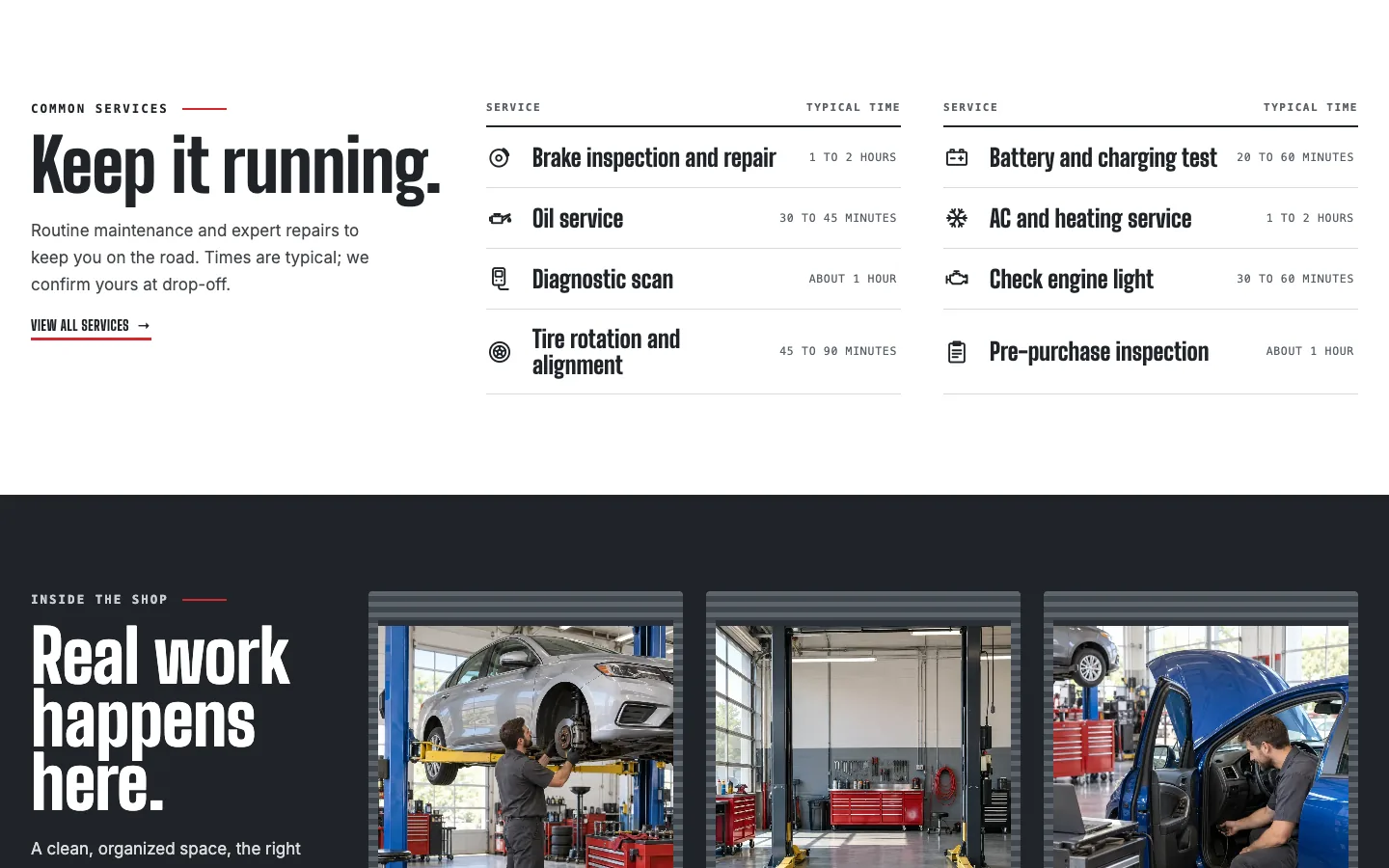
16 INCLUDED PAGES
16 native pages: two homepages, six service pages, a warning-lights guide, how it works with a day-in-the-shop log, our promise with a sample estimate, the team, visit the shop, FAQ and contact. Includes 18 original generated images, 29 auto icons, six warning lights in their real colors and small animated SVGs. Forms and booking require your own provider.
INSIDE YOUR TEMPLATE ZIP
Use the supplied content as a starting point. Add your own business identity and publish through your separately configured Seedly Sites installation.
FROM FILES TO YOUR WEBSITE
Use your own compatible Seedly Sites installation and a new tenant. Follow the included Node.js importer instructions.
Replace sample copy, imagery, branding, service information, and contact destinations in the native builder.
Connect your form provider, review every page and mobile layout, then publish through your own Seedly Sites setup.
Built for Seedly Sites v2.0.5. Node.js 20+ and authorized access to your CMS are needed for import. The importer rejects matching page slugs and updates the destination tenant settings; use a new tenant. A interrupted import may require a fresh tenant. Hosting, domains, installation, third-party providers, and ongoing maintenance are your responsibility.
BEFORE YOU BUY
The individual Torque digital website template for $49 USD, paid once. It includes 16 native pages, shared header and footer, theme settings, optimized imagery, template source, an importer, and installation notes. It does not include Seedly Sites or hosting.
Purchase through Whop. We manually deliver the template ZIP and installation notes to your checkout email. This is a source-template purchase, not an installation or managed website service.
Use Node.js 20 or newer and the included importer with your own Seedly Sites CMS URL, authorized API token, and a new destination tenant. This is a technical setup workflow, not a one-click ZIP upload. Keep credentials private and follow the supplied instructions.
The text, images, links, sections, colors, and fonts are editable in Seedly. Logos or lettering inside image assets must be replaced by editing or replacing the image. The template is built from native blocks, not a flattened screenshot.
No form provider or booking service is included. Replace demo details and connect your own supported form embed or contact destination before accepting inquiries. External subscriptions and integrations are separate.
No. The screenshots show fictional demonstration businesses and AI-generated imagery. Sample projects and people are illustrative, not verified customer work, reviews, or professional credentials. Replace claims and business information with your own accurate content.
All sales are final. No refunds, returns, or exchanges, except where required by applicable law or binding payment-platform rules. Review the screenshots, contents, requirements, and purchase terms before buying.
No. GoSeedly is an independent collection by DevLaunch / Hypercat Studio LLC. Seedly is a separate company. We are not affiliated with, endorsed by, sponsored by, or owned by Seedly.
Find the design that fits your business.
Browse all website templatesWe use essential storage to keep the site working. With your permission, we also use analytics and the Whop Pixel to understand visits and advertising results. Optional analytics stay off until you choose.
Read our Cookie Policy and Privacy Policy.