Room for the work
Wide images, open compositions, and fewer competing elements keep attention on the spaces you create.
DATUM / SEEDLY SITES TEMPLATE
An architectural website template for remodelers, interior studios, and businesses with an eye for detail. Give your work room to breathe, from the first impression to the next inquiry.
One-time purchase · Seedly Sites required and sold separatelydatum / spaces for living
DESKTOP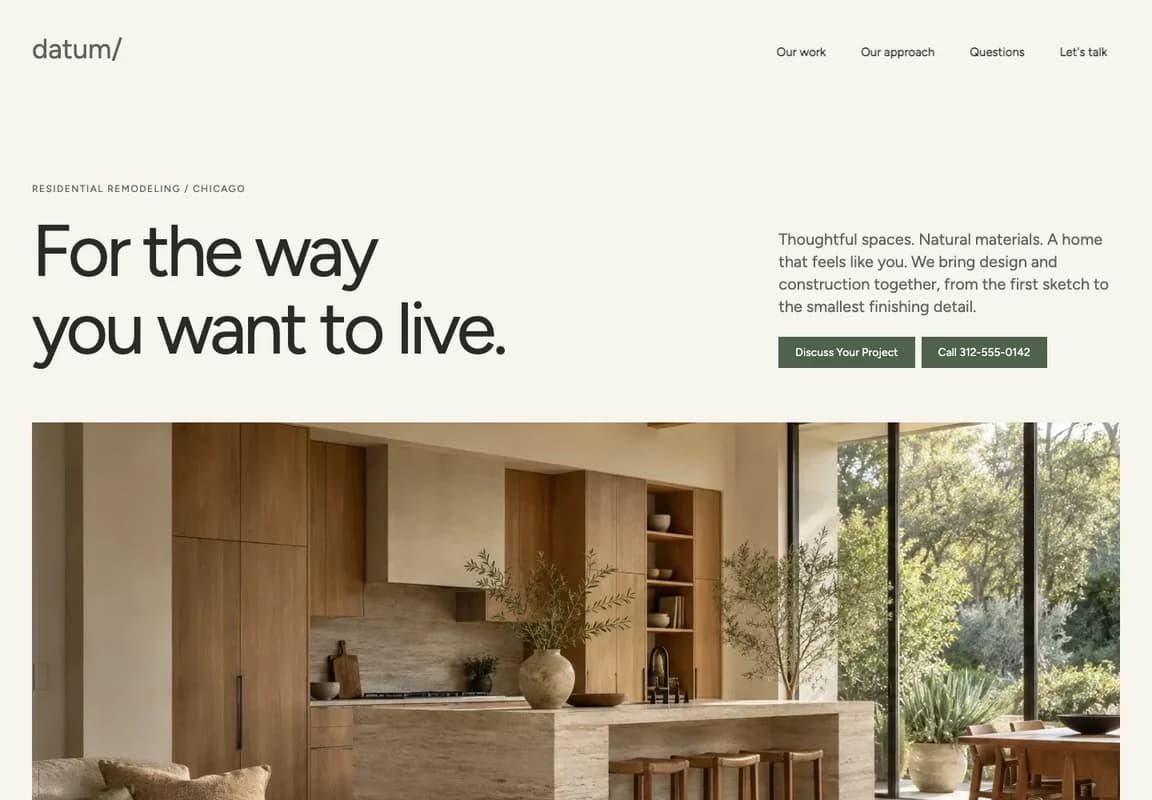

Actual Seedly Sites captures. Fictional business content and AI-generated concept imagery.
A DISTINCT POINT OF VIEW
Datum takes its cues from an architectural journal. The design gives your photography and your point of view equal attention.
Wide images, open compositions, and fewer competing elements keep attention on the spaces you create.
Fine architectural rules and aligned sections bring a consistent visual signature to the whole site.
Natural tones and restrained typography create a welcoming canvas that adapts to your own brand.
TAKE A CLOSER LOOK
Switch between desktop and mobile. Open any capture to explore the full page, exactly as it renders in Seedly.
A generous introduction, project imagery, services, and a clear next step.
A place for your story, working philosophy, and values.
Let your photography show the materials, spaces, and details.
A calm, focused starting point for the next conversation.
Editable answers in native expandable sections.
Introduce the communities your business serves.
Explain your verified payment options and planning process.
A dedicated home for connected, genuine customer feedback.
Introduce your culture, roles, and application process.
A considered finish to the inquiry journey.
BUILT IN SEEDLY. EDITED IN SEEDLY.
Change a heading, replace an image, rearrange a section. Datum stays editable in the native builder you already use.
Seedly Sites / native page builder
EDITABLE BLOCKS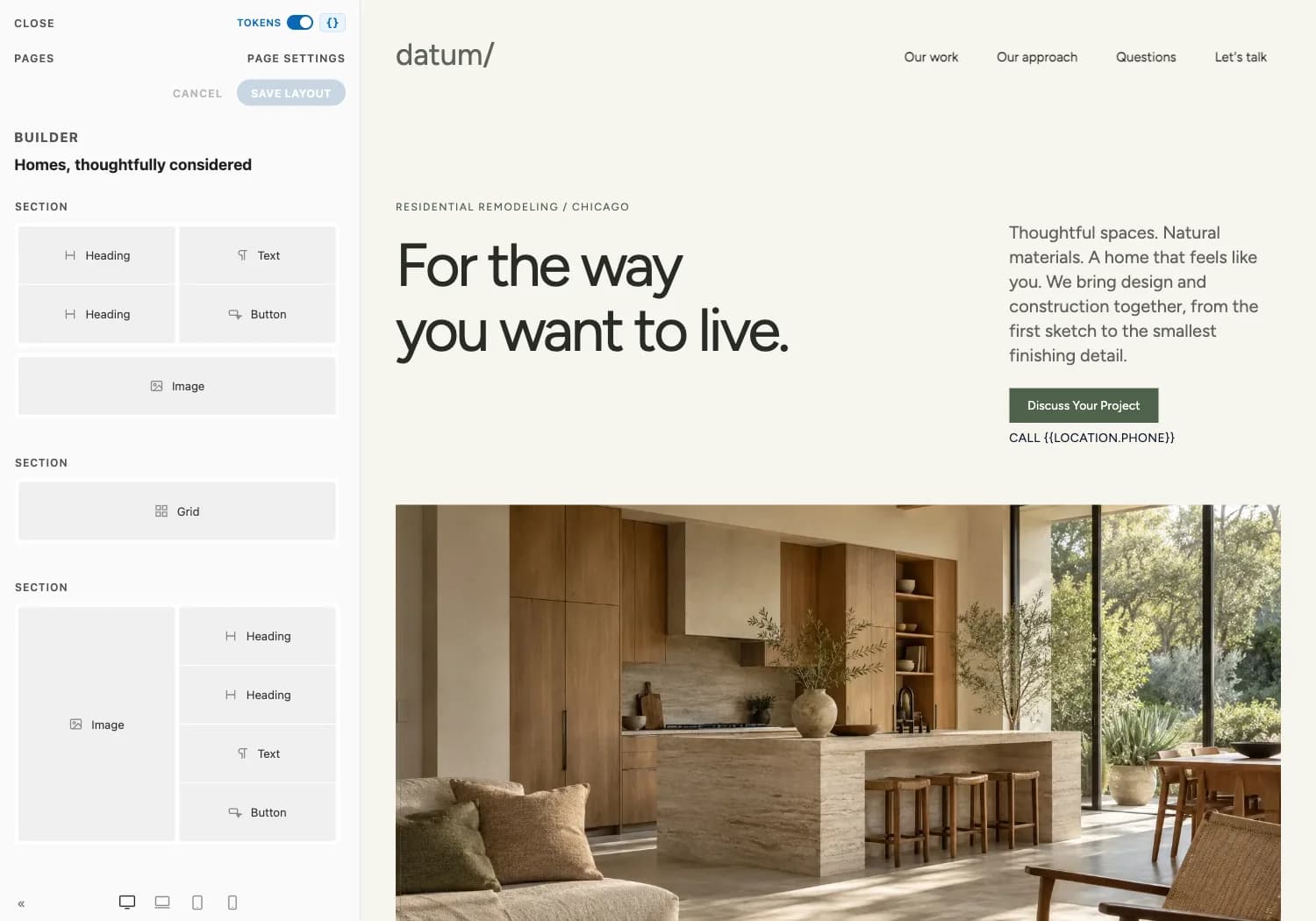
THE TEMPLATE, UNPACKED
Start with the full collection of pages. Add your business details, connect your services, and choose the content that fits your work.
FROM TEMPLATE TO YOUR WEBSITE
Install the template pack and seed its pages and shared header/footer into a template tenant.
Set your fonts and colors. Add real photography, service details, and the copy that makes your business yours.
Connect your inquiry form and review source, check the pages on desktop and mobile, then publish through your Seedly setup.
BEFORE YOU MAKE IT YOURS
Datum is $49 USD, paid once through Whop. This purchases the individual digital template, delivered manually with installation notes to your checkout email. Seedly Sites software, license, hosting, installation, and third-party services are separate.
All sales are final. We do not offer voluntary refunds, returns, or exchanges for this digital template, except where required by applicable law or binding payment-platform rules. Review the screenshots, requirements, and purchase terms before buying.
No. GoSeedly is an independent product collection by DevLaunch / Hypercat Studio LLC. Seedly is a separate company. We are not affiliated with, endorsed by, sponsored by, or owned by Seedly.
Yes. Datum uses Seedly’s native sections, columns, headings, images, grids, buttons, and other elements. Open a page in the builder to change the content and layout. Editing and saving have been verified in Seedly Sites v2.0.5.
Its architectural direction runs through the whole site: large, understated typography, generous image proportions, fine measurement rules, restrained surfaces, and a consistent editorial rhythm. Those choices carry into the inner pages and navigation.
Yes. Set your business colors and fonts, replace the imagery, and edit the copy in Seedly. The reusable template includes brand-neutral copy instructions and business merge fields. The screenshots show one remodeling example.
No. Datum is a template for your own Seedly Sites installation. The platform, hosting, domains, and any external service subscriptions are separate.
Install the template pack in your Seedly project, then seed it into a template tenant. That makes it available as an editable template inside Seedly. The current workflow uses the Seedly CLI; it is not a one-click ZIP upload.
Datum is a fictional studio used to demonstrate the design. Its interior image is AI-generated concept imagery. No customer reviews, project results, or team biographies have been fabricated.
Connect the client’s form embed and genuine review source in Seedly. The demonstration form shows the inquiry-to-confirmation journey without sending messages. Live delivery depends on the provider you connect.
A website with a point of view.
Take another look at DatumWe use essential storage to keep the site working. With your permission, we also use analytics and the Whop Pixel to understand visits and advertising results. Optional analytics stay off until you choose.
Read our Cookie Policy and Privacy Policy.