Full page
Your branding, a photo hero, search, and listings. Share one public link.
GOSEEDLY REAL ESTATE
Give every property a place in Seedly. Manage listings, publish a page that feels like your brand, and turn inquiries into contacts and opportunities.
Editable source. Your Seedly installation. Optional Real Estate Agent kit.
Keep your existing website. Add a searchable collection, a simple listing grid, or build a complete property page with its own look.
Your branding, a photo hero, search, and listings. Share one public link.
Drop property search and results into an existing page with an iframe.
Show a focused collection of homes without a hero or search bar.
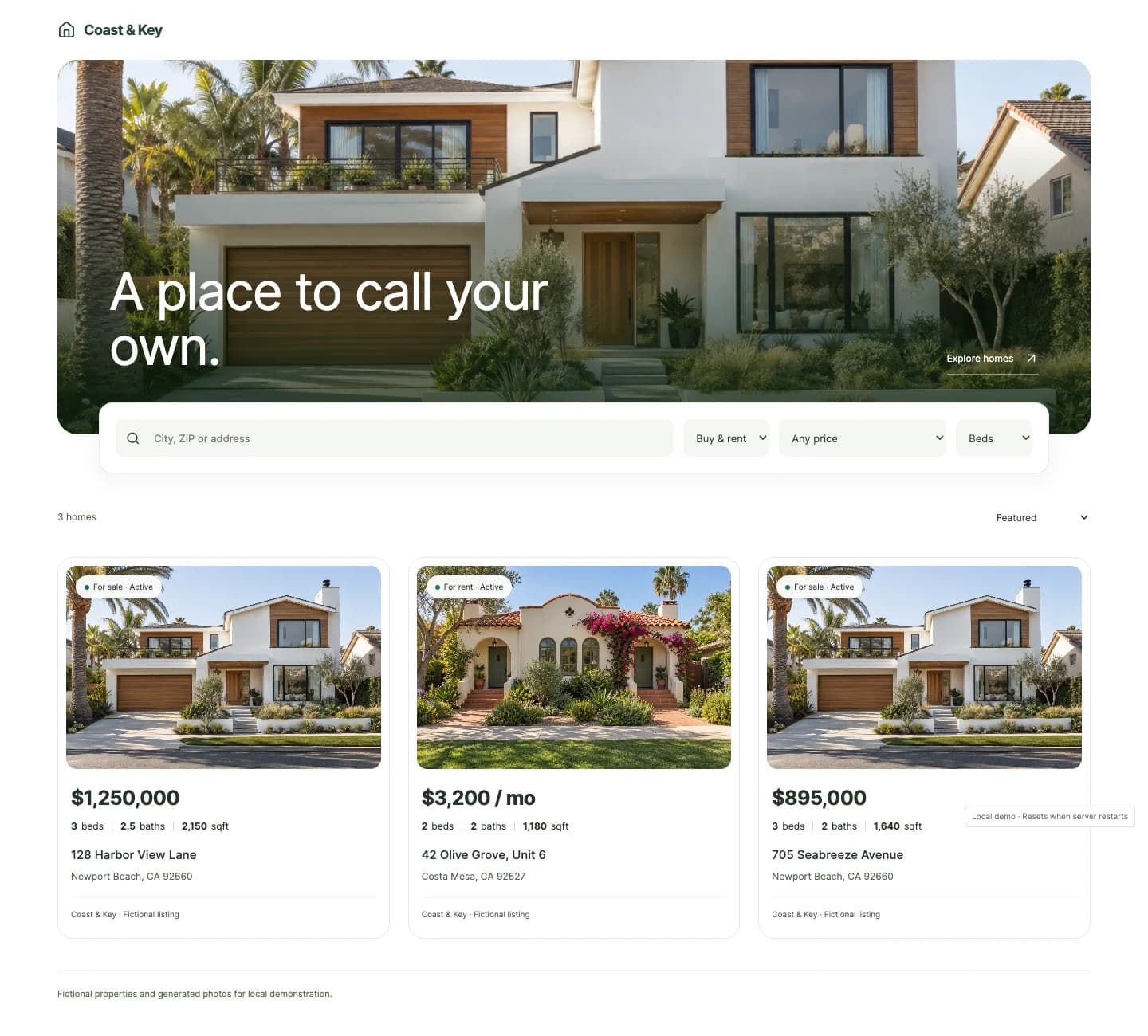
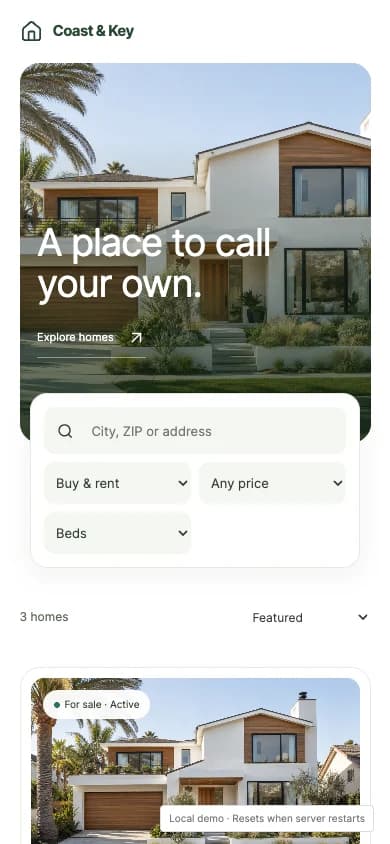
Actual desktop and mobile views. Fictional listings and generated property photos.
Classic, Editorial, Gallery, Directory, Spotlight, and Portfolio. Adjust the photos, colors, card style, density, layout, and visible property facts. Preview on desktop, tablet, and phone before publishing.
Create up to 20 independent collections per location, with up to 24 selected manual listings each.
Choose the destination once. New inquiries connect the property, person, and opportunity inside Seedly.
They send a question or tour request from a published property.
Match by email or create a contact, with the property and request attached.
Reuse or create an opportunity in your chosen stage, with the linked property’s photo, listing price, address, and key facts on its card.
Use property triggers with your deliberately configured native Seedly actions.
The public page is the front door. The module keeps the property work connected behind it.
Manage sale and rental properties, notes, favorites, archived records, and native contact and opportunity links.
Upload up to 20 photos per manual property through Seedly Files. Choose the cover, order, descriptions, and crop focus.
Search supported providers, save personal search criteria, and compare up to three properties in the same market.
Five triggers, five configurable property nodes, and five starter template definitions for Seedly’s workflow editor.
Separate drafts and live pages. Review changes, undo edits, reorder properties, and share a URL or iframe.
Installer, diagnostics, recovery, API reference, Convex setup, and a copyable installation task for your coding agent.
Start with your own listings. Add a provider when you have the account and access for it.
Connection guideProvider accounts and fees are separate. Saved results are snapshots, without automatic refresh. Public collections publish manual listings; public MLS IDX is not included.
Start with the piece you need. They share your native Seedly CRM records, so you can build on the same foundation.
Property records, search adapters, photos, public pages, embeds, inquiry routing, and workflow nodes.
Read the module guideA starting point for managing buyers, sellers, showings, closings, and referrals in Seedly.
Explore the agent kitAfter your verified Whop payment, sign in to the DevLaunch portal with your checkout email and open Real Estate in Downloads. Active DevLaunch All Access members already have access. Download the source archive and integrity manifest; the installation and coding-agent guides are included.
An editable Real Estate module for your existing Seedly CRM, with property management, provider adapters, a public page builder, CRM inquiry routing, native workflow extensions, and installation and operating guides. You install and host the source in your own compatible Seedly application.
No. The module and the Real Estate Agent kit work independently or together. The module adds property features and publishing. The optional kit adds an industry workspace for buyers, sellers, showings, and closings. Each uses your native Seedly CRM records.
Yes. Choose Search + listings or Listings only instead of Full page, then share the published URL or copy its iframe into an existing website. You can create separate collections with different formats and selected properties.
Bridge / Zillow Group and Spark / Flexmls adapters use your authorized provider access. RentCast uses your API key. Redfin supports saved reference links, not a direct listing feed. Unrestricted Zillow.com search, Zestimate, and importing listings by pasting a URL are not included.
The public builder currently publishes selected manual listings. Provider search is an internal workspace feature with saved snapshots; it is not a certified public MLS IDX feed. Provider credentials, subscriptions, MLS permissions, and display rights are separate.
When you enable intake and choose a pipeline and open stage, a question or tour request matches or creates a Seedly contact and reuses or creates an opportunity. The property and request are linked to those native records. A tour request does not book an appointment or automatically opt someone into marketing.
Yes. Property inquiry, tour request, contact-link, price-change, and status-change triggers can start native Seedly workflows. Five property nodes let you load a property, check criteria, link the enrolled contact, add a note, or set a favorite. Compose these with native workflow actions and deliberately enable the workflows you want to run.
Your own separately licensed Seedly source and a compatible installation. The current installer targets Seedly 5.8.4–5.8.x, with 5.8.4 used for validation. Follow the version-specific guide and validate your exact host. It uses your existing Seedly login, Convex backend, contacts, opportunities, and Files. Hosting and third-party fees are separate.
Customer experiences / Trustpilot
Selected excerpts from reviews of DevLaunch training, software, and services. Individual customer experiences across DevLaunch.
We use essential storage to keep the site working. With your permission, we also use analytics and the Whop Pixel to understand visits and advertising results. Optional analytics stay off until you choose.
Read our Cookie Policy and Privacy Policy.