Support that understands the question.
A greeting gets a greeting. A how-to question uses your approved knowledge. A specific problem can use permitted diagnostics. Switch naturally between everyday help and support in the same conversation.
GOSEEDLY / ORBIT 1.5
Give Orbit a job, rehearse it, and run it on a schedule or CRM event. Add support that answers questions, checks issues and prepares actions—inside the CRM your team already uses.
One-time source-code purchase. Bring your own OpenRouter key.
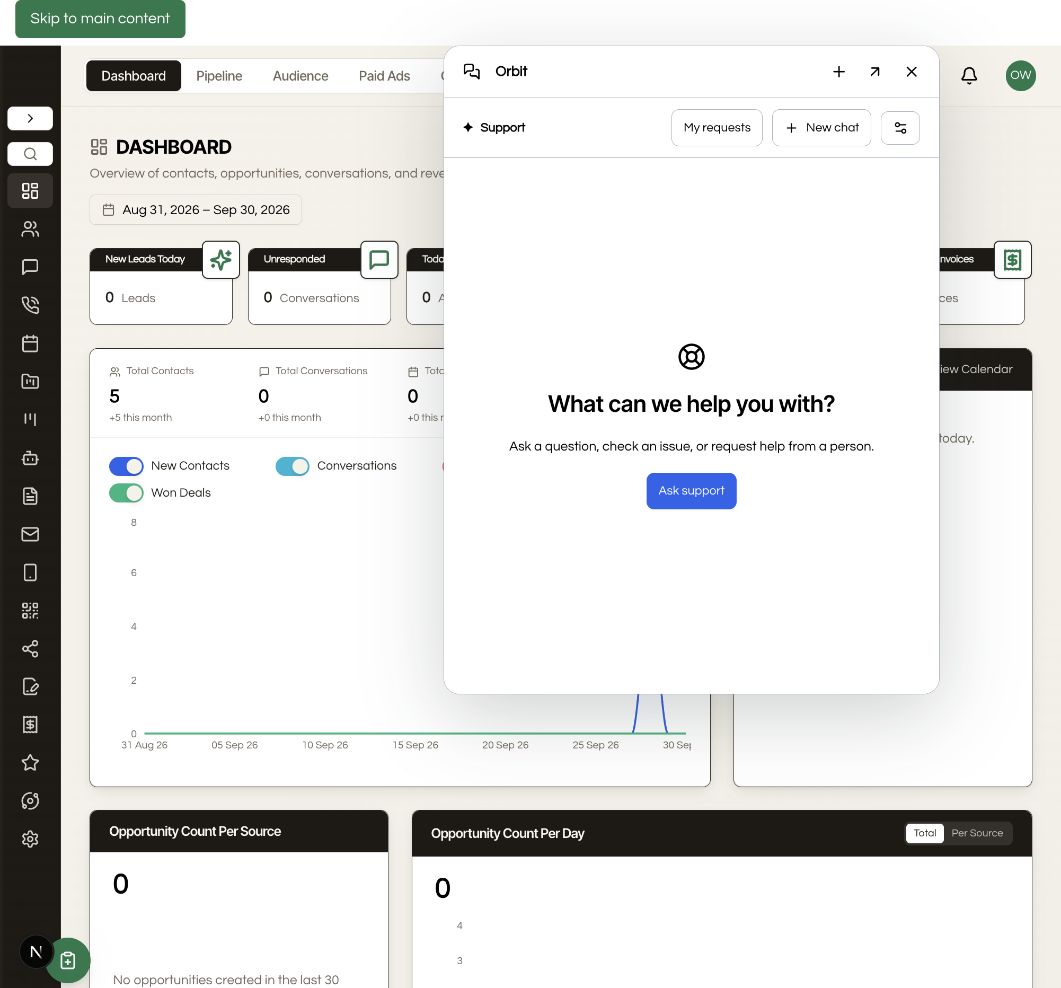
A greeting gets a greeting. A how-to question uses your approved knowledge. A specific problem can use permitted diagnostics. Switch naturally between everyday help and support in the same conversation.
Set agency defaults or account overrides for the name, tone, instructions, knowledge and permitted tools. Preview a request before handing it to your native support queue.
Start with a morning briefing, contact review, lifecycle report or lead follow-up template. Describe the job in chat to prepare an editable agent draft, or start from a template. Choose the records, tools and expected result, then rehearse before enabling.
Try the job with real CRM data. Inspect sources and proposed actions, save feedback, and refine the rules before accepting the result.
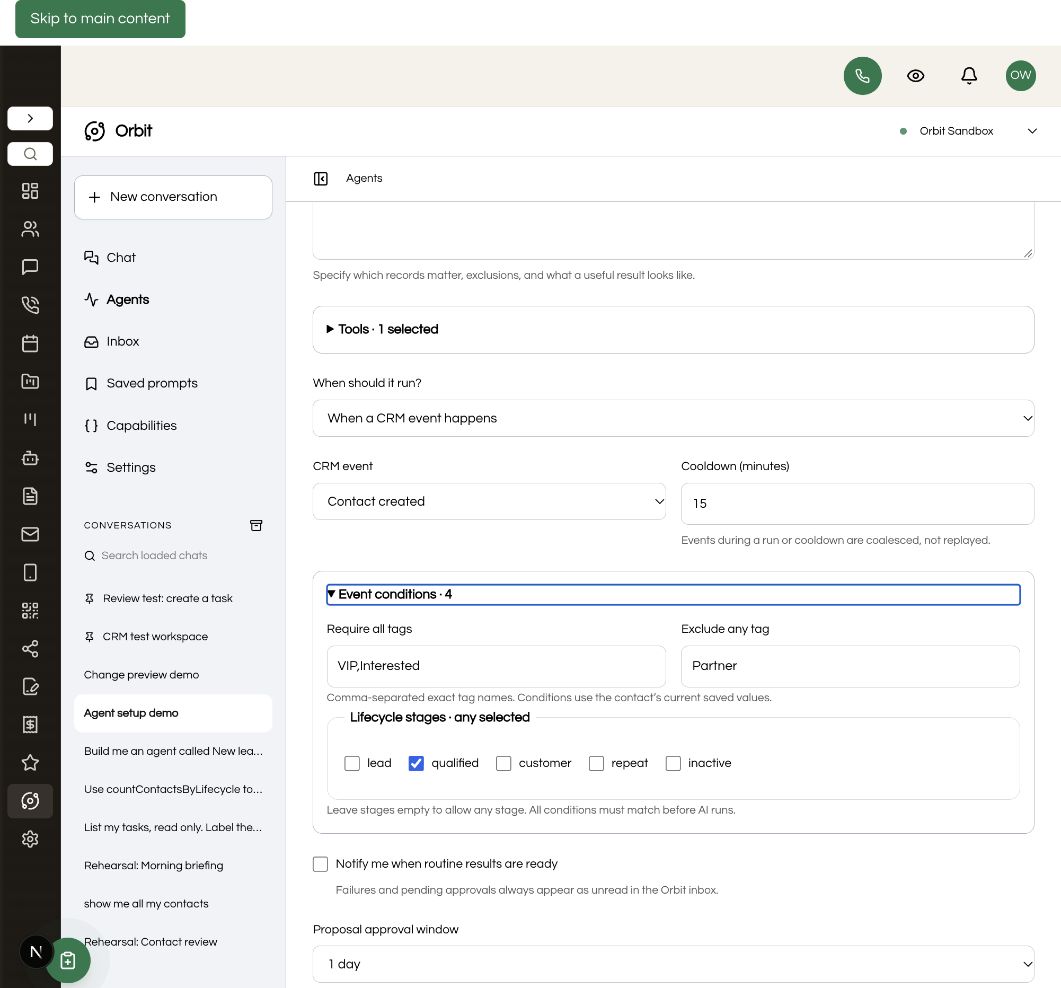
Run on demand, daily, on weekdays, weekly or monthly in your timezone. Or react to a new contact, a contact update or an added tag. Filter contact events by required tags, excluded tags and lifecycle stage. Jobs continue with the browser closed. Pause them when you need to.
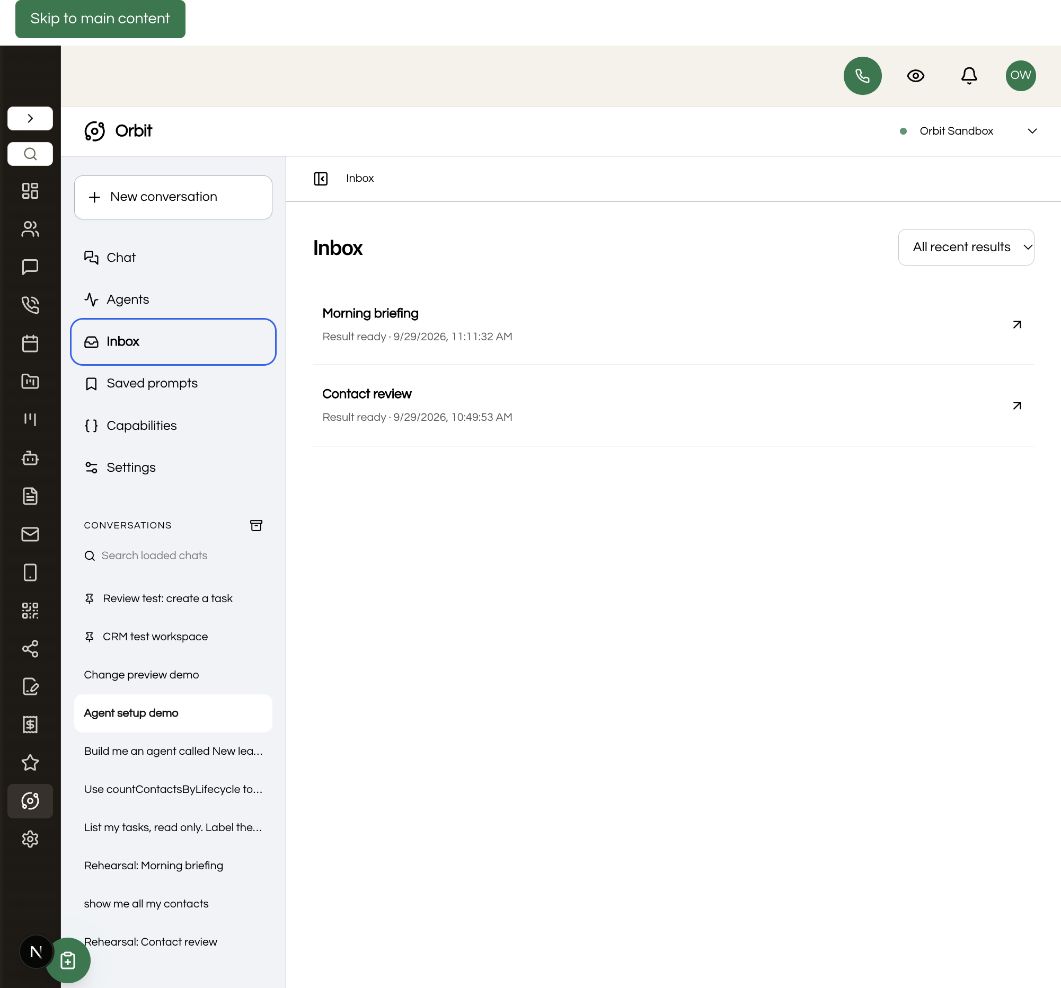
Set record and daily run limits. Follow personal agent outcomes and actionable approvals in Inbox. Review before/after values on supported updates; known values are checked again before applying. CRM changes still need your explicit approval, with an agent approval window you can set from 15 minutes to seven days.
NEW IN ORBIT 1.5
Add approved articles, set your tone and choose exactly which tools support can use. Start with agency defaults, then allow account-specific customization where it makes sense.
When a person is needed, the user reviews the summary and destination before sending it to Seedly’s native support request queue. AI pauses after handoff, and My requests shows the intake status.
Explore support setup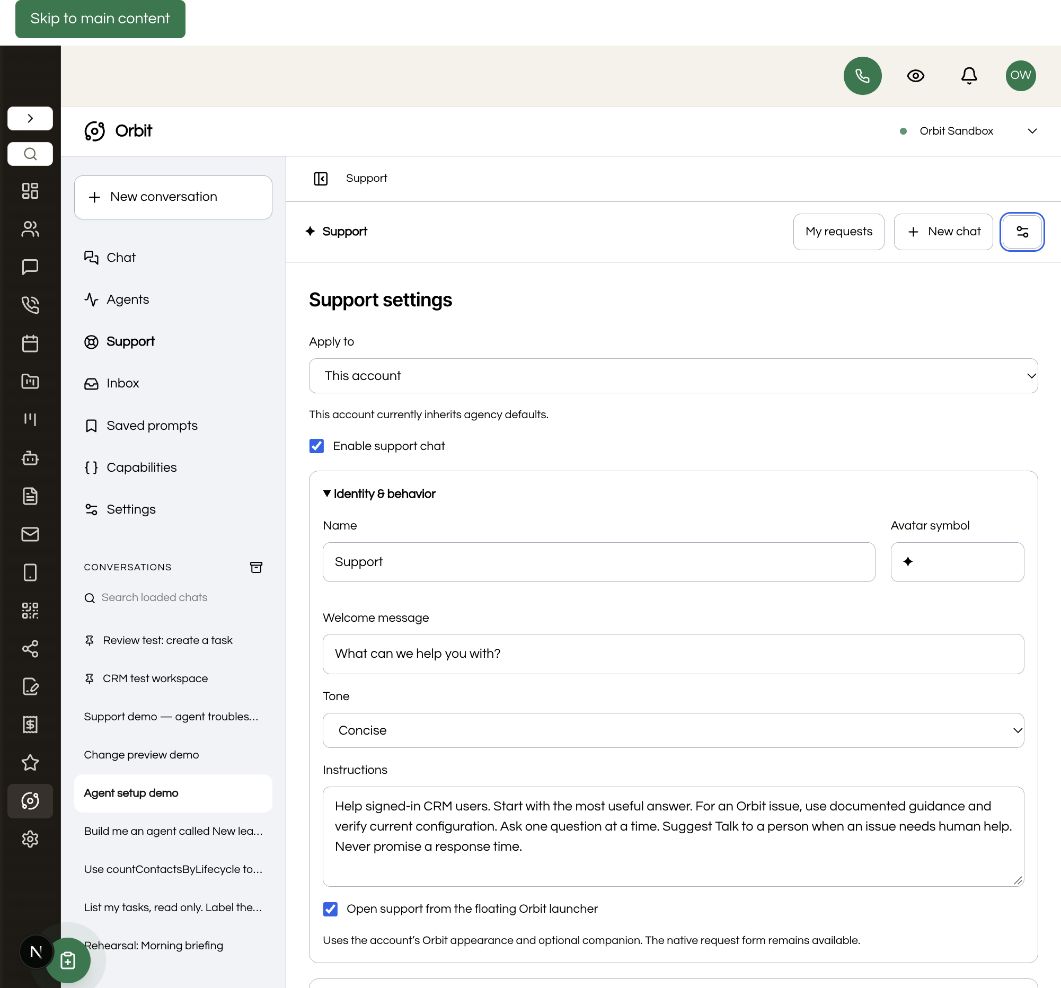
START WITH A USEFUL JOB
Summarize open opportunities and overdue tasks, with the records behind the answer.
Review a bounded set of contacts, surface missing information and suggest useful next steps.
Use available contact and task history to recommend next steps and propose tasks for review.
CHAT WHEN YOU NEED IT
Review pending changes in one approval inbox. Find agents quickly, duplicate a job into a fresh draft, and inspect results, sources and inline visuals in Orbit. Start a separate conversation when you want to explore the data or prepare a one-off action.
The movable launcher is still here: keep the standard bubble, choose a pixel companion, upload your own image or hide it. Use your account’s brand colors or customize the look.
Repeatable jobs.
Room to ask questions.
EDITABLE SOURCE. CLEAR GUIDES.
Give your coding agent a concrete installation runbook, with verification and recovery steps. Use the extension guides to add scoped API routes, define tools and test their behavior.
MAKE IT PART OF YOUR CRM
ORBIT FOR SEEDLY CRM
$197USD · one time
Install it in your own Seedly. Keep the source. Build on it.
Already own Orbit or have active All Access? Open your download library →
Secure checkout through Whop. Your private download is delivered manually to your checkout email after payment verification.
Seedly license, hosting, AI provider usage, installation services, contracted support and promised future updates are separate.
Customizable support with curated knowledge and native human handoff, agent drafts from chat, tag and lifecycle conditions, a personal agent inbox, and before/after previews for supported updates. The download includes upgrade instructions and SHA-256 manifests.
Orbit provides AI support for signed-in CRM users. Human handoff sends a reviewed summary to the native Seedly support request queue, where your team follows up through its normal process. It does not include live staff chat or a staffed support service.
Add approved article text and business instructions in Support settings. Source links are references; Orbit does not automatically crawl them. Choose the CRM tools and diagnostics available to support. Agency rules can allow or lock account overrides.
An installable, editable source-code module for your own Seedly CRM, including guided AI agents, schedules, customizable support, chat, setup documentation and installation tools. The $197 price is a one-time module purchase.
You define a job and its allowed tools, then rehearse it on CRM data. Review the result and refine the instructions. After accepting a successful rehearsal, enable the agent and choose manual, daily, weekday, weekly, monthly or supported CRM-event runs. Editing its configuration requires a new rehearsal.
Prepare an account briefing from opportunities and tasks, review contacts for missing details, or identify follow-up opportunities and propose tasks. Templates are editable. Results depend on the data, API access and tools available in your account.
Run now, daily, weekday, weekly and monthly schedules are included, with a local time and timezone. Schedules run on your Convex backend without an open browser. Contact-created, contact-updated and tag-added events are included, with cooldowns and duplicate protection. Events during cooldown or an active run are coalesced. Arbitrary cron expressions are not included.
No. Live agent runs prepare supported changes for your approval. Rehearsal proposals cannot be applied. Approval rechecks permissions; agent proposals expire after your configured window of 15 minutes to seven days. Pausing or revising an agent blocks its old proposals.
Feedback is saved with the run. You decide which feedback becomes a lasting rule by editing the instructions and rehearsing again. Orbit does not silently rewrite an agent’s job.
A separately licensed Seedly CRM installation, source and deployment access, and an OpenRouter account with credits and a tool-capable model. The reference host is Seedly 5.8.4 with extension API 1. Use the setup guide to check your installation.
No. Connect your own OpenRouter API key and select a model. Rehearsals and scheduled runs consume provider credits. Record and run limits help bound usage; they are not a dollar-spend guarantee. Hosting and your Seedly license are separate.
Agency owners and administrators configure Orbit per subaccount. Each agent belongs to its creator in one subaccount and runs under that person’s current permissions. It cannot reach across accounts or expand access through an API key.
Yes. The full-page workspace and optional movable launcher remain included, with multiple conversations, saved prompts, inline charts and tables, brand colors and optional pixel companions.
Yes. The source and extension guide explain API routes, validated arguments, permissions, reviewed writes and tests. Agents can select eligible catalog tools, including Orbit lifecycle counts. Administrative and other custom extension routes are excluded from agents by default.
After payment verification, we manually deliver your private download to your checkout email. Existing owners and active All Access members can use their download library. Follow the included quickstart or give the installation runbook to your coding agent.
We use essential storage to keep the site working. With your permission, we also use analytics and the Whop Pixel to understand visits and advertising results. Optional analytics stay off until you choose.
Read our Cookie Policy and Privacy Policy.