Create & publish
Start on a dedicated event creation page. Shape the public page around your event.
GOSEEDLY ADD-ONS / MODULE 34
Event Tickets & Check-In brings registration pages, ticketing and the guest list into your own Seedly CRM.
Seedly license sold separately
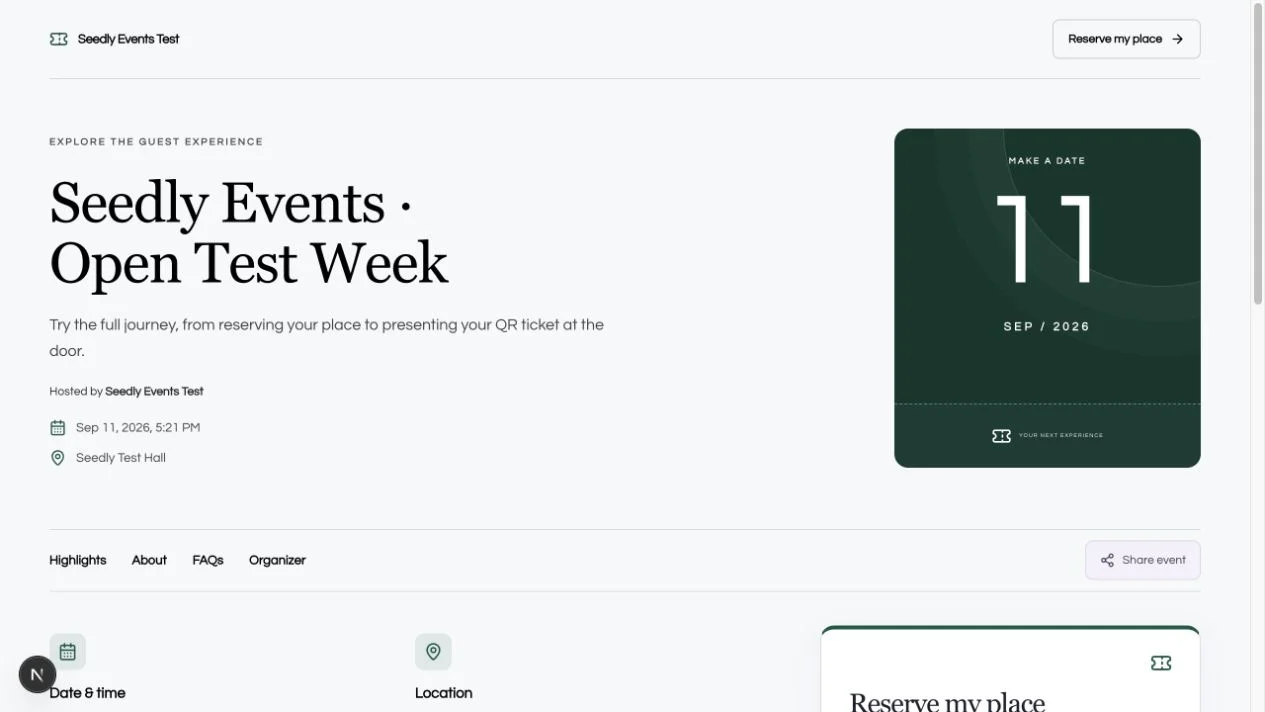
Actual interface · synthetic sample event
ONE EVENT. THE WHOLE JOURNEY.
Give guests a page worth opening, a straightforward registration, and an individual ticket. Give your team the inventory, guest list and admission tools to carry it through.
Start on a dedicated event creation page. Shape the public page around your event.
Let people choose their tickets. Keep capacity, attendee details and transfers together.
Check each current QR against your backend. Bring attendance back into the CRM.
BUILT INTO YOUR WORKSPACE
Choose Spotlight, Full cover or Editorial. Set the palette, typography, cover and organizer details. Arrange highlights, agenda, speakers, gallery and FAQs, with desktop and mobile previews.
Create free or paid tiers with shared event capacity, sales windows and expiring reservations. Offer mixed-tier orders, coupons, fees, configured flat tax and optional extras.
Transfer tickets to a new attendee and rotate the QR credentials. Manage a waitlist, issue complimentary tickets from CSV, search the roster and sync contacts into your CRM.
Online admission returns valid, already used, wrong event or invalid. Assign check-in staff, use manual lookup or a scanner, and keep a record of the gate and operator.
Review per-ticket partial or full refunds and cancellation batches. Choose admission and restock outcomes, then export sales and attendance, check gate totals and review no-shows.
Use your existing login, locations, roles, Convex backend, payment connections and transactional sender. Ticket PDFs, wallet adapters and workflow signals extend the same event records.
YOUR HOST. YOUR RELEASE PROCESS.
The add-on extends the CRM you already operate. Your authentication, locations, roles and Convex backend stay at the center.
Read the installation guidePlan the install, apply it locally, run the doctor, then verify and deploy your backend and web app through your normal release process.
A FEW GOOD QUESTIONS
Version 1.0.0-rc.8
Original, installable add-on source.
The original source code for Module 34, Event Tickets & Check-In, version 1.0.0-rc.8, with its installer, tests and documentation. You install it into your own separately licensed Seedly CRM. The Whop checkout buys the add-on codebase; attendee registration and ticket payments are features you run inside your installation.
The verified host is Seedly CRM 5.8.4 with extension API 1. The package declares a 5.8.x compatibility range, but 5.8.4 is the version verified. Customized hosts and combinations with other add-ons need their own compatibility checks. The installer checks supported extension seams and protects existing customizations.
The add-on uses the host’s existing Seedly Stripe payment routing for attendee card checkout and refunds. You connect and configure your own payment account. Whop is used here only to purchase the add-on source code. Provider charges and hosting costs remain yours.
The source includes transactional ticket delivery, printable PDFs, Apple and Google Wallet adapters, and browser scanning with a fallback decoder. These require your own sender, issuer credentials or supported device configuration. Live payment/refund/email/wallet-provider and physical camera certification have not been completed for this release.
V1 uses online check-in and finite general-admission inventory. Assigned seating, recurring performances, offline admission, badge printing and native mobile app changes are outside this release. Tax is configured flat tax, not jurisdiction-aware tax calculation.
No. This is a separate GoSeedly add-on for an existing compatible Seedly installation. It does not require a HighLevel migration, and it does not include or modify the native mobile apps. Existing GoSeedly bundles and CRM kit purchases do not include this separate add-on unless your order expressly says so.
You receive editable source under the existing GoSeedly commercial terms. Source access does not grant redistribution or resale rights, include Seedly’s license, or transfer copyright. You configure, deploy, secure and maintain your copy. Installation services, contracted technical support and promised future updates are not included.
After your Whop payment is verified, we manually deliver a portal download link to the email used at checkout. Sign in with that email to access your purchase. Eligible DevLaunch All Access members can download it from their library. The package contains the original add-on and its documentation. It does not contain licensed Seedly host source, credentials or private test records. Keep a secure backup of your purchase.
The existing GoSeedly terms apply: all sales are final, subject to remedies required by applicable law and binding payment-platform requirements. Review the scope and installation requirements before buying. This purchase policy is separate from the attendee refund tools inside the add-on.
Customer experiences / Trustpilot
Selected excerpts from reviews of DevLaunch training, software, and services. Individual customer experiences across DevLaunch.
We use essential storage to keep the site working. With your permission, we also use analytics and the Whop Pixel to understand visits and advertising results. Optional analytics stay off until you choose.
Read our Cookie Policy and Privacy Policy.