Choose a client
Connect an existing Seedly contact. Assign an owner, set a check-in cadence and record the renewal terms.
Client health, check-ins, goals and renewals in the Seedly CRM your team already uses.
USD · one time · editable source · included with active All Access
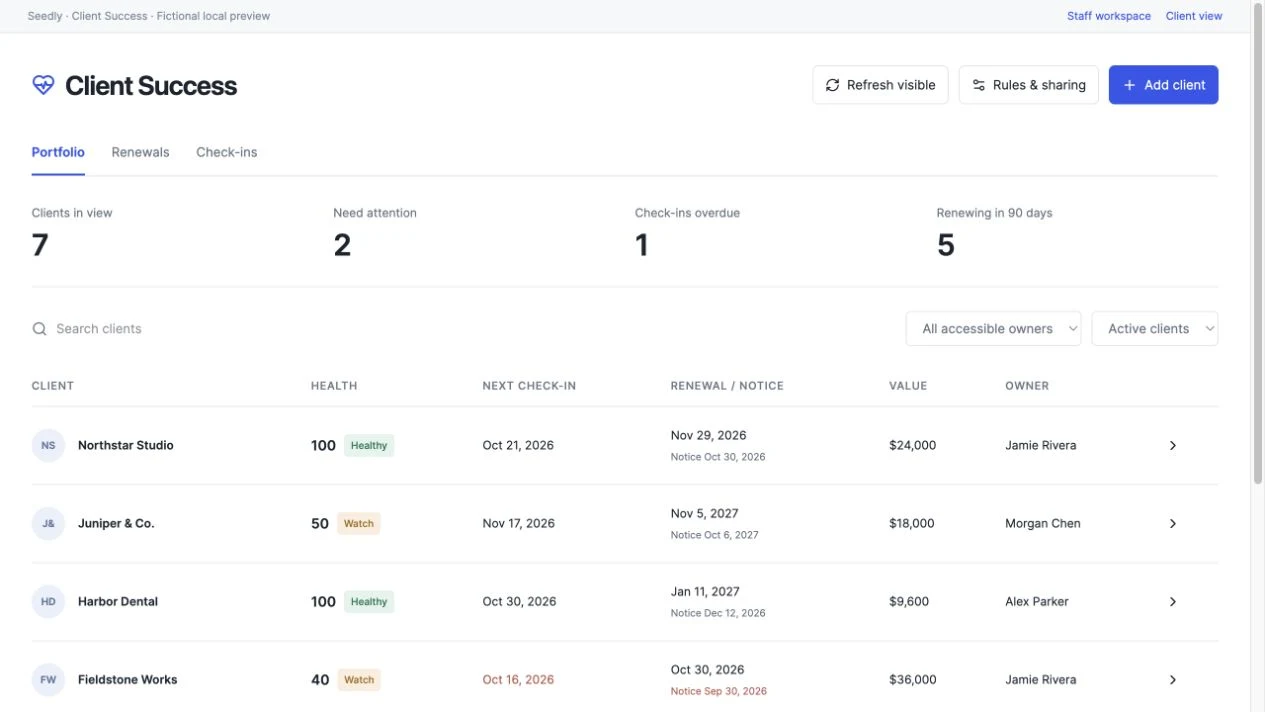
Keep the important dates and conversations beside the work they relate to.
Connect an existing Seedly contact. Assign an owner, set a check-in cadence and record the renewal terms.
See which goals, tasks and deadlines need attention. The health score shows its evidence and any unavailable sources.
Record a meeting, set a goal or create a native task. Keep the renewal decision and its history in the same workspace.
Every health rule shows what it found. Adjust the weights to match your business and save dated snapshots to follow the relationship over time.
The module checks native permissions for each source. A teammate without access to invoices cannot see their counts through a saved health score.
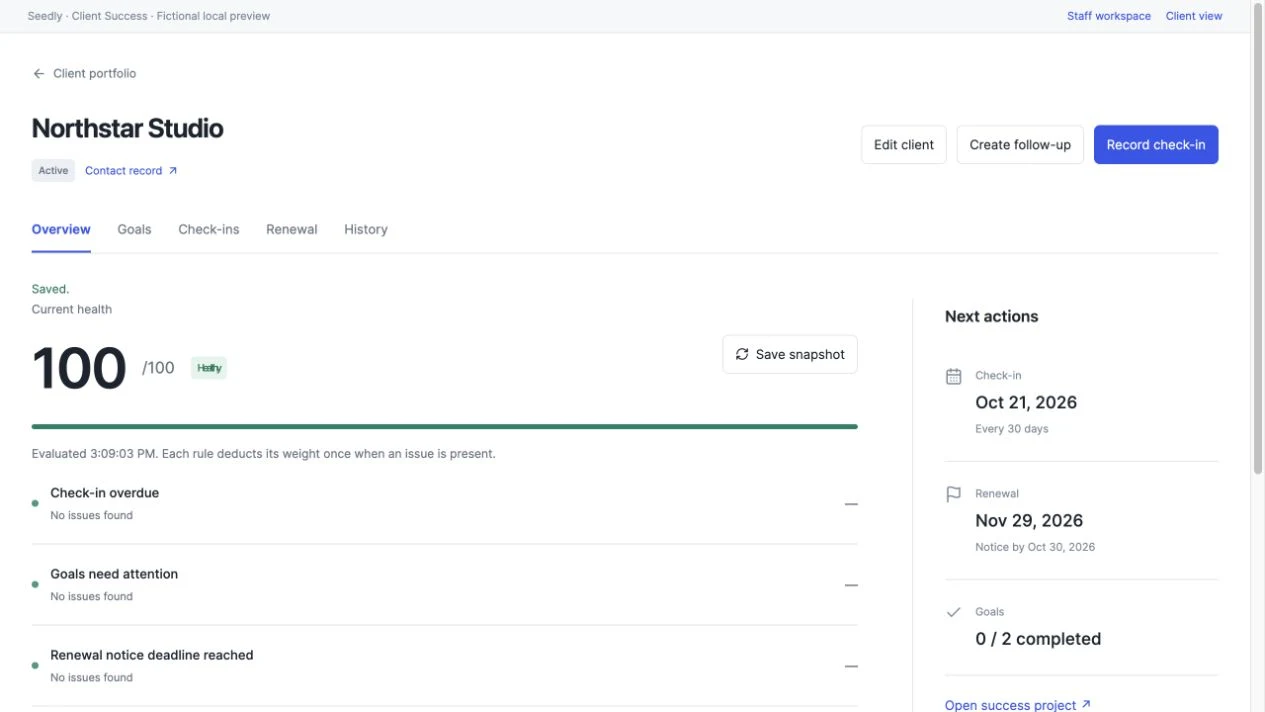
See missed check-ins, overdue goals, native tasks and invoices, plus Support Desk and Onboarding signals when those modules are installed.
Track renewal dates, notice deadlines, term values and conversation stages. See upcoming renewals in one queue.
Record milestones, due dates and progress. Choose which goals belong in your client’s portal.
Assign a success owner and create follow-up tasks in Seedly’s native project workspace, linked to the contact.
Save health snapshots, record meetings and preserve renewal decisions with notes and the previous term’s details.
Clients see only shared goals and meeting summaries. Private notes, health scores, invoices and contract values stay with your team.
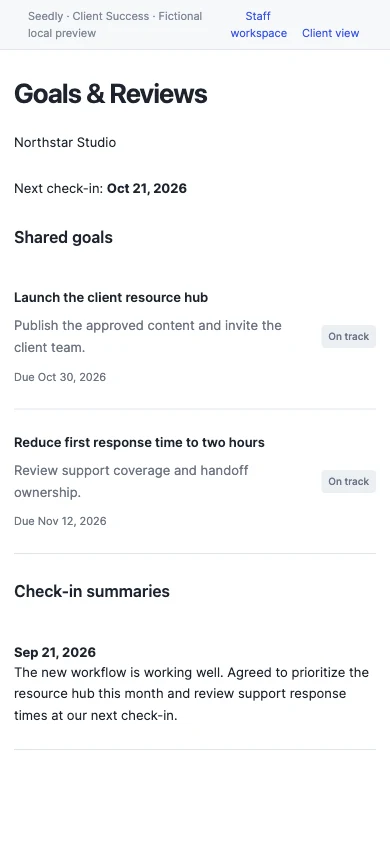
Use their existing Seedly portal link to show shared goals, the next check-in and selected meeting summaries.
Sharing is optional. Enable it for the workspace and the individual client, then choose what to share.
Read the setup guide$59 USD · one time
All Access member? Open your download.
The editable frontend and backend source, installer, recovery and removal tools, setup documentation, included tests and a SHA-256 integrity manifest. It is a one-time source module purchase for your own Seedly installation.
Yes. Active DevLaunch All Access members can download it from the portal without a separate purchase.
No. Client Success works with native Seedly contacts, tasks and invoices. Support Desk and Onboarding add optional health signals when installed and permitted. Missing sources are shown explicitly.
You choose rule weights. An issue deducts that rule’s weight once, and the screen shows the evidence behind the score. Open a client to evaluate current signals; refresh to save a snapshot. Health refresh is manual.
It records relationship and renewal decisions. It does not charge clients, change billing subscriptions or send automated customer messages.
Client sharing starts disabled. Enable it for the workspace and client, then select individual goals and meeting summaries. The portal does not receive private notes, health scores or contract values.
We use essential storage to keep the site working. With your permission, we also use analytics and the Whop Pixel to understand visits and advertising results. Optional analytics stay off until you choose.
Read our Cookie Policy and Privacy Policy.