The right documents, within reach.
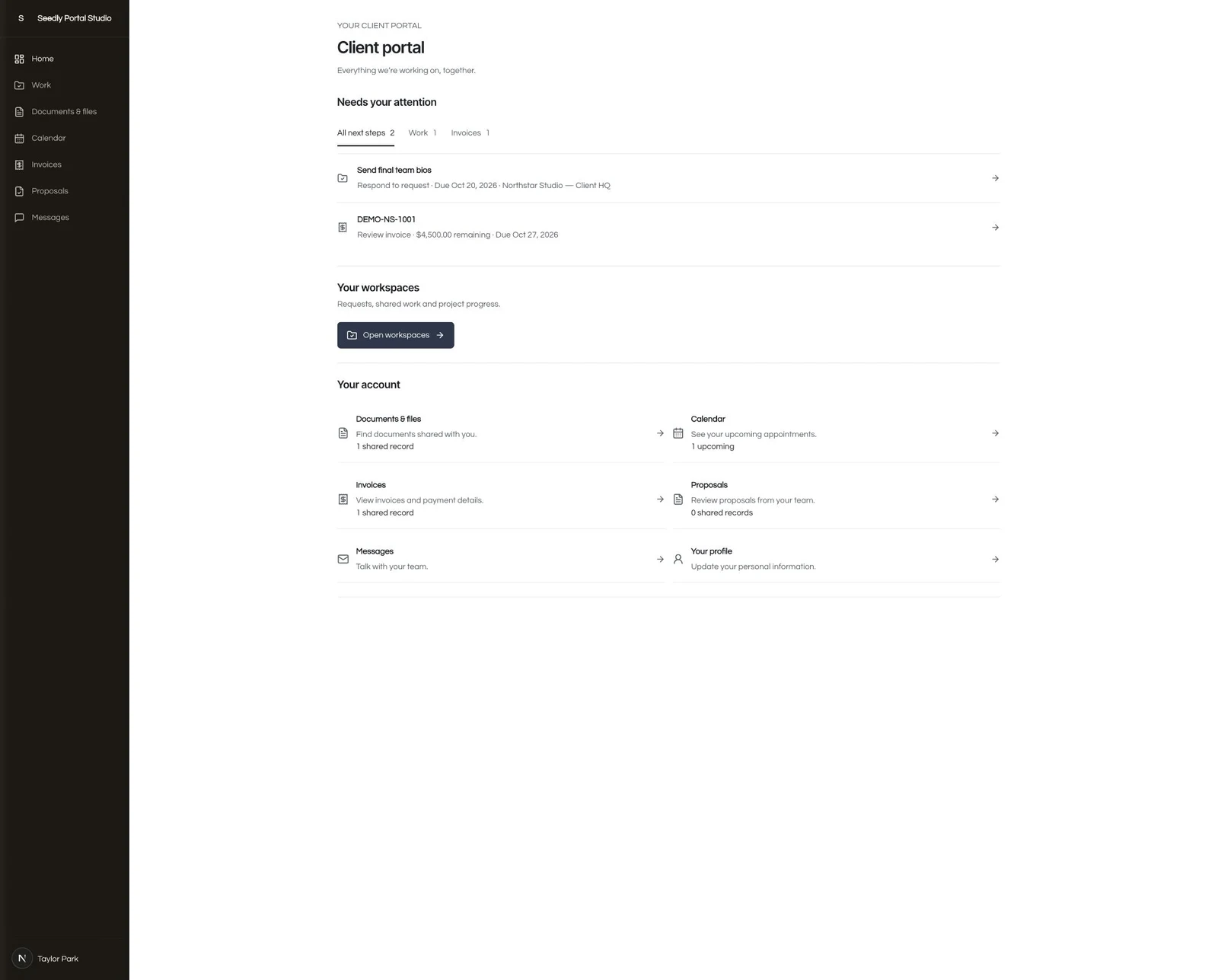
Share documents and files, browse authorized folders and history, read PDFs in the portal and review published file versions.
GOSEEDLY / CLIENT PORTAL
Documents. Dates. Decisions. Give clients one clear place to follow the work—and keep it connected to the CRM you already use.
One-time source purchase · Built for Seedly CRM 5.9.6 · Included in All Access
THE CLIENT EXPERIENCE
A familiar, clean portal for the next step, the latest file and the conversation around it.
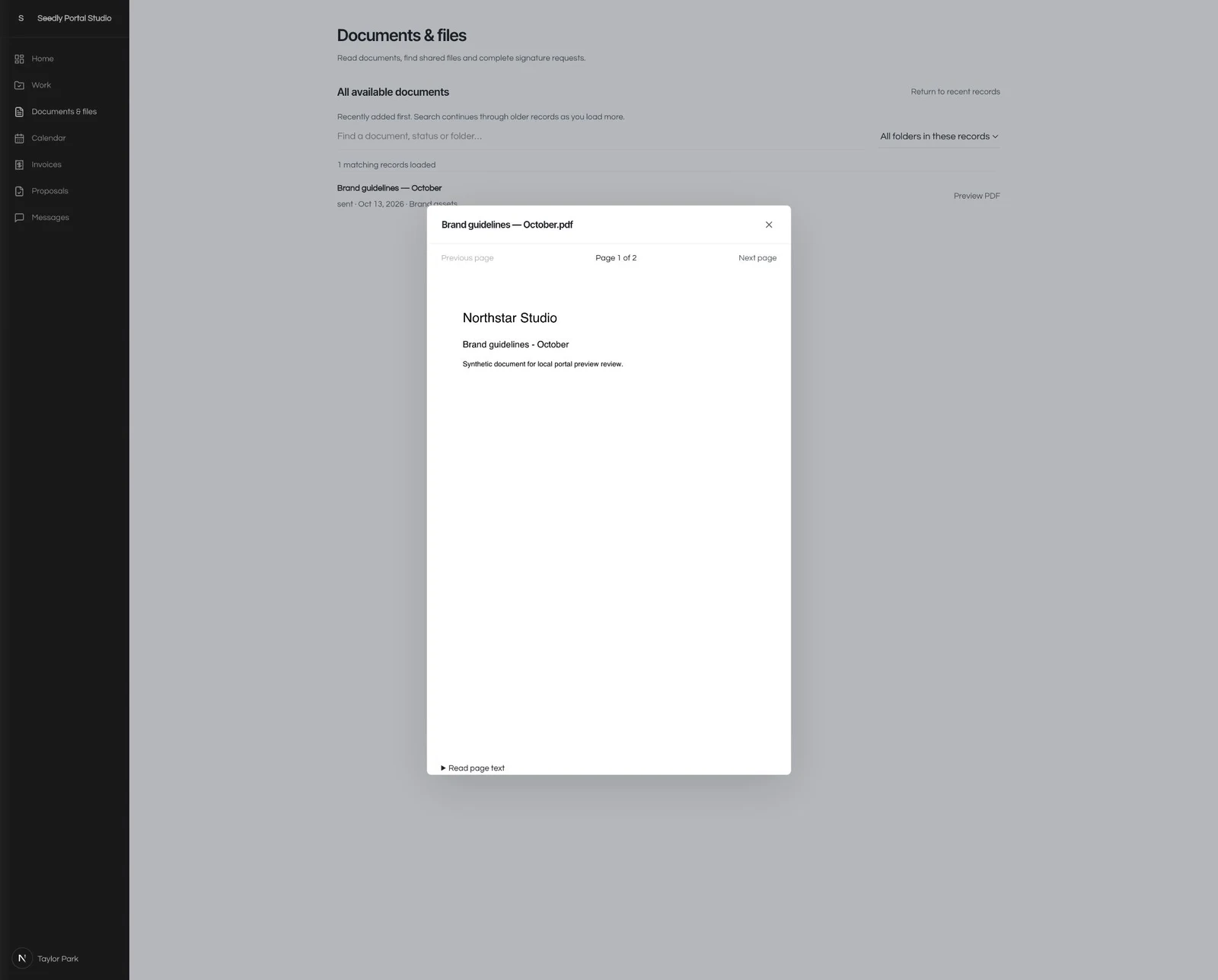
Share documents and files, browse authorized folders and history, read PDFs in the portal and review published file versions.
Let clients switch between agenda and month views for their appointments and shared work deadlines.
Show permitted invoices, balances and proposals. Native document and payment actions follow your Seedly configuration.
Reorder sections, choose widths, adjust spacing, alignment and backgrounds. Set account defaults or tailor a workspace.
Control module visibility and record sources. Apply contact, workspace, member and item restrictions, and configure invitation delivery.
Enable an optional text-only Messages module linked to a dedicated conversation in Seedly’s inbox. Reading and replying have separate controls.
ARRANGE IT IN SEEDLY
Open the full-screen editor, move a section and refine its width, padding, alignment or background. Customize each module page, with undo, presets and reusable section styles.
Preview the selected client’s actual content using the same components as their portal. Account defaults keep things consistent; workspace overrides give you room to adapt.
Read the installation guide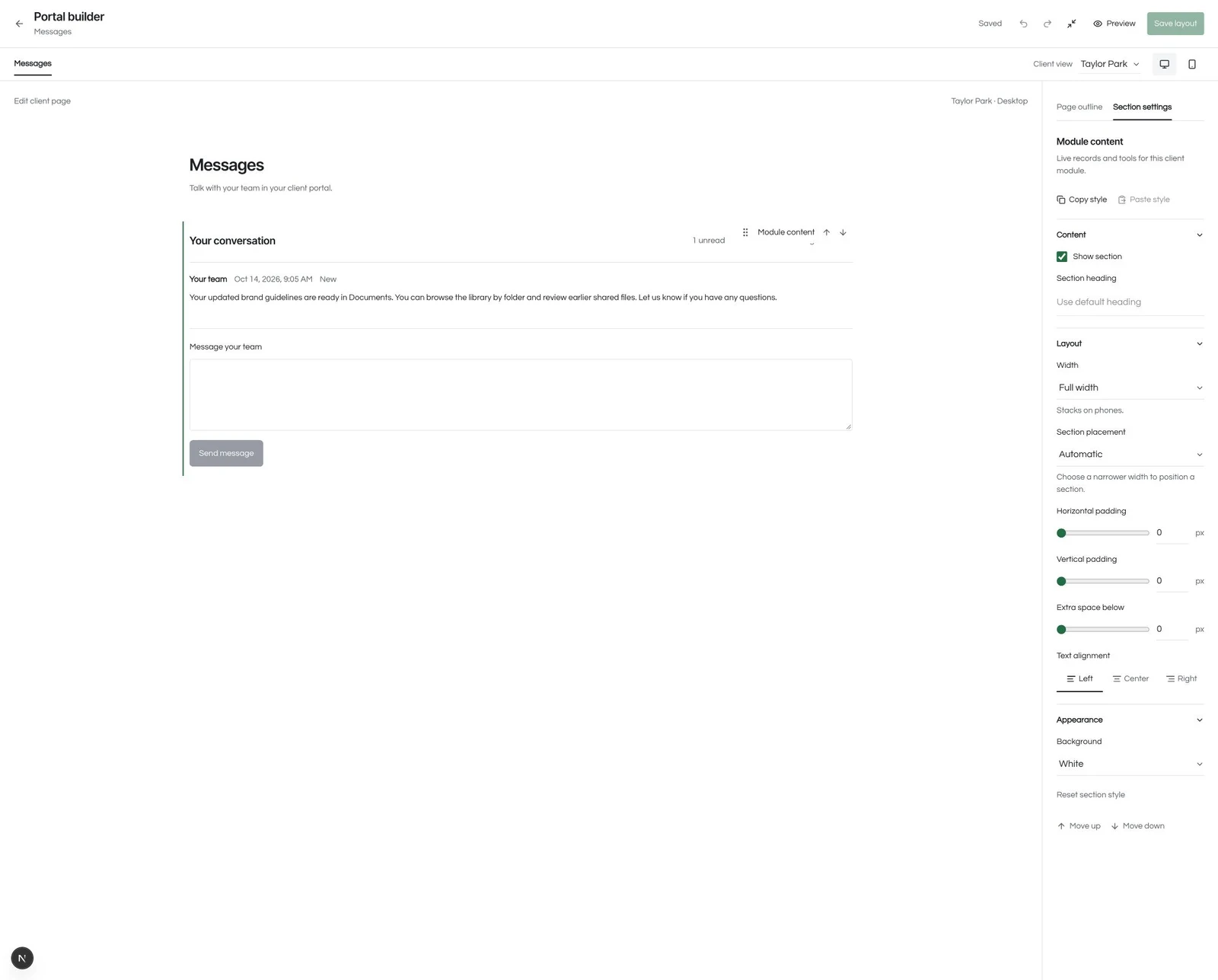
MAKE IT PART OF YOUR CRM
Bring your own licensed Seedly installation.
Keep the source and make it your own.
CLIENT PORTAL FOR SEEDLY
$97USD · one time
Secure checkout through Whop. Sign in with your checkout email to access the private download after payment verification.
Already own it or have active All Access? Open your download →
Seedly license, hosting and provider costs are separate. Current source release: 0.6.0-alpha.1.
Original, editable frontend and backend module source, a guided installer, verification tools, integrity manifest and installation documentation. This is a self-installed addition to your existing Seedly CRM.
The validated host is Seedly CRM 5.9.6 with extension API 1. The installer accepts 5.9.6–5.9.x and requires Node.js 22.13+, your host dependencies and the included pinned PDF reader dependency installation.
The editor and customer portal use the same client frame and module components. Preview shows the selected client’s permission-filtered content with your draft layout. Preview actions are read-only; saving publishes the layout.
The module uses Seedly staff authentication and native client portal links. Configure trusted origin, lifetime, delivery mode and invitation copy, then review the recipient and content before copying or sending. Client links are bearer credentials and can be revoked through Seedly.
Yes. Share requests, deliverables and milestones. Clients submit materials, approve a specific revision or request changes. A new revision resets approval. Work approvals are separate from electronic contract signatures.
The $97 is a one-time source-code purchase. Your Seedly license, hosting, provider usage, installation services and contracted support are separate. Invoice payment availability depends on your own native Seedly payment configuration.
After verified payment, sign in to the DevLaunch portal with your checkout email and open Client Portal in Downloads. Active All Access members can download it from the same library.
PDF, PNG, JPEG, WebP and text previews support files up to 2 MiB. Messages are text-only and disabled by default; enable them when you want a dedicated client conversation. Message attachments and email/SMS dispatch are outside this module.
We use essential storage to keep the site working. With your permission, we also use analytics and the Whop Pixel to understand visits and advertising results. Optional analytics stay off until you choose.
Read our Cookie Policy and Privacy Policy.