Skip to content
Get HyperSEO

Website SEO & analytics · HyperSEO 0.3.2

Find the issue.
Make the fix.

See what your website needs. Connect the search and conversion evidence. Review the change, implement supported fixes, and check the result — in software you own.

One-time source purchase. Runs on your computer. Included in All Access.
All HyperSEO sales are final. No refunds.

HyperSEO / Your website, moving forward
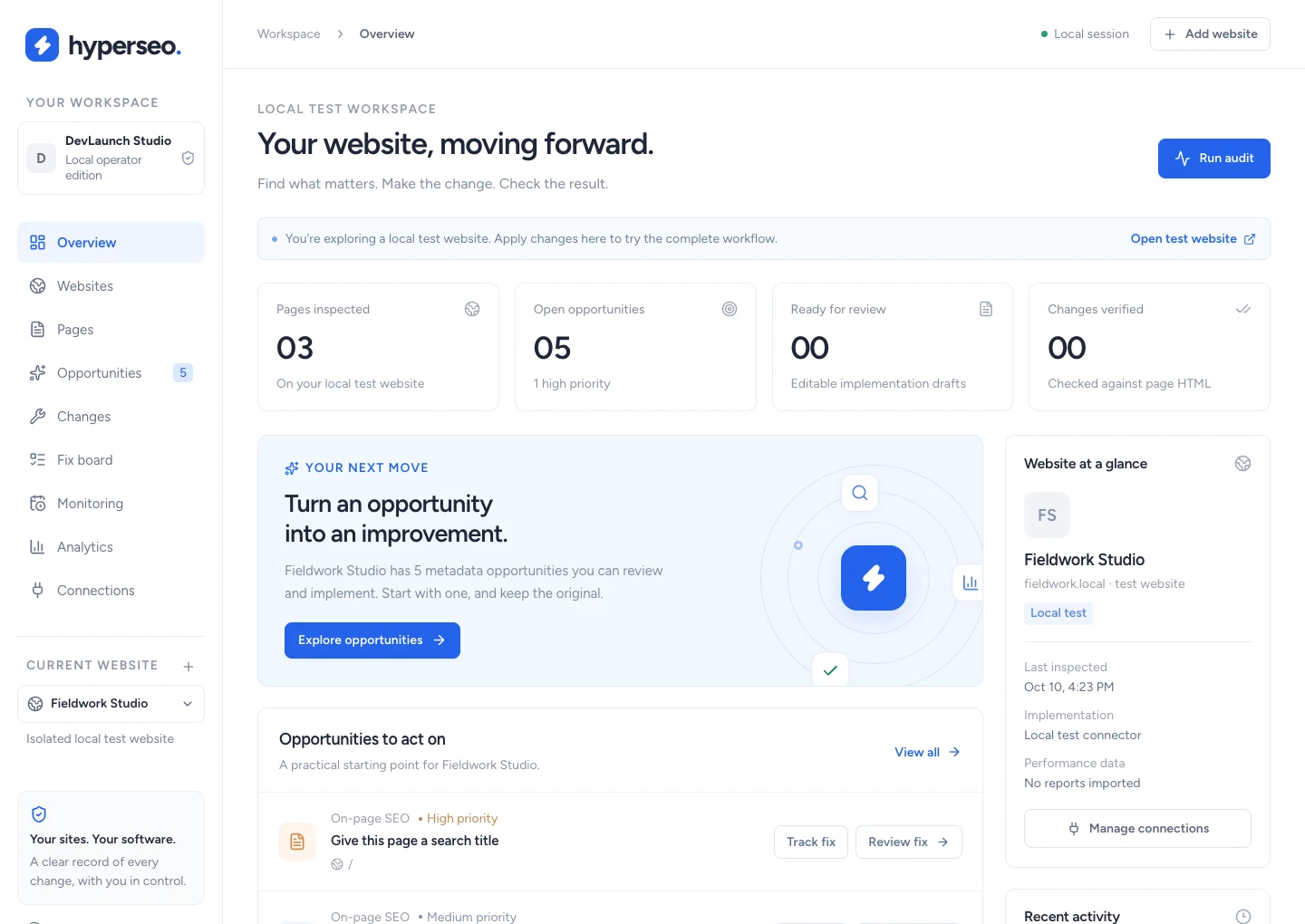
HyperSEO overview showing three inspected pages and five findings on the labeled local test website

Actual app screens from the included local test website. Connect your own websites and reports.

Inspect the evidenceReview the changeVerify & restoreOwn your codebase

A finding should have
a next step.

Keep the evidence, the decision and the implementation together. Start with a real HTML audit and follow each fix through to verification.

Get beneath the score.

Inspect public HTML with a bounded, same-site crawl. See which pages were checked and what the findings actually mean.

  • Titles, descriptions & competing metadata
  • Canonicals, headings, robots & sitemaps
  • JSON-LD, image text & form-label findings
  • Audit history and sample-aware comparisons
Give each page context.

Bring Search Console and GA4 evidence into the page workspace. Review search queries, clicks and conversion tracking alongside the HTML.

  • Your own Google connections or CSV imports
  • Page and query evidence kept separate
  • Report dates, source & coverage shown
  • Search and conversion review opportunities

Carry the fix through.

Prepare editable title and description drafts. Review them, apply through the WordPress connector, then inspect the returned HTML.

  • Original / proposed value comparison
  • Explicit Apply for supported metadata
  • Fresh HTML verification & change receipts
  • Guarded restore of the original value

Your work,
with the evidence beside it.

Move between the page, its findings and the implementation history. Keep the next action within reach.

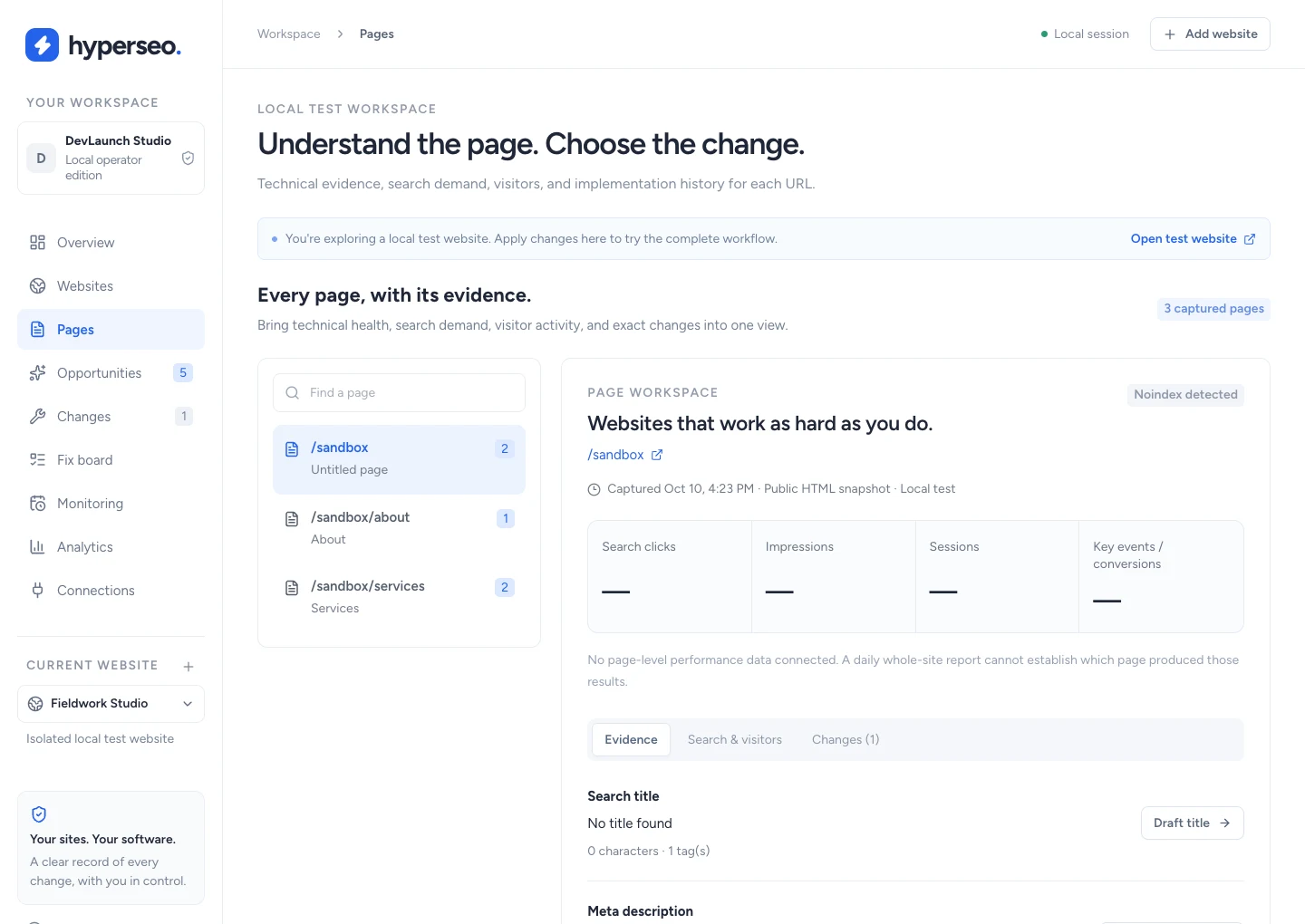
HyperSEO Page evidence showing the labeled local test website

Inspect metadata, technical findings and available search/conversion reports for each page. Local test website · View full size ↗

Keep the work moving.

Give every fix an owner. Let read-only checks run in the local worker. Keep live website changes in your hands.

A fix board with a memory.

Track the finding, owner, due date and notes. Fresh scoped HTML checks can verify an implemented fix. Manual closure and verified implementation remain distinct.

Checks on your schedule.

Queue audits and Google syncs. Enable daily or weekly checks when you want them. See progress, failures, cancellation and the worker’s status.

Evidence you can explain.

Retain audit snapshots, original values and implementation receipts. Show what was inspected and what changed. Measure business impact in your connected reports.

The computer and local worker must stay available for monitoring. Automated jobs are read-only.

Your code. Your way of working.

Start locally.
Build your version.

Full Next.js and TypeScript source, local SQLite storage, install diagnostics and clear agent instructions. Customize the workflow for your own business and authorized client work.

Read the setup guide
  1. Download the package.

    Get the source ZIP, checksum, installation guides and WordPress connector from your DevLaunch library.

  2. Run the installer.

    Use Node.js 22.13+ and npm. Run npm run setup, then npm start. Practice on the included local test website.

  3. Connect your own evidence.

    Add websites you’re authorized to inspect. Configure optional Google and WordPress connections in the app.

Own your SEO workspace.

Buy HyperSEO on its own or download it as part of the DevLaunch All Access collection.

HyperSEO source code

$197 USD · one time
  • Complete application source
  • SEO audits & page-level analytics evidence
  • Reviewed WordPress metadata changes
  • Fix board, local worker & monitoring
  • Setup, agent files & commercial source license
Get HyperSEO

All sales are final. No refunds, returns, exchanges or credits. Except where applicable law, payment-network rules or Whop terms require otherwise.

Local single-operator edition. Self-supported. Provider accounts and fees are separate. Setup services, ongoing support, guaranteed future updates and SEO results are not included.

DevLaunch All Access

HyperSEO.
And more to build with.

Get HyperSEO with the eligible DevLaunch software collection, learning library and new releases during your access period.

  • HyperSEO included for eligible members
  • Software, classes, courses & resources
  • More tools to run and customize
Explore All Access

See All Access for current pricing, access duration and terms. Already a member? Check your library before buying again.

Already purchased or have All Access? Open your downloads

A few things to know.

Are refunds available?

All HyperSEO source-code sales are final and non-refundable. No returns, exchanges or credits, except where applicable law, payment-network rules or Whop terms require otherwise. Review the features, setup requirements and source license before purchasing.

What am I buying?

The HyperSEO source code and documentation. This is a local, single-operator application you install and run on your computer. It is self-supported, with setup and agent guides included. It is not a managed online account.

What can it change on a live website?

The included WordPress connector supports reviewed page titles and meta descriptions on compatible pages. You connect your own WordPress administrator account, inspect the original and proposed value, and choose Apply. HTML verification and guarded restore keep a record. Other findings are tracked for manual implementation.

Does it include Google data?

Connect your own Google OAuth project and authorized Search Console/GA4 properties, or import supported CSV exports. Each report keeps its source, date range and coverage. No Google account, provider subscription or invented traffic data is included.

Can I use this with client websites?

Yes. Use your locally run installation to audit authorized websites and deliver SEO services. The source license permits customization and client services while keeping the underlying source private. The delivered edition does not include hosted team accounts or tenant authentication.

What happens when my computer is off?

The local worker runs while the app and your computer are available. Optional recurring checks are off until you enable them. When the worker returns, pending read-only jobs can continue; live apply and restore actions are never automatically queued.

Will it improve my rankings or conversions?

HyperSEO helps you inspect evidence and carry out supported fixes. A verified HTML change confirms implementation. Rankings, traffic and conversions need separate measurement, and no SEO outcome is guaranteed.

Is HyperSEO included in All Access?

Yes, eligible DevLaunch All Access members can download it from the Software & code library during their access period. Check your portal before buying it separately.